14. Analytic Items
In Odoo 18 Accounting, analytic items are used to represent individual accounting
transactions linked to specific analytic accounts, offering detailed insights into
internal cost and revenue allocations. These items help businesses track and manage
financial data related to departments, projects, or other analytic dimensions, thereby
supporting strategic analysis and decision-making.
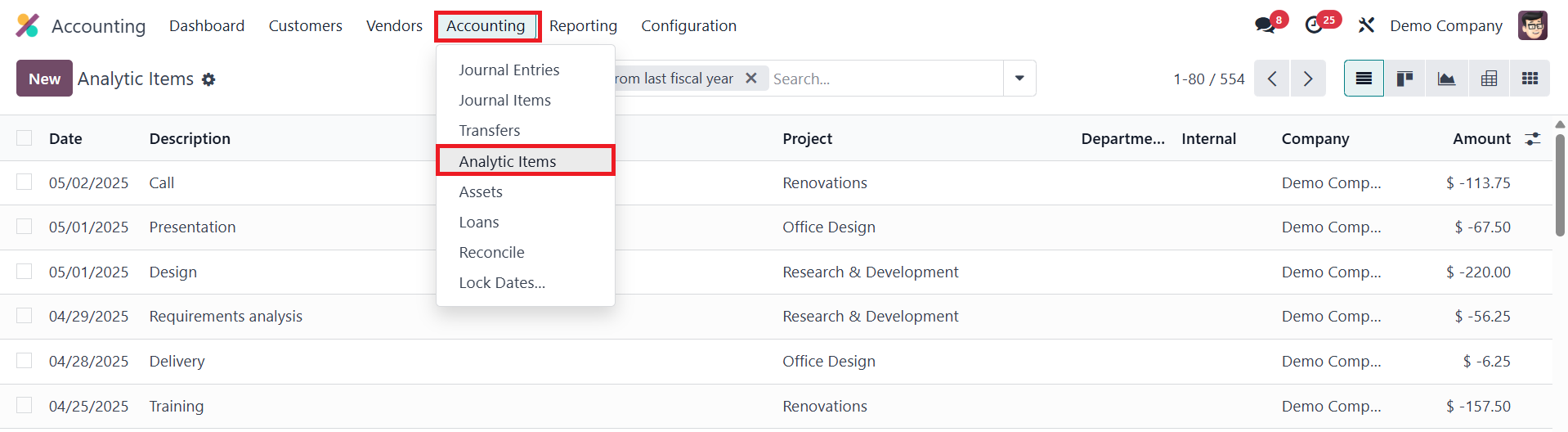
You can access and manage analytic items from the Accounting menu by selecting the
Analytic Items option, which opens a list view showing key details such as the date,
description, analytic account, project, company, and the amount involved in each entry.
This view makes it easier to monitor how different transactions contribute to various
cost centers or revenue streams.
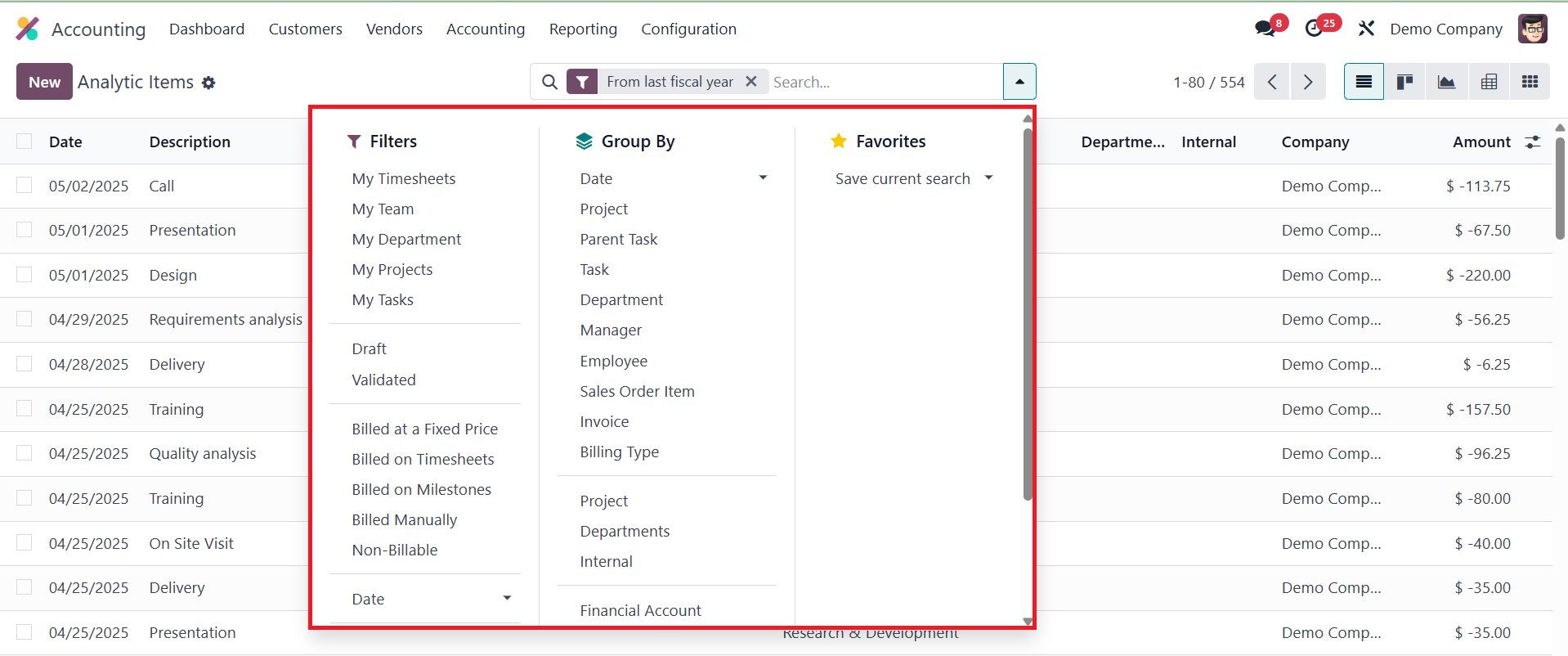
The platform also supports grouping and filtering options, allowing users to group items
based on analytic accounts or other relevant criteria for better clarity.
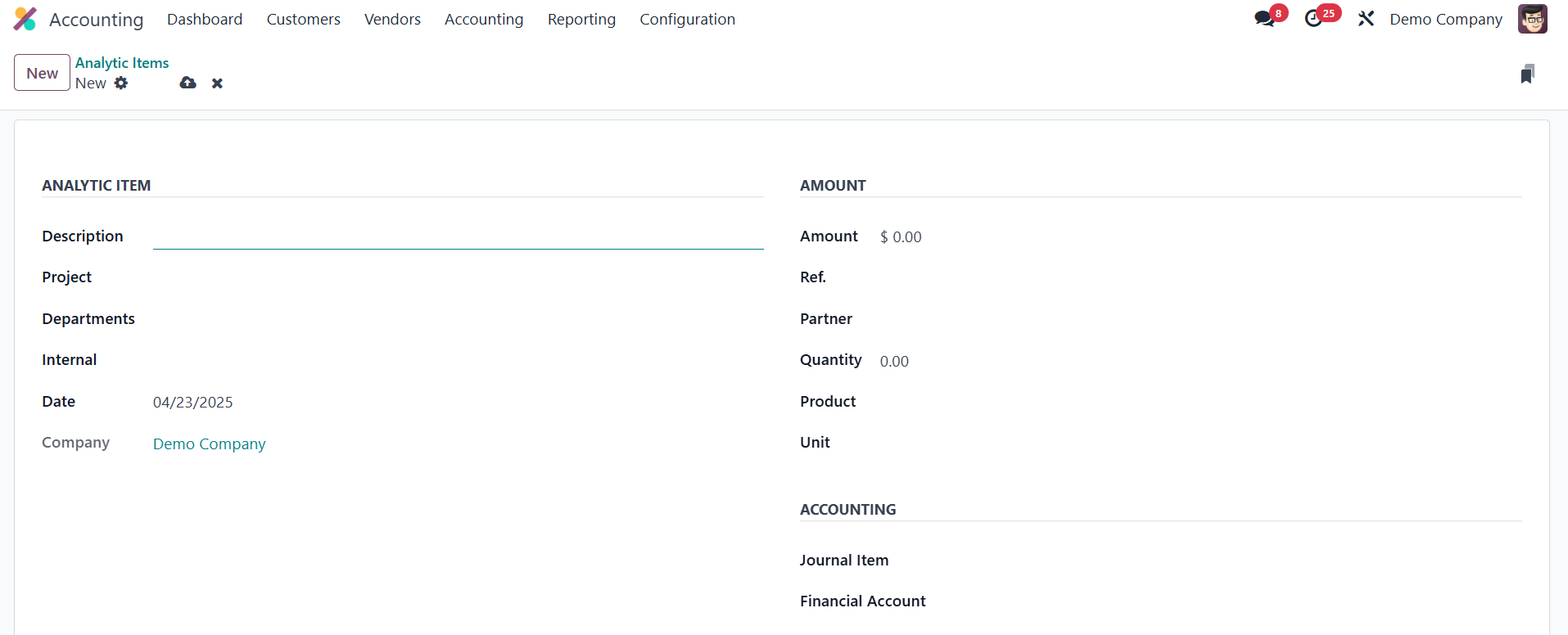
To manually add a new analytic item in Odoo 18, you can click the New button and fill in
various fields for a detailed record. The Description field allows you to provide a
brief note explaining the purpose of the analytic item, such as "Marketing Campaign
Expenses." The Date specifies when the analytic entry is recorded, helping align it with
relevant accounting and reporting periods. The Company field is important for
multi-company environments, ensuring the item is associated with the correct company.
The Analytic Account links the item to a specific account, such as a project or
department, used for categorizing and tracking related costs or revenues. Respective
Project and Department can be seen here. The Amount field records the financial value of
the transaction, whether it's income or an expense.
Additionally, the Reference field allows you to add an internal or external reference
number, such as an invoice number, for easier identification. The Partner field is
optional and can specify the vendor, customer, or third party associated with the
transaction. If applicable, the Quantity field indicates the number of units related to
the item, such as hours or products, while the Product field specifies the item or
service related to the transaction. The Unit of Measure defines the measurement unit for
the quantity, such as hours or kilograms, to align with the product.
The Journal Item field allows you to link the analytic item to a specific accounting
journal entry, while the Financial Account field ties the item to a specific general
ledger account for more detailed financial tracking. Once configured, the analytic item
will be recorded under the specified analytic account and included in related analytic
reports. This feature in Odoo 18 enhances financial transparency and allows businesses
to track and evaluate internal financial performance with precision.