3. Configuration
The Configuration section is used to manage the
settings and rules that control how the
Attendance module operates.
It allows administrators to configure attendance-related
options, define attendance policies, and maintain
system settings to ensure attendance records are
managed according to the organization's requirements.
This section helps standardize attendance processes
and supports accurate tracking of employee working
hours and attendance activities.
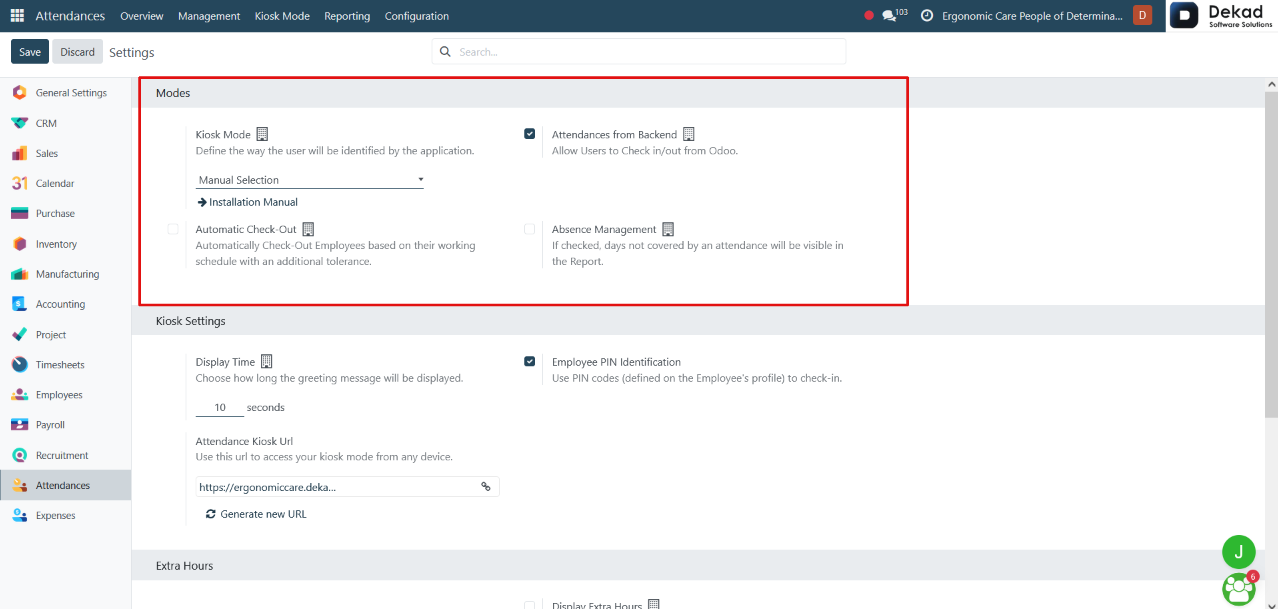
Modes
The Modes section contains settings that define how attendance is
recorded and how employees are identified within the Attendance module.
Kiosk Mode
Defines the method used to identify employees when they check in or check
out through the attendance kiosk.
Installation Manual
Provides guidance for setting up and configuring the attendance system.
Attendances from Backend
Allows users to record check-ins and check-outs directly from the system interface.
Automatic Check-Out
Automatically checks out employees based on their working schedule, with an
additional tolerance period if configured.
Absence Management
When enabled, days without attendance records are displayed in attendance
reports, helping administrators identify employee absences.
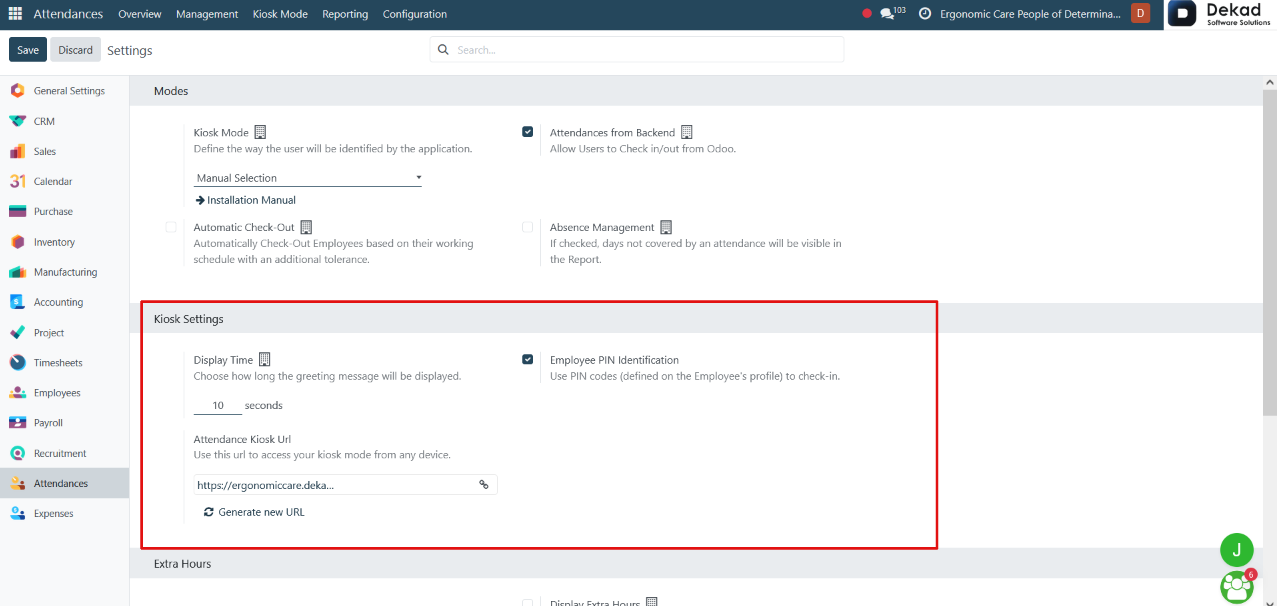
Kiosk Settings
The Kiosk Settings section contains configuration options related to
the attendance kiosk interface.
Display Time
Defines the number of seconds that the greeting message remains visible
after an employee checks in or checks out.
Employee PIN Identification
Allows employees to use their assigned PIN codes to identify themselves
and record attendance through the kiosk.
Attendance Kiosk URL
Provides a dedicated URL that can be used to access the attendance kiosk
from any authorized device, enabling employees to perform check-in and
check-out operations remotely through the kiosk interface.
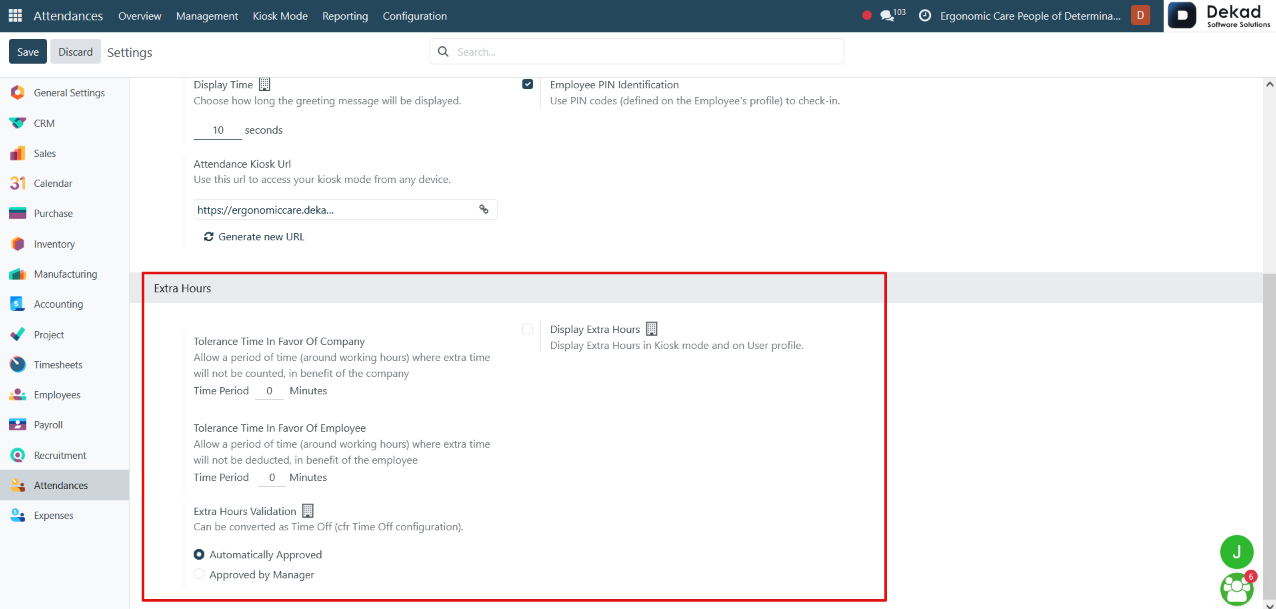
Extra Hours
The Extra Hours section contains settings related to the calculation
and management of employee overtime.
Tolerance Time In Favor Of Company
Defines a grace period around working hours during which extra time worked
by employees is not counted as overtime.
Tolerance Time In Favor Of Employee
Defines a grace period around working hours during which small shortages in
working time are not deducted from the employee.
Display Extra Hours
Displays recorded extra hours in Kiosk Mode and on the employee's profile.
Extra Hours Validation
Determines how extra hours are validated and whether they can be converted
into Time Off according to the system configuration.
Automatically Approved
Extra hours are approved automatically without requiring manual approval.
Approved by Manager
Extra hours must be reviewed and approved by the employee's manager before
they are validated.