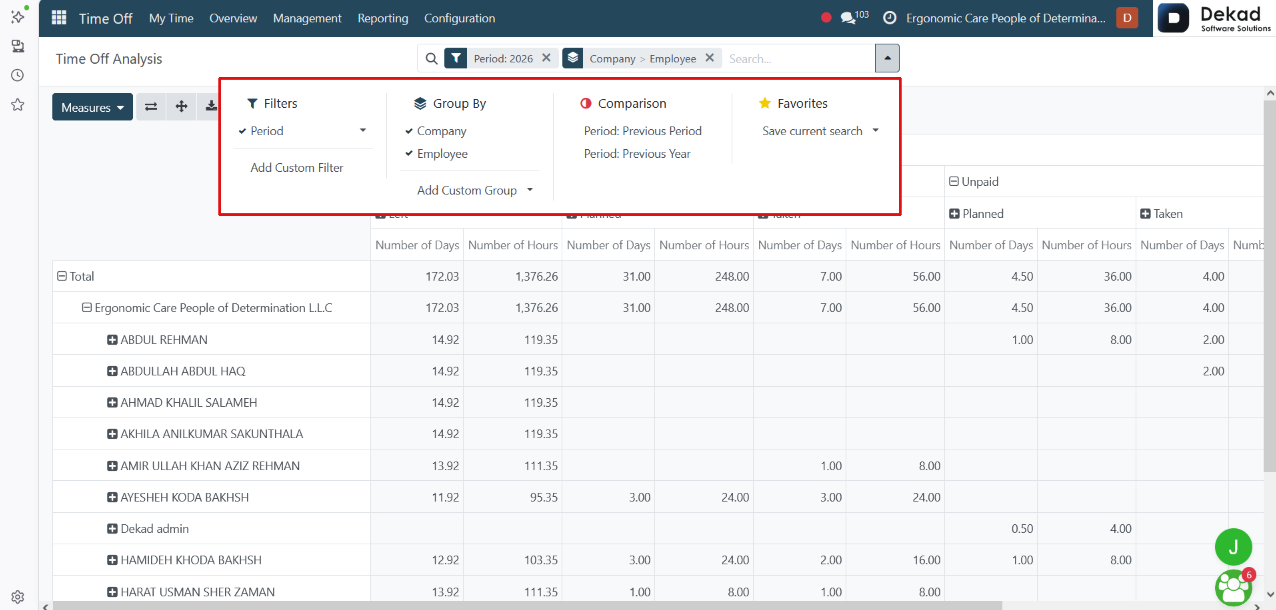
5. Reporting
The Reporting section provides a summarized view of
employee time off and allocation data.
It helps users monitor leave activities, track
trends, and review records through organized
reports. This section makes it easier to
analyze employee absences, leave balances,
and overall time off management across
the organization.
5.1 Analysis by Employee
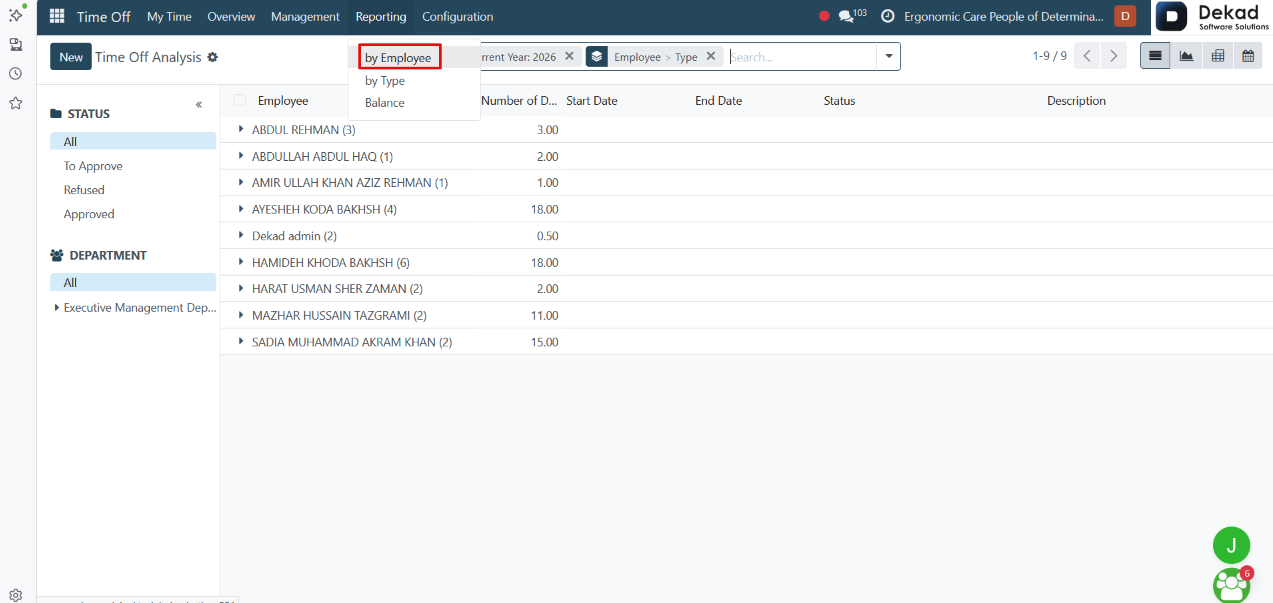
The Analysis by Employee report provides
an overview of time off records
organized by employee.
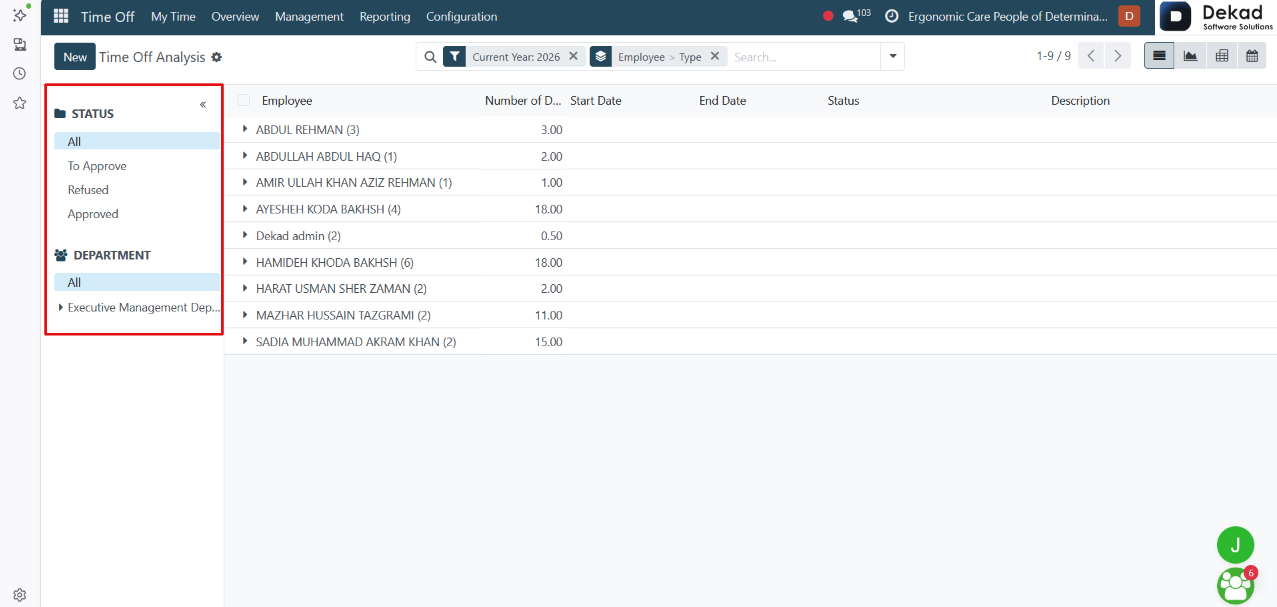
Status
The Status filter allows users to view
requests based on their approval status.
• All: Displays all requests.
• To Approve: Displays requests that are waiting for approval.
• Refused: Displays requests that have been rejected.
• Approved: Displays requests that have been approved.
Department
The Department filter allows users to view records for a specific department.
• All: Displays records from all departments.
• Executive Management Department: Displays records
related only to the Executive Management Department.
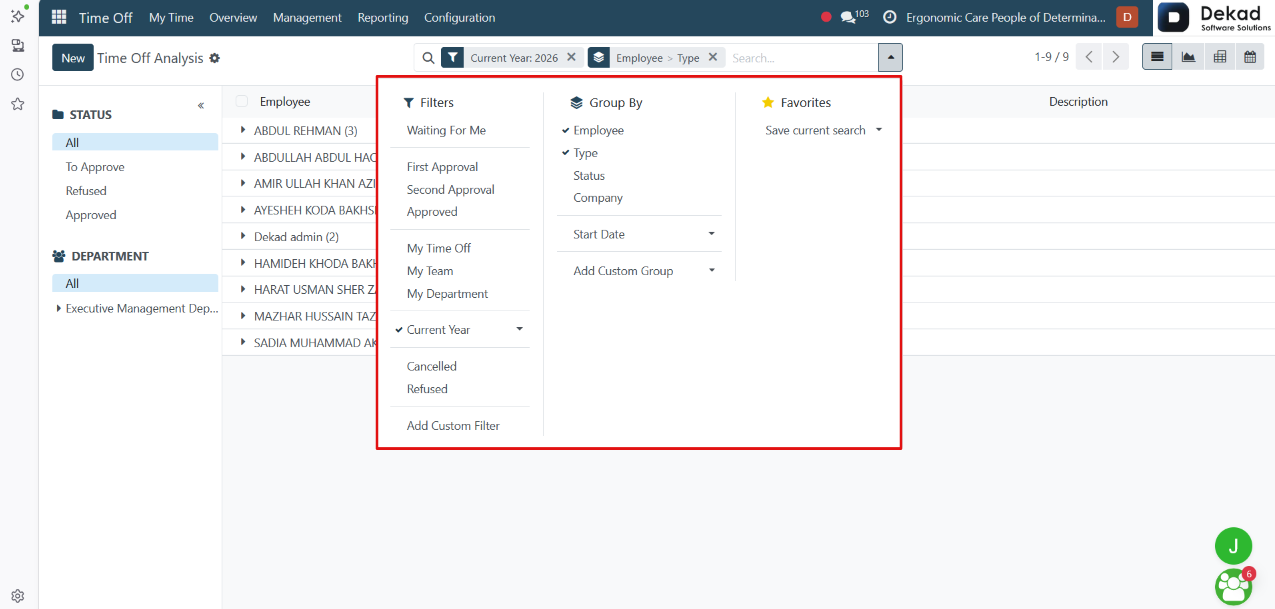
Search and Filtering
The Search and Filtering feature allows users
to quickly find specific employee records and
leave data within the report.
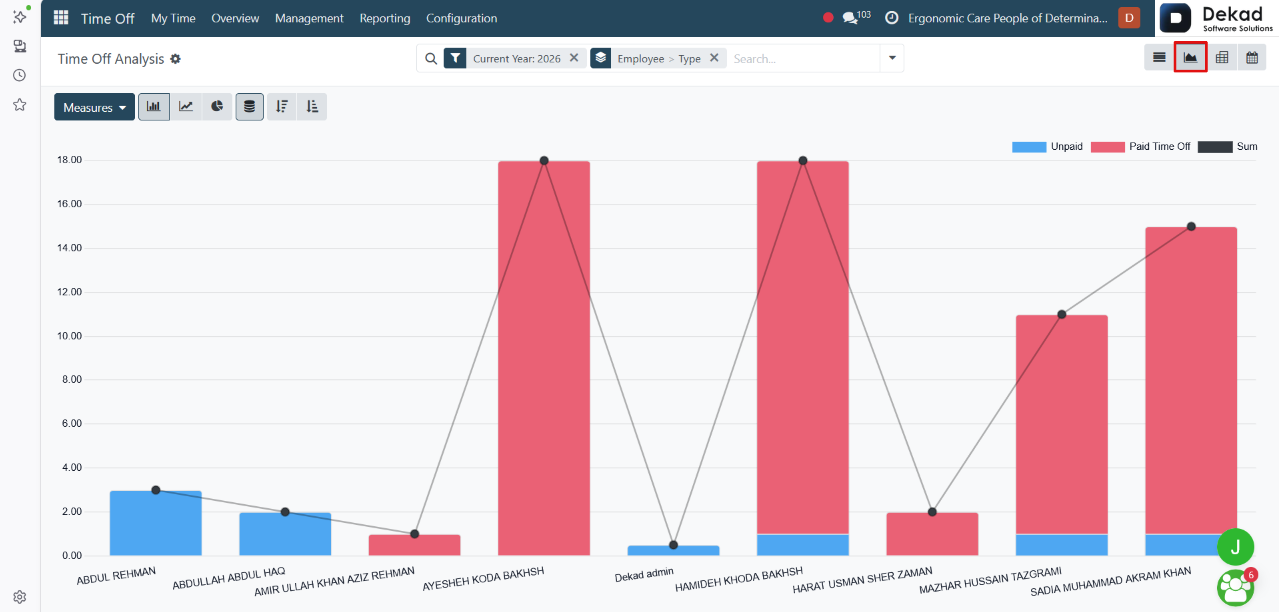
Graph View
The Graph View presents time off data in
a visual chart format, making it easier
to analyze and compare leave records.
Instead of viewing data in a list, users can
see trends and summaries displayed graphically,
helping them identify patterns such as the
number of requests, leave distribution, and
employee time off activity.
This view provides a clearer understanding of
the data and supports better reporting and decision-making.
5.2 Analysis by Type
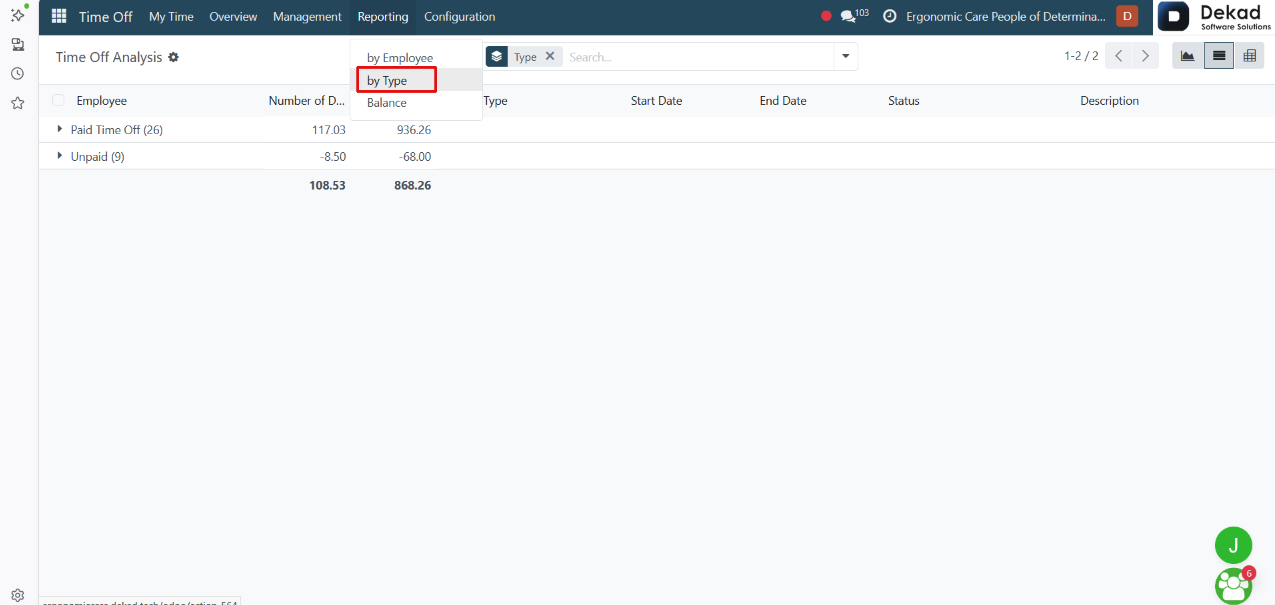
The Analysis by Type page displays time off
data grouped by time off type rather
than by employee.
It provides an overview of how different leave
categories are being used across the organization,
such as annual leave, sick leave, unpaid leave,
and other time off types.
This view helps users analyze leave distribution, monitor
usage patterns, and compare the amount of time off
taken under each category.
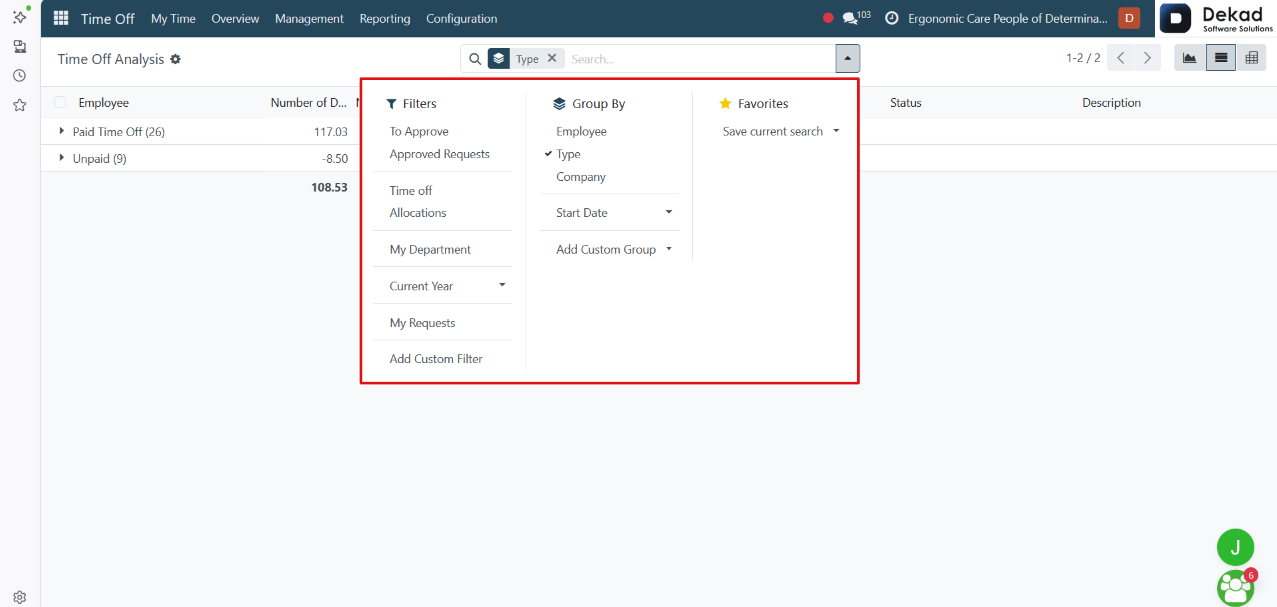
Search and Filtering
The Search and Filtering feature allows users
to quickly locate specific time off records by type.
5.3 Balance
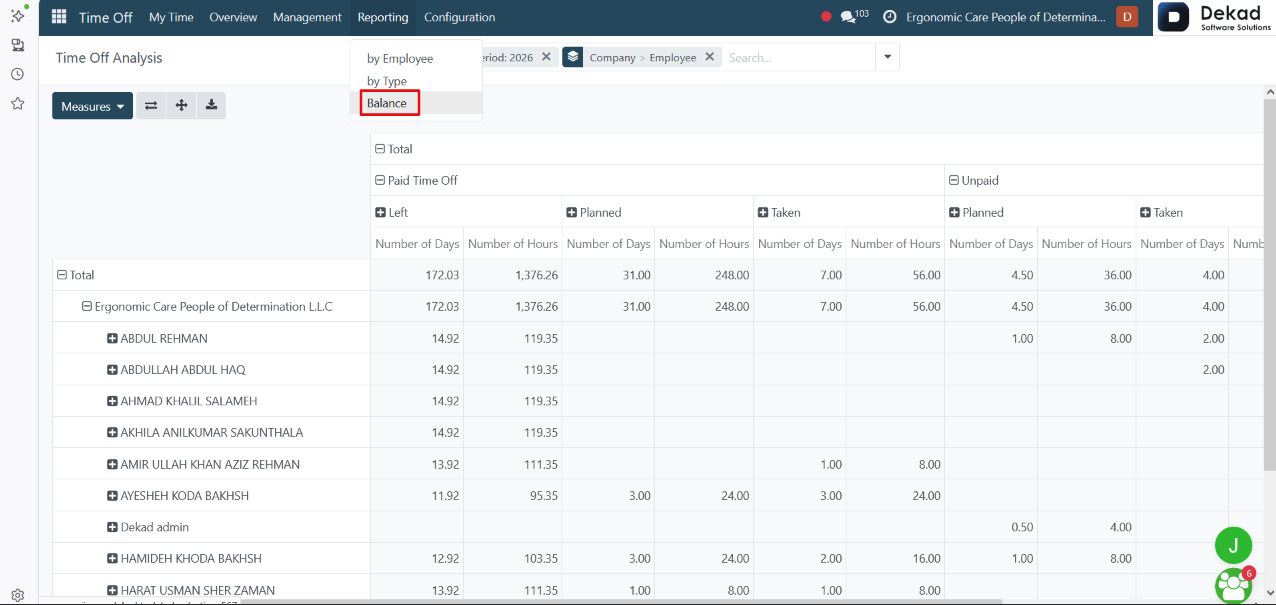
The Balance report provides an overview of employee
leave balances across different time off types.
It displays the available, used, and remaining leave
amounts, helping users monitor leave allocations
and track how much balance is still available.
This report allows managers and administrators to
review leave balances efficiently and ensure that
employees have the correct allocation records
in the system.
Employee Record
When the user clicks on an employee's name
within the report, the employee record is
opened, providing access to additional
information and related actions.
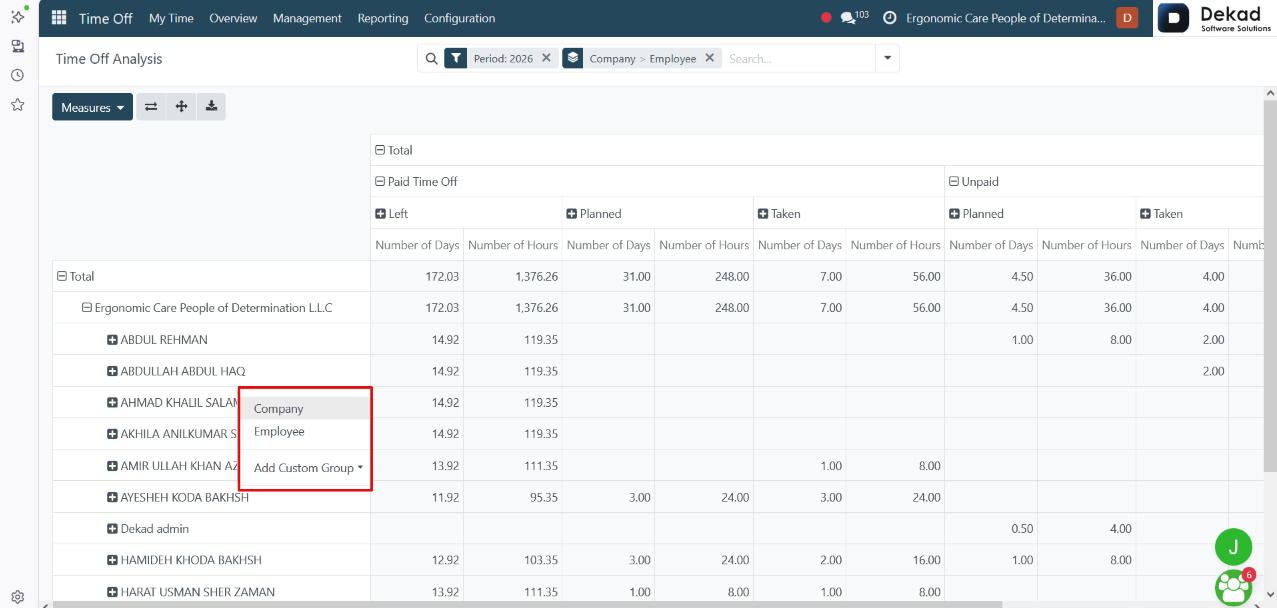
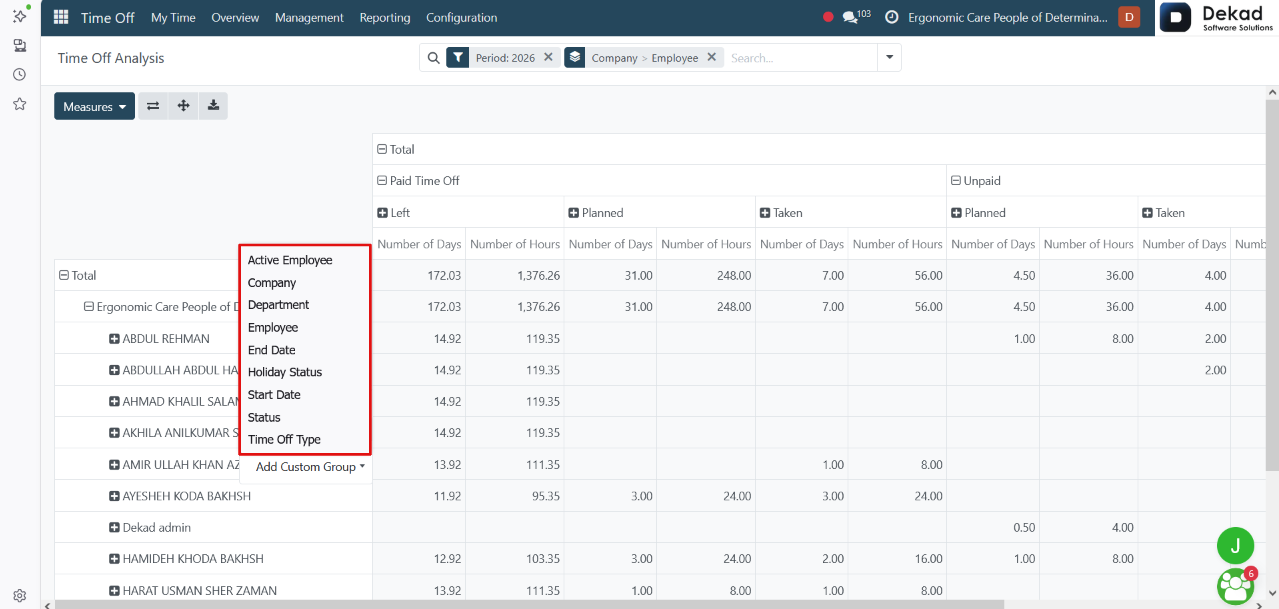
The page includes quick-access options such
as Company, Employee, Add Customer, and Group,
allowing users to view and manage related
employee information.
Additional actions are also available through
the More Actions menu, which provides extra
management options depending on the user's permissions.
Search and Filtering
The Search and Filtering feature allows users
to quickly locate specific employee balance
records within the report.