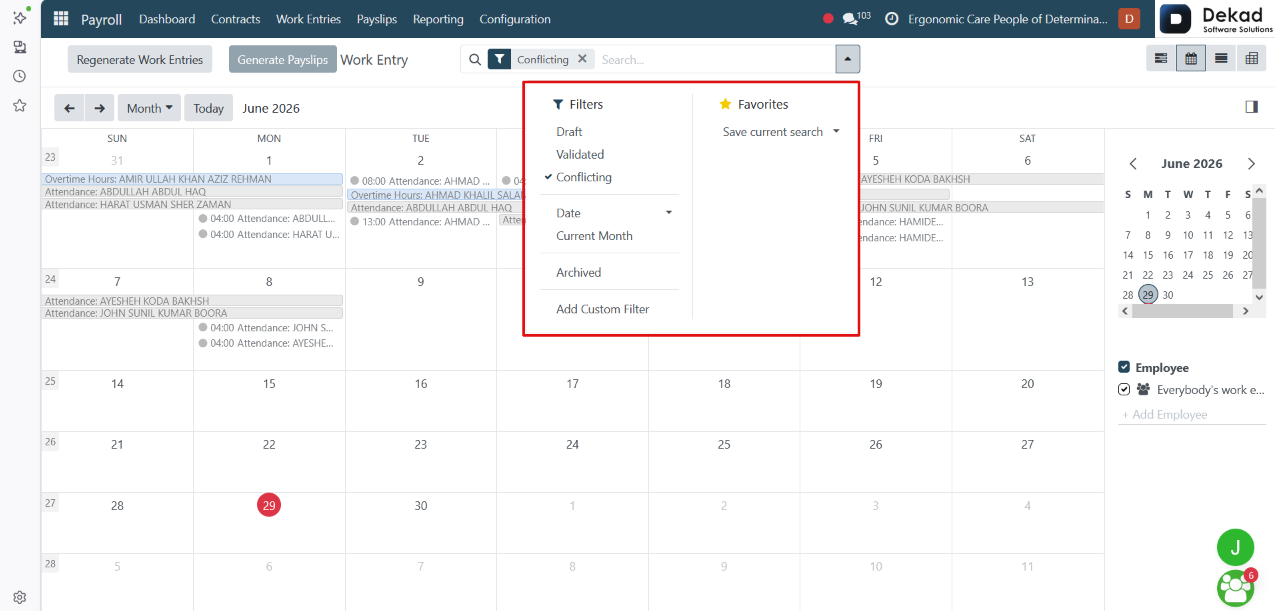
3. Work Entries
The Work Entries section is used to manage
employee work records that are used for
payroll calculations.
Work entries are created automatically based
on employee attendance, time off, planning
schedules, and work schedules. They represent
the actual working time and absence records
that are used to calculate employee payslips
accurately.
This section allows users to review, manage, and
create work entries when necessary, ensuring
that payroll is processed using complete and
accurate work records.
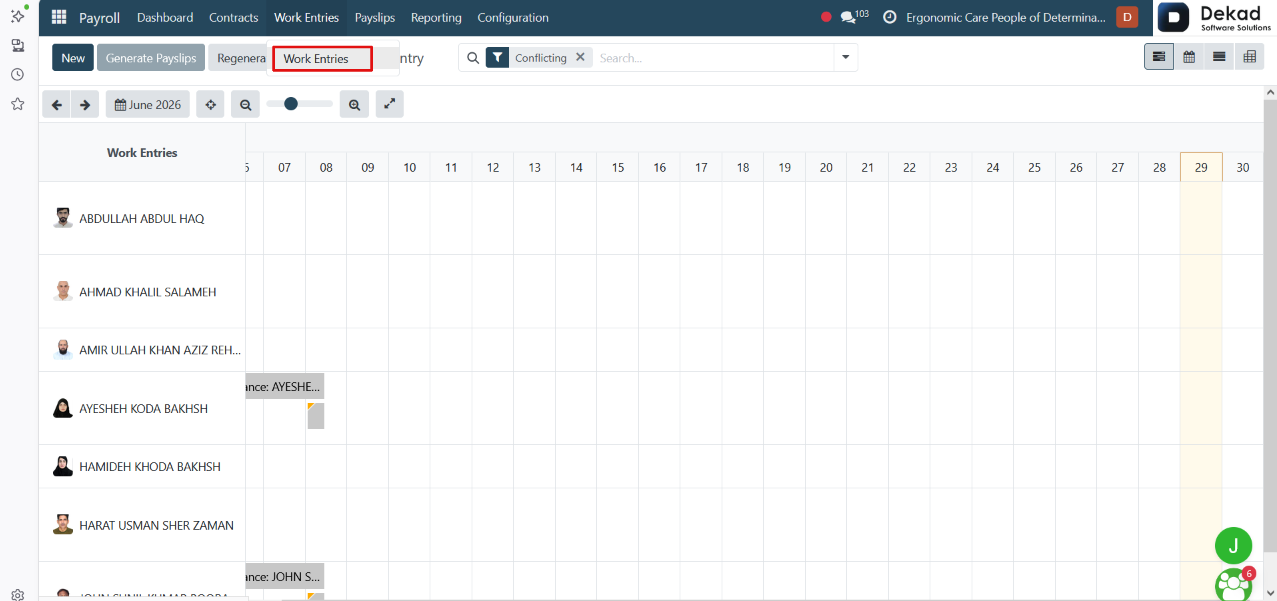
View Options
The Work Entries page supports multiple view modes,
allowing users to display the same data in different
formats based on their needs. Available views
include List, Calendar, Pivot, and Graph.
Calendar View
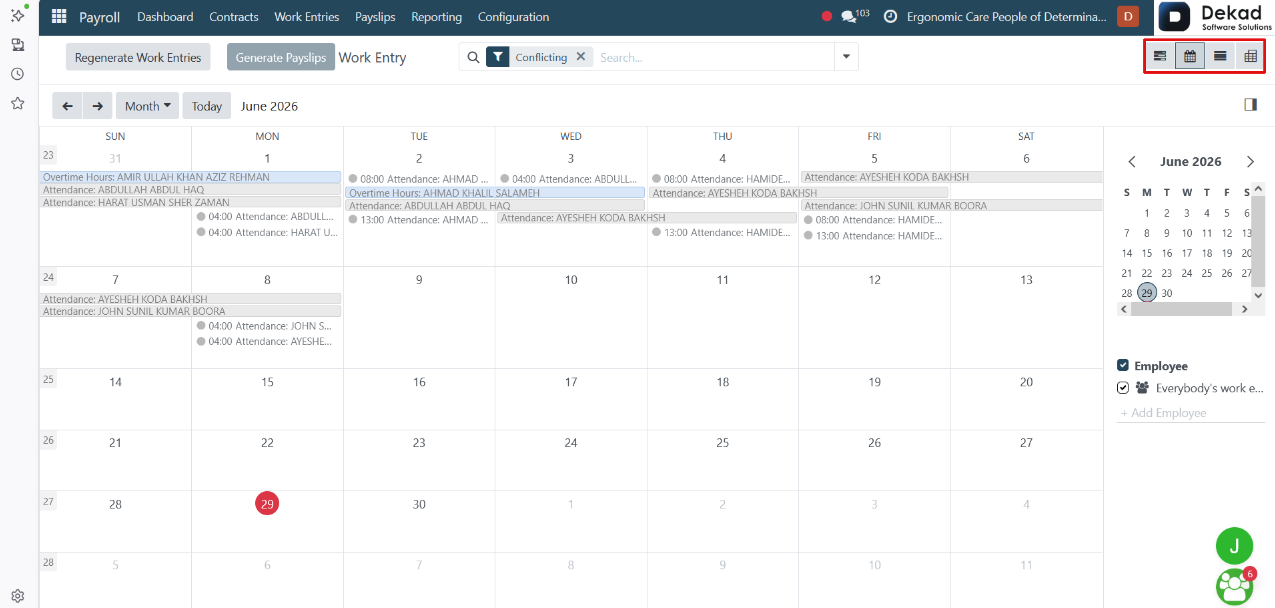
The Calendar View displays work entries in a
calendar format, showing dates alongside employee
names and their attendance records.
If an employee has recorded overtime, it is
highlighted in blue, making it easy for users
to identify extra working hours and review
work entries directly from the calendar.
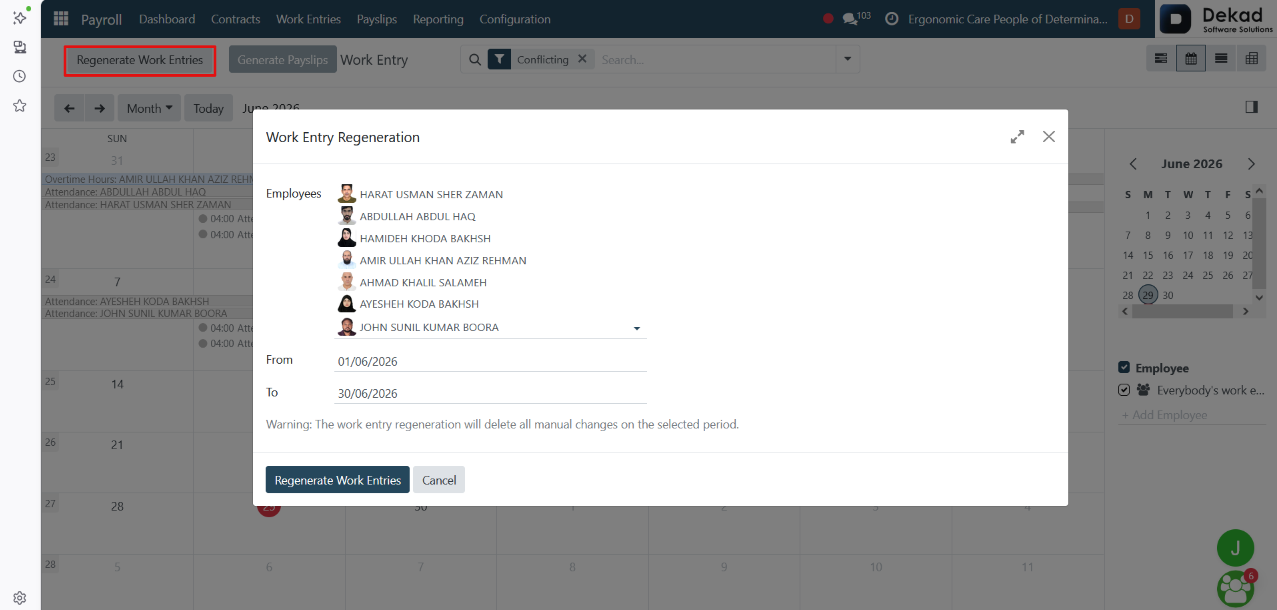
Regenerate Work Entries
The Regenerate Work Entries feature is used to
recreate employee work entries for a
selected period.
Users can select one or more employees and
specify a date range. The system then regenerates
the work entries based on the latest data from
Attendance, Time Off, Planning, and employee
work schedules, replacing any existing work
entries for the selected period.
This feature is commonly used after correcting
attendance or scheduling data to ensure that
payroll calculations are based on accurate and
up-to-date work records.
Search and Filtering
The Search and Filtering feature allows users
to quickly locate specific work entries.