2. Contract
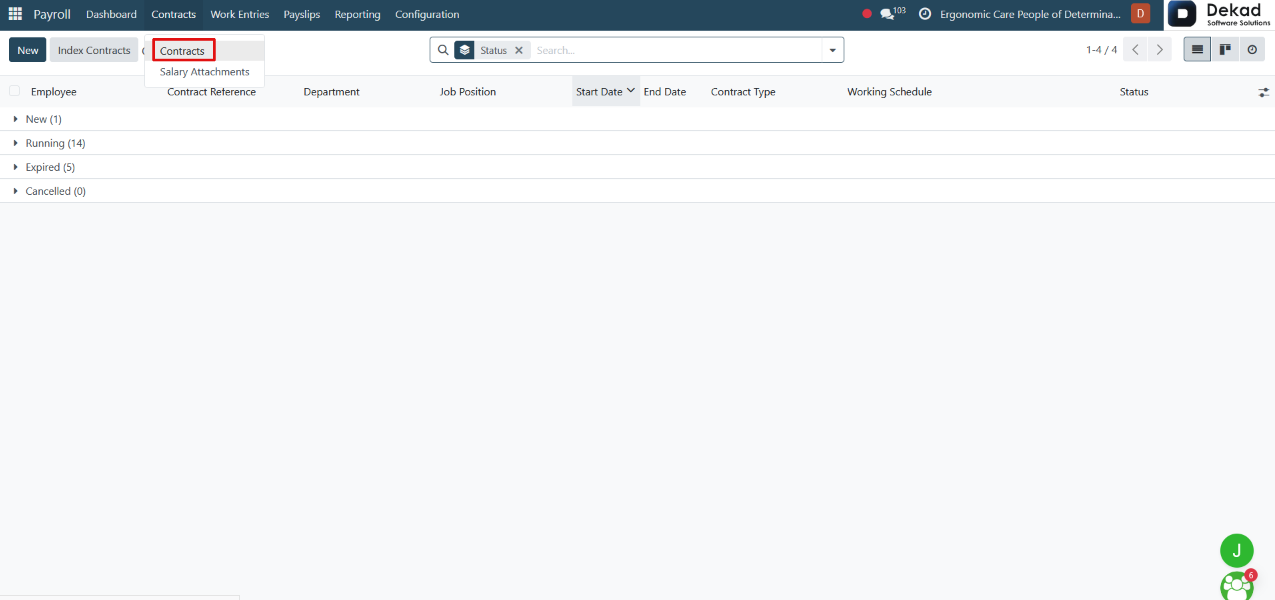
The Contracts section is used to manage employee
employment contracts within the Payroll module.
2.1 Contract
Each employee must have an active contract for payroll
processing. Contracts contain important information
such as employment terms, salary details, working
schedule, job position, and contract duration.
The Contracts page allows users to create, review,
and manage employee contracts, ensuring that payroll
calculations are based on accurate and up-to-date
employment information.
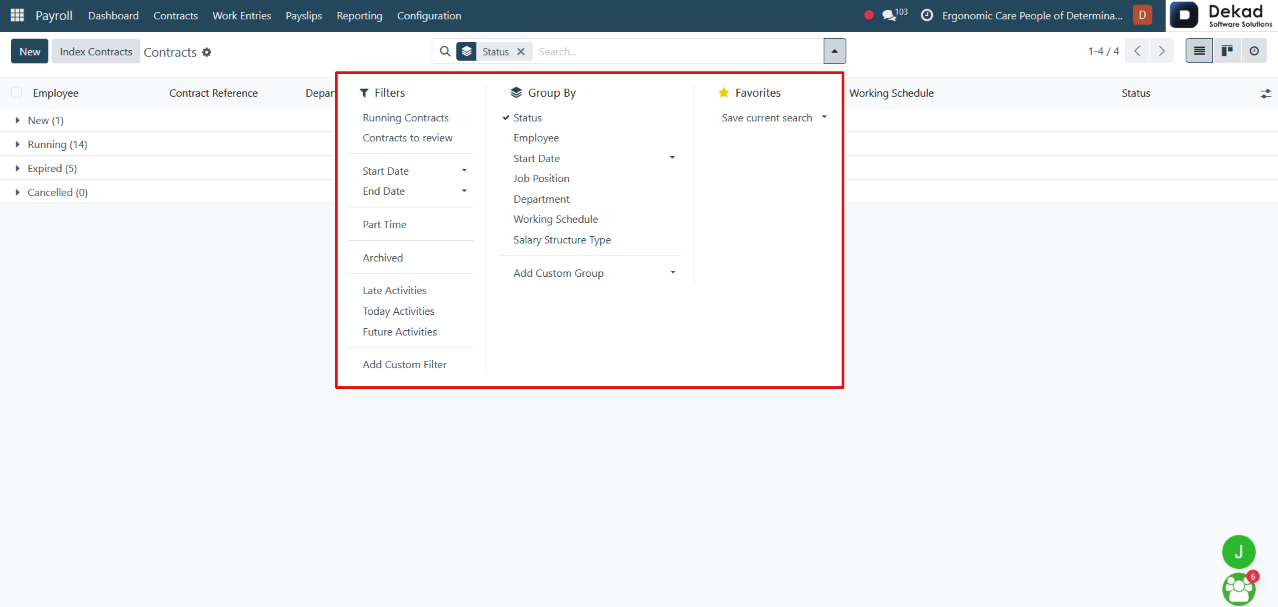
Search and Filtering
The Search and Filtering feature allows users
to quickly find specific employee contracts.
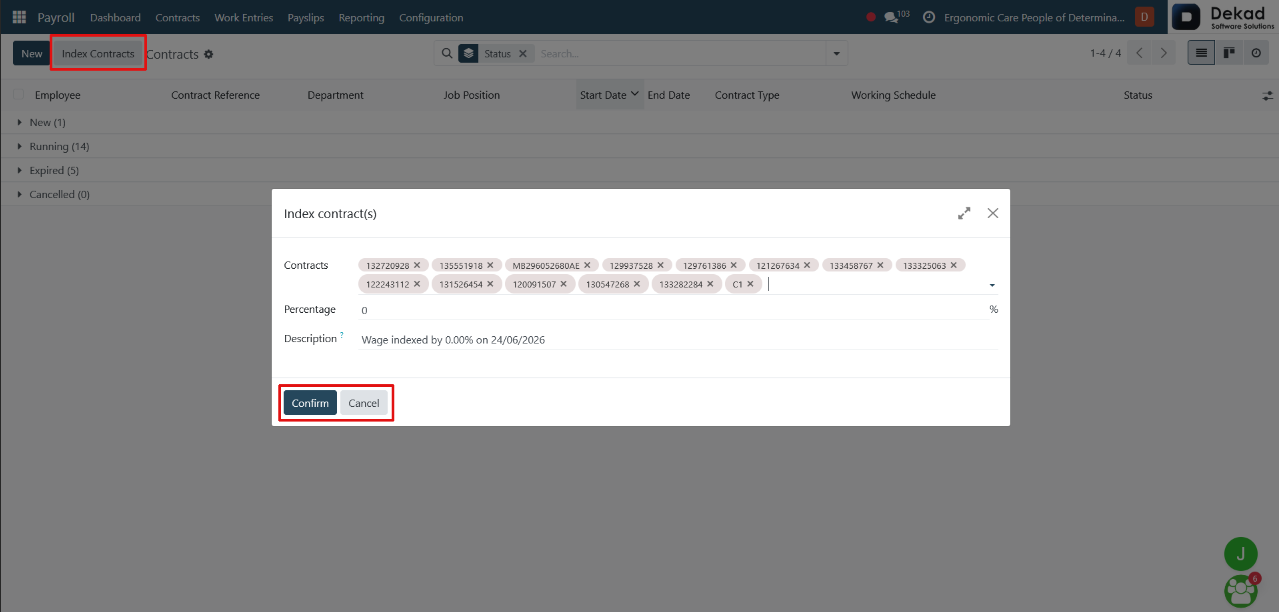
Contract Indexation
By clicking on Index Contracts, a form is displayed that allows users
to apply salary indexation or adjustments to employee contracts.
Percentage
Defines the percentage value that will be applied during the contract
indexation process.
Description
Allows users to enter a description or note explaining the reason for the
indexation or adjustment.
Confirm and Cancel
The Confirm and Cancel actions are used to complete or cancel
the contract indexation process. Confirm applies the entered
indexation settings to the selected contracts, while Cancel closes
the process without making any changes.
New Contract
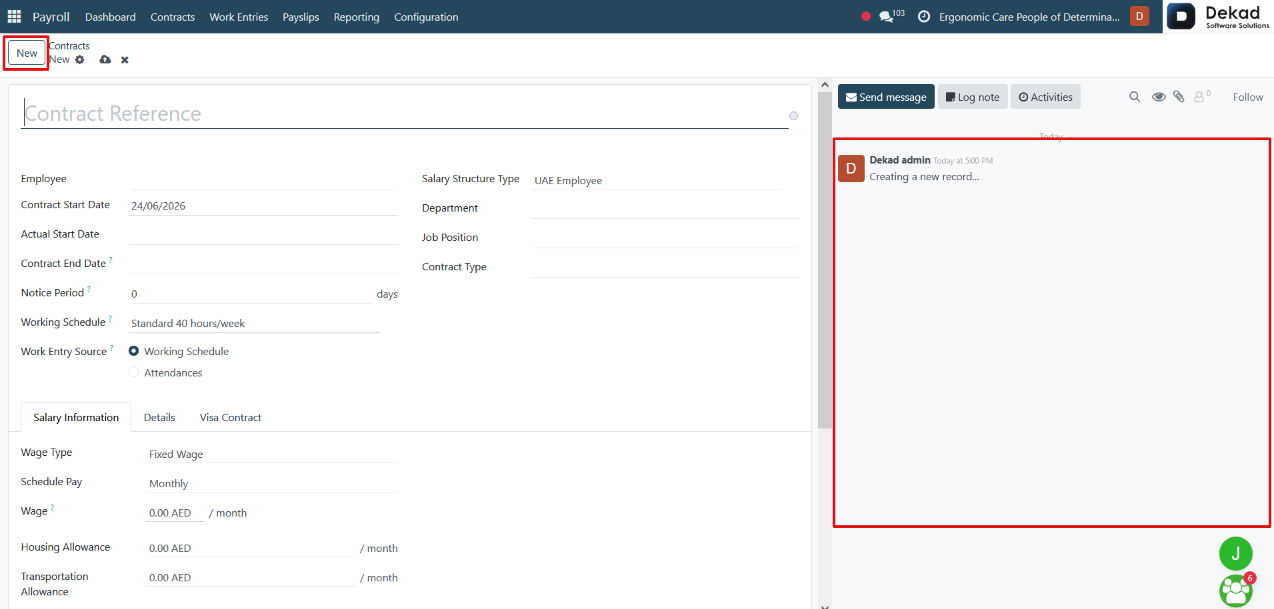
By clicking the New button, a form is displayed
where users can create a new employee contract.
The form contains all the necessary contract information,
including employee details, employment terms, salary
information, working schedule, contract dates, and
payroll-related settings. It also includes a Chatter
Panel, which allows users to send messages, add
internal notes, schedule activities, upload attachments,
and track updates related to the contract.
After entering the required information, users can save
the contract to activate it within the payroll system
or discard the changes if the contract is no longer needed.
2.2 Salary Attachments
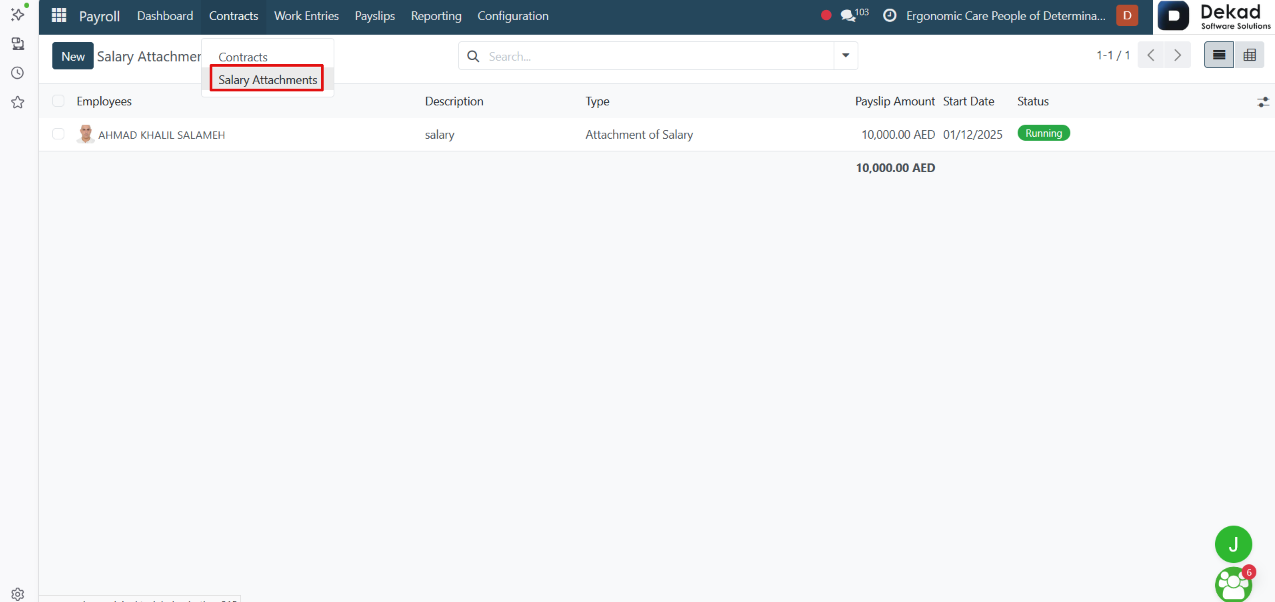
The Salary Attachments section is used to manage
recurring salary deductions or allocations that
are applied directly to employee payslips.
Salary attachments may represent deductions such
as loan repayments, child support payments,
legal obligations, or other recurring payroll
adjustments. Each attachment is linked to an
employee and is automatically processed during
payroll calculation.
The section allows users to create, monitor, and
manage salary attachments, ensuring that the
specified amounts are applied correctly to
employee payslips.
Pivot View
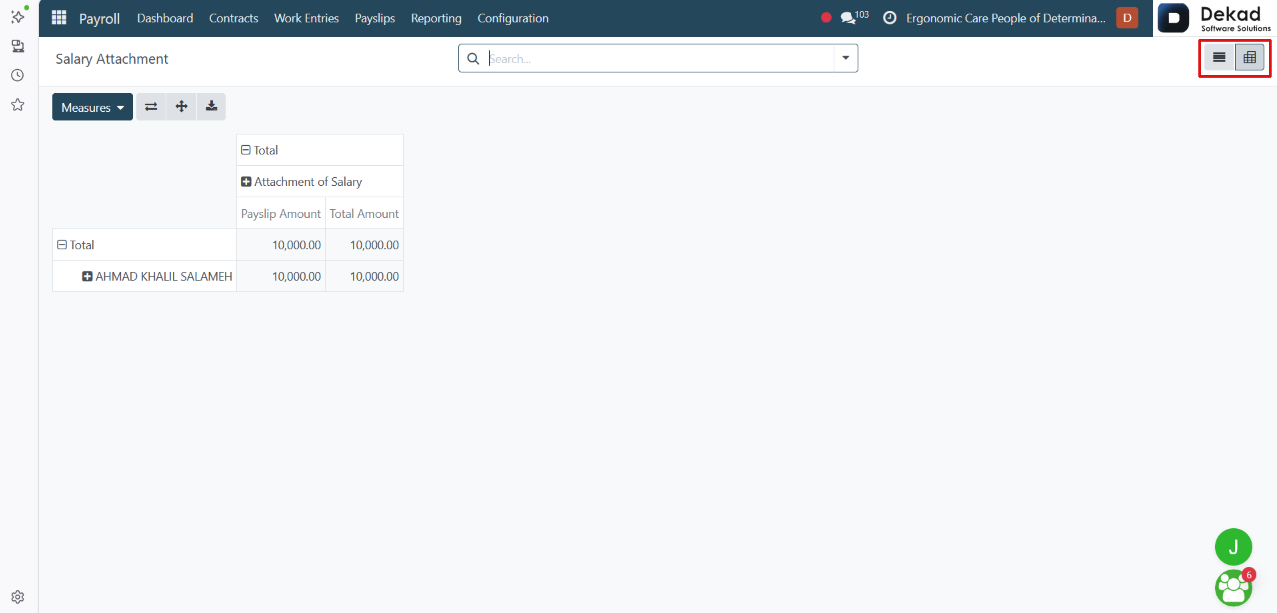
The Pivot View displays data in a summarized table
format, allowing users to analyze and compare
information from different perspectives.
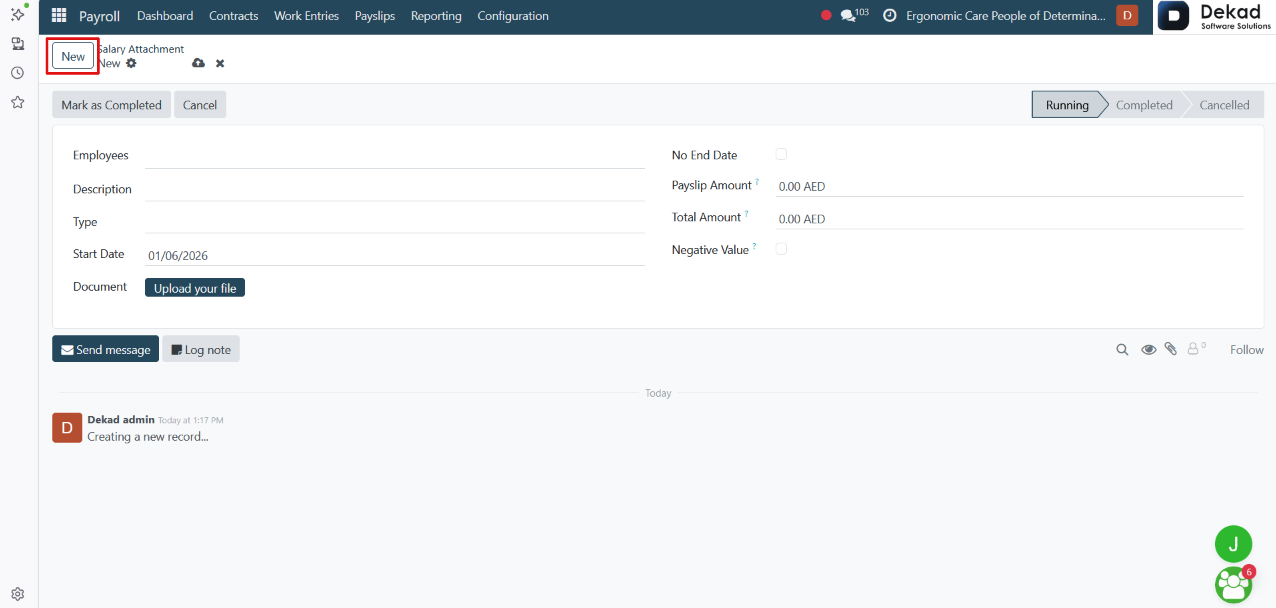
New Salary Attachment
By clicking the New button, a form is displayed
where users can create a new salary attachment
for one or more employees.