4. Payslips
The Payslips section is used to create, manage,
and process employee salary slips.
A payslip contains all payroll information for
a specific pay period, including salary details,
worked days, overtime, deductions, allowances,
and net pay. Payslips are generated based on
the employee's contract and work entries,
ensuring accurate payroll calculations.
This section allows users to review, process, and
manage individual payslips or payroll batches
throughout the payroll cycle.
4.1 To Pay
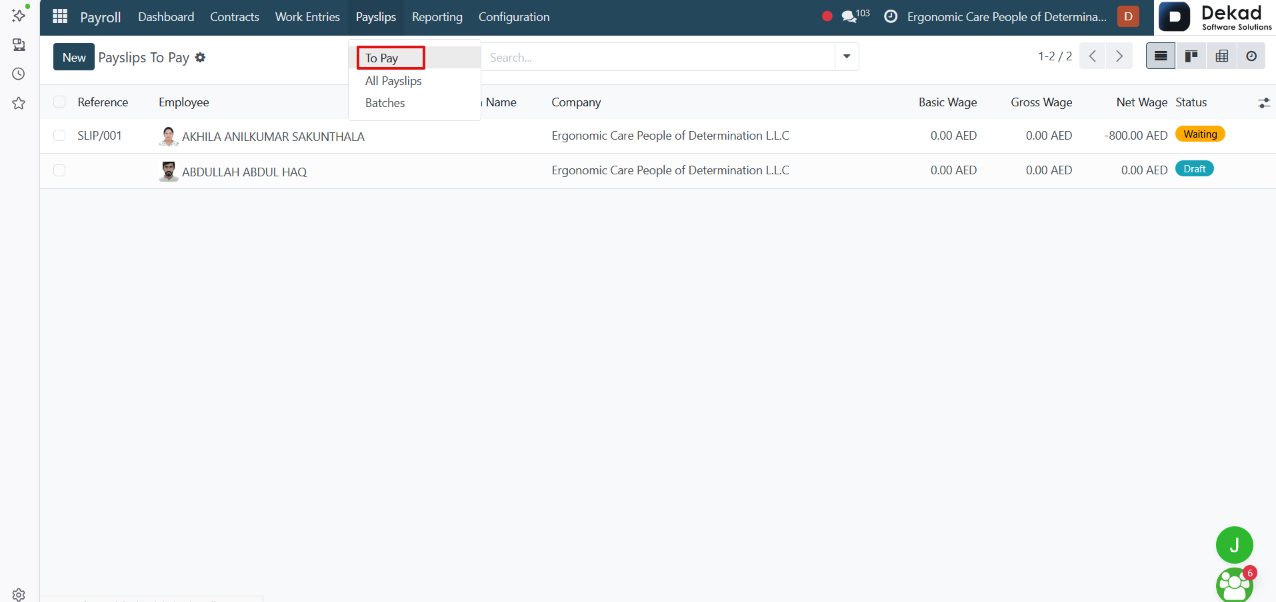
The To Pay section displays employee payslips that
have been processed and are ready for payment.
It allows payroll users to review pending payslips
before completing the payment process. The page
displays key information such as the employee,
payroll batch, salary amounts, and payslip status,
making it easier to manage and process employee
payments efficiently.
New Payslip
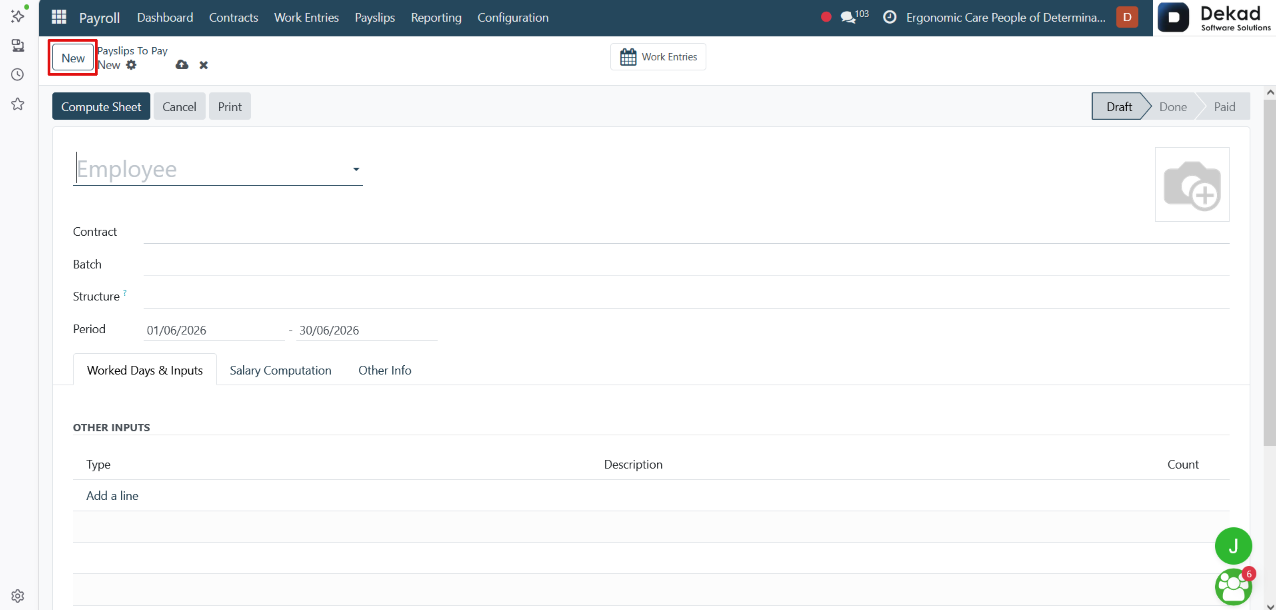
By clicking the New button, a form is displayed
where users can create a new employee payslip.
The form includes fields such as the employee Contract,
Batch, Salary Structure, and Pay Period. It also
contains dedicated tabs for Worked Days & Inputs,
Salary Computation, and Other Info, allowing users
to review working time, payroll calculations, and
additional payroll information before processing
the payslip.
Users can also add Other Inputs when additional payroll
items, such as allowances or deductions, need to
be included in the payslip.
Salary Computation
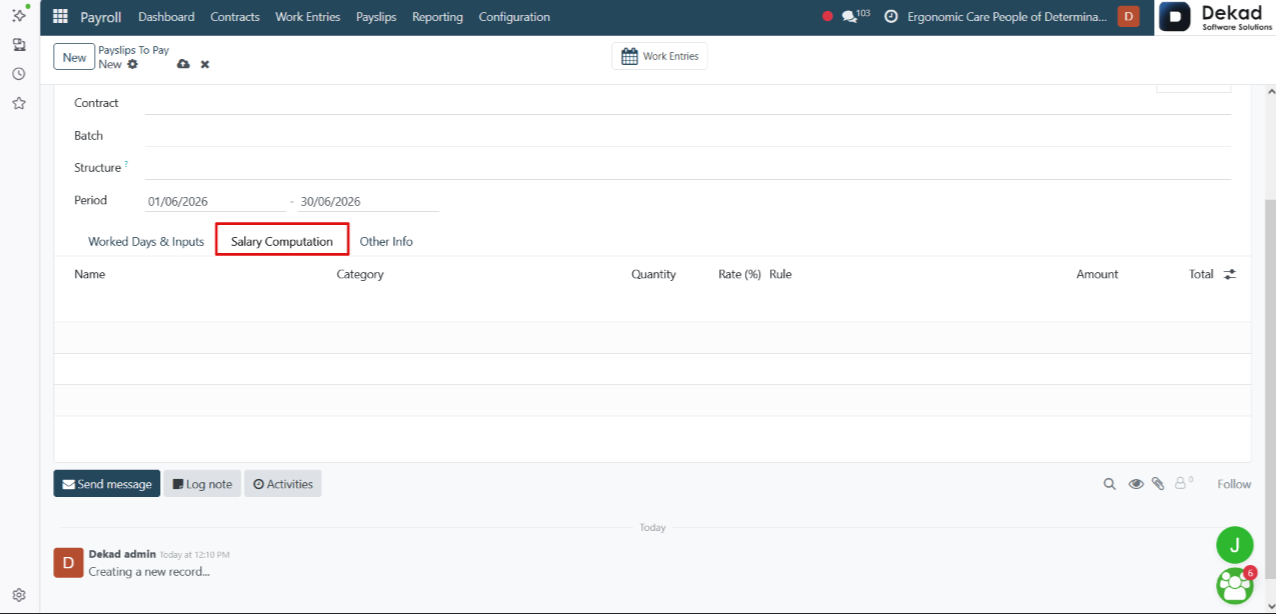
The Salary Computation tab displays a detailed
breakdown of the employee's salary calculation.
It automatically calculates and lists all payroll
components, including the basic salary, allowances,
deductions, taxes, benefits, contributions, and
net salary based on the employee's contract, work
entries, and payroll rules. This tab is generated
after the payslip is computed and is used to review
the final salary calculation before processing
the payslip.
4.2 All Payslips
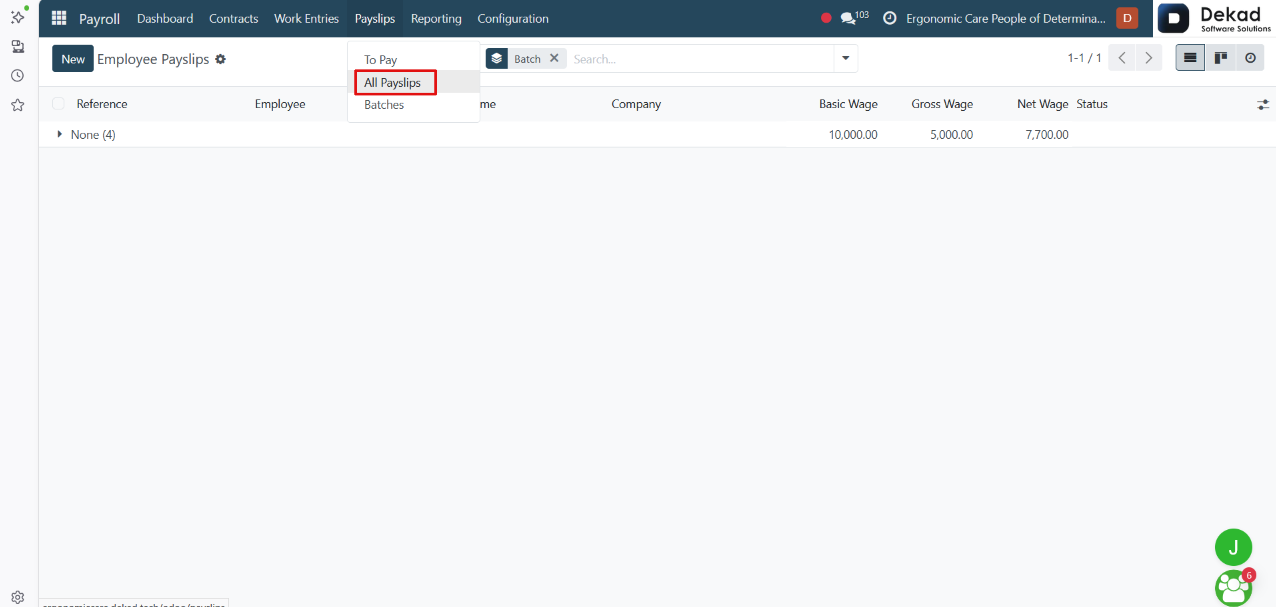
The All Payslips section displays all employee
payslips, regardless of their current status.
It provides a centralized view of all payroll records,
allowing users to review, manage, and track payslips
throughout the payroll process. Users can view
payslip details, monitor their status, organize
payslips by payroll batches, and create new
payslips when required.
Search and Filtering
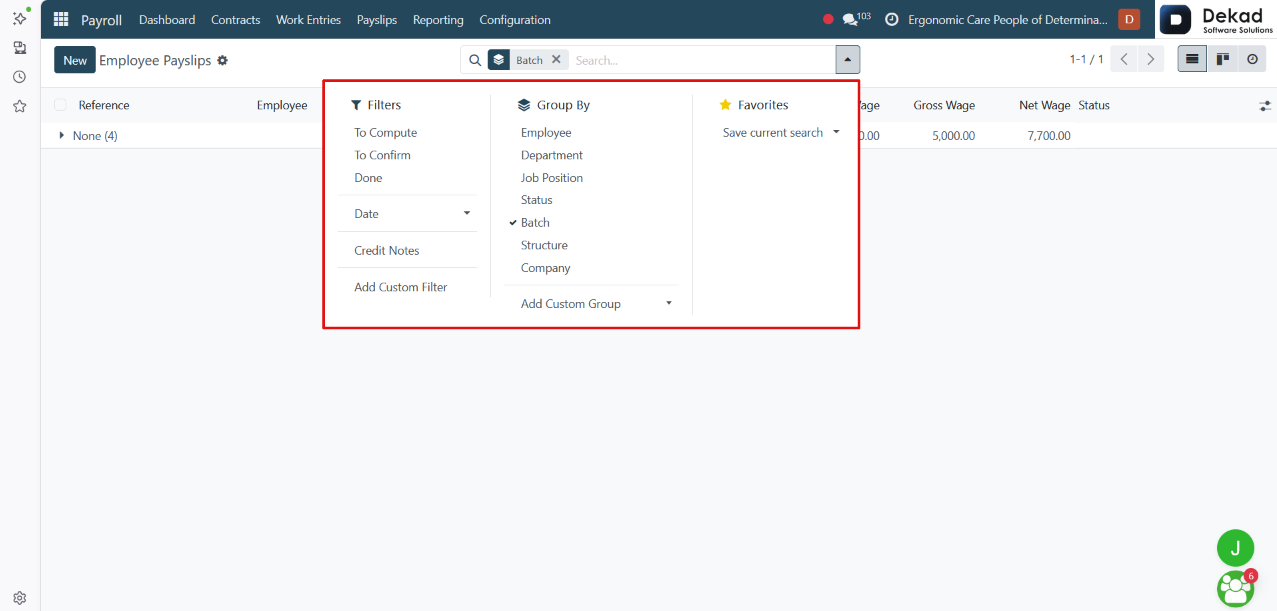
The Search and Filtering feature allows users
to quickly locate specific payslips from
the complete list.
4.3 Batches
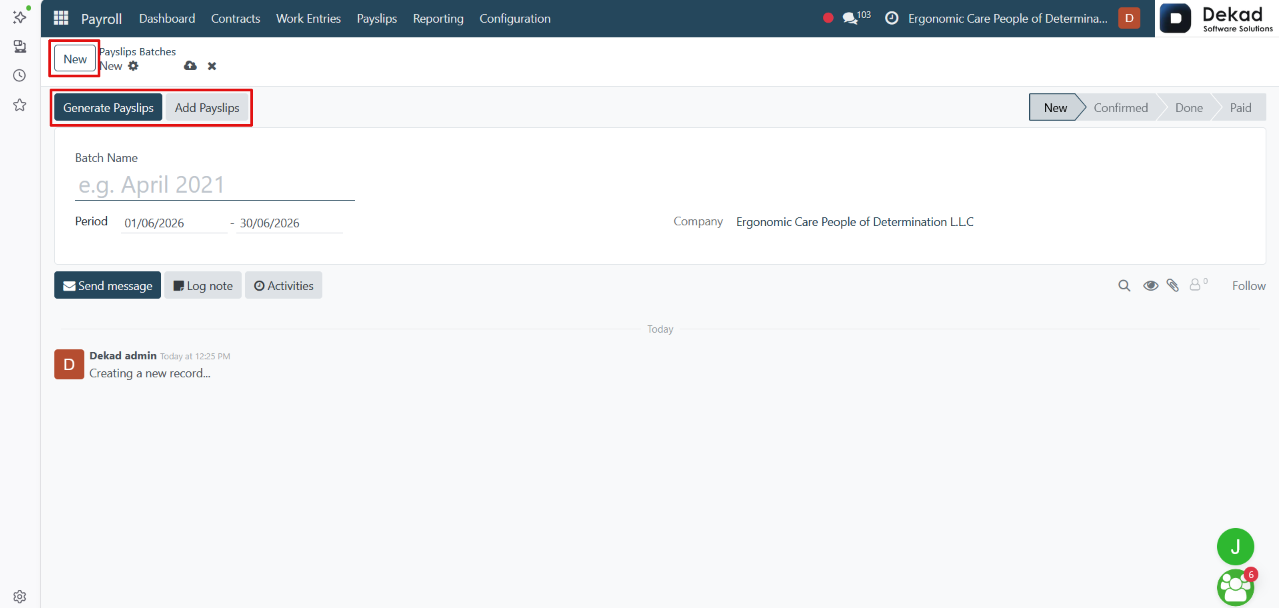
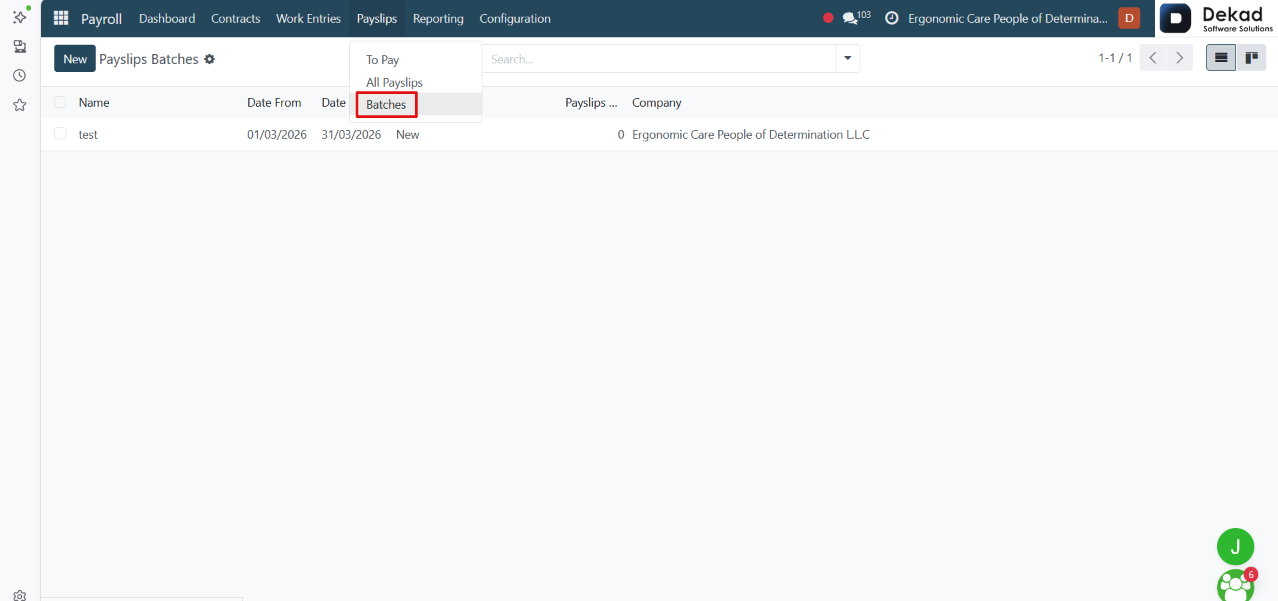
The Batches section is used to generate, organize, and
process multiple employee payslips at the same time.
Instead of creating and processing individual payslips,
users can group them into a single payroll batch for
a specific pay period. This simplifies payroll
processing, improves organization, and allows
payroll administrators to manage large numbers
of employee payslips more efficiently. Each batch
can be reviewed, processed, and tracked
throughout the payroll cycle.
New Payroll Batch
By clicking the New button, users can create
a new payroll batch by entering the batch name
and selecting the payroll period. Once the
batch is created, users can manage multiple
employee payslips within a single payroll run.
The batch also provides the following actions:
• Generate Payslips – Automatically generates payslips
for employees based on the selected payroll period,
salary structure, and employee information.
• Add Payslips – Allows users to add existing payslips
that have already been created to the selected payroll
batch for centralized processing and management.