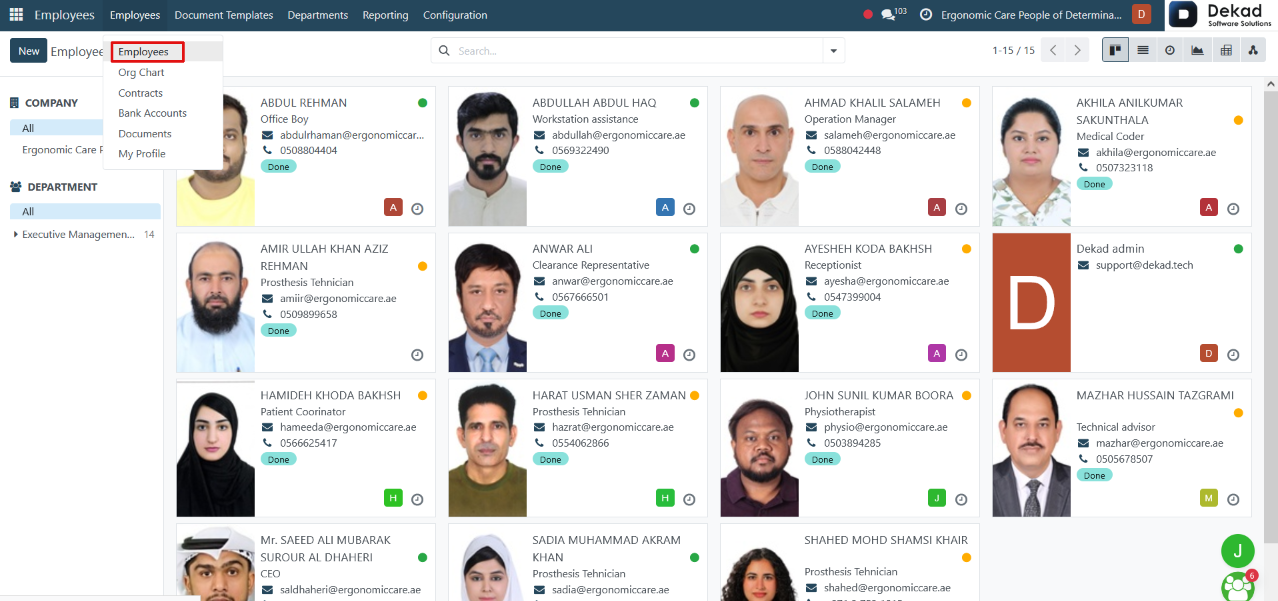
1. Employee
The Employees module is used to manage all
employee information in one centralized location.
It allows users to create and maintain employee
records, including personal details, job positions,
departments, contact information, contracts, work
schedules, and other HR-related data. The module
also integrates with other HR applications such
as Attendance, Time Off, Payroll, Recruitment,
and Appraisals, ensuring that employee information
is shared across the system.
The Employees module serves as the central
database for managing the company's workforce.
Employee Details
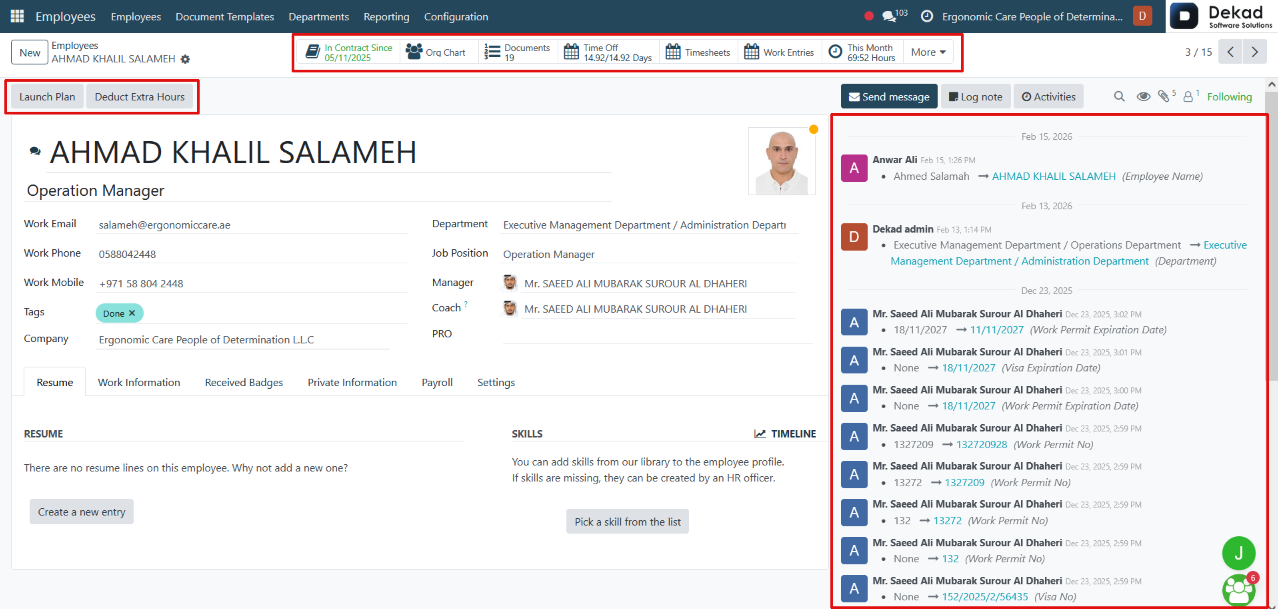
By clicking on an Employee, the system opens the
employee profile, where users can view and manage
all employee-related information.
The profile displays the employee's personal
information, job details, work contact
information, department, manager, work
schedule, contracts, attendance, time off,
payroll information, and other HR-related
records. A Chatter Panel is also available
on the side, allowing users to send messages,
add internal notes, schedule activities,
upload attachments, and track the history
of updates related to the employee.
Employee Actions
The employee profile also provides additional actions:
• Launch Plan: Opens the Planning module, allowing users
to assign or manage the employee's work schedule
and shifts.
• Extra Hours: Displays the employee's recorded overtime,
allowing users to review extra working hours associated
with the employee.
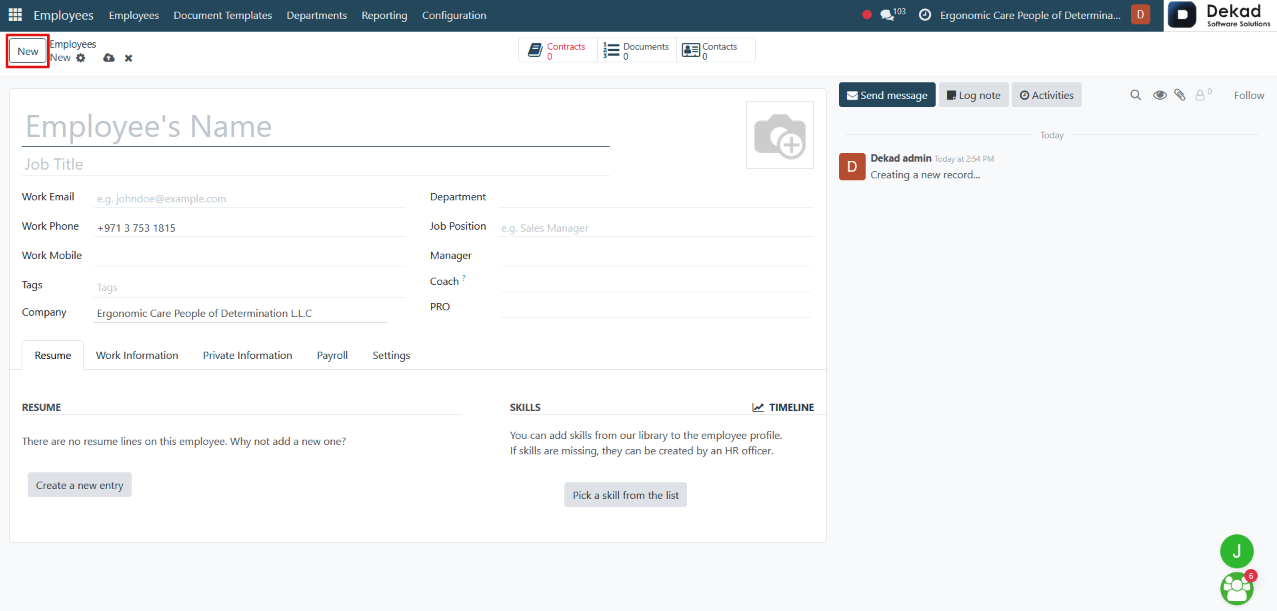
New Employee
By clicking the New button, a form is
opened to create a new employee record.
Users can enter the employee's personal information,
job details, work contact information, department,
manager, work schedule, and other HR-related data.
Once saved, the employee becomes available across
the HR modules, including Attendance, Time Off,
Payroll, and Planning.
2. Organization Chart
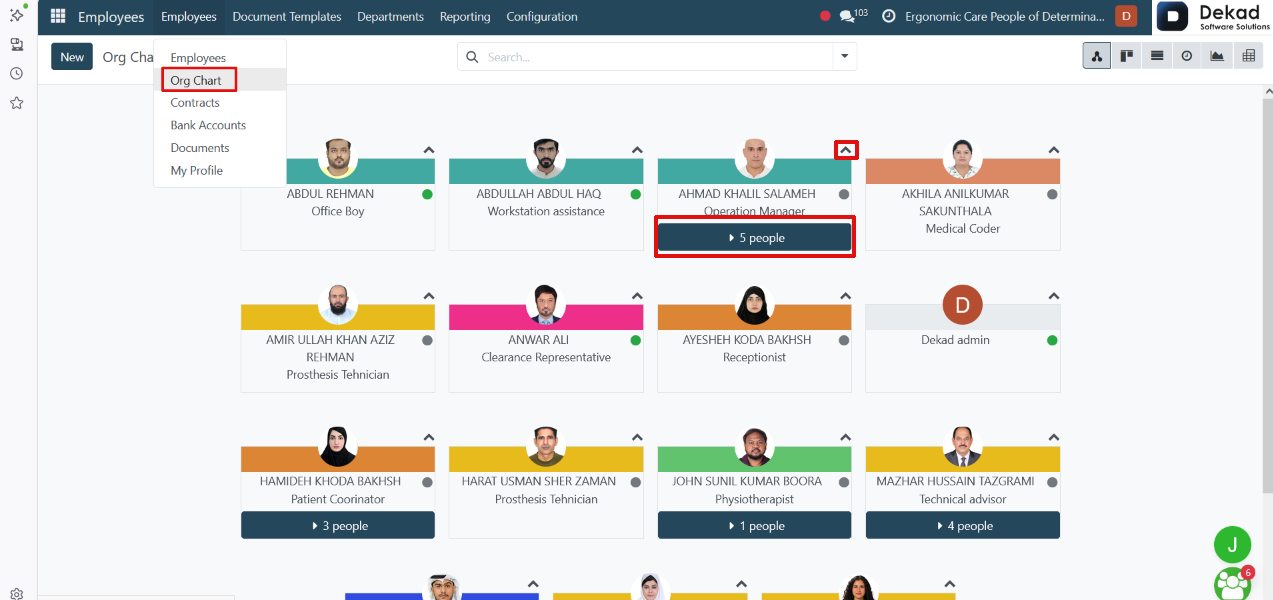
The Organization Chart provides a visual representation
of the company's reporting hierarchy.
It displays employees based on their reporting
relationships, showing managers and their direct
subordinates in a hierarchical structure. Users
can easily navigate through different levels
of the organization to understand reporting
lines and the overall organizational structure.
Each manager displays the number of direct subordinates.
By clicking the arrow (or people indicator) next to
a manager, the chart expands to reveal the employees
who report directly to that manager, allowing users
to browse the organizational hierarchy interactively.
Views
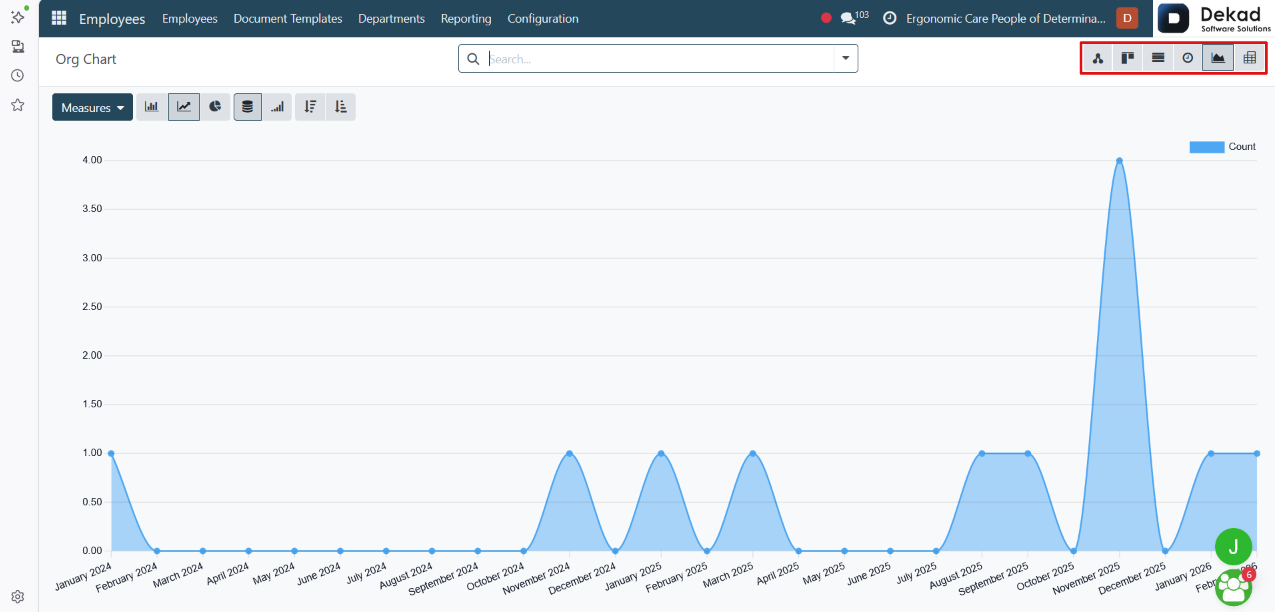
The Employees module provides multiple view options
that allow users to display employee information
in different ways. Users can switch between these
views using the view selector located on the
side of the page.
For example, the Graph View presents employee data
in a graphical format, making it easier to analyze
and compare information visually. Other available
views can also be selected depending on the
user's needs.
3. Contracts
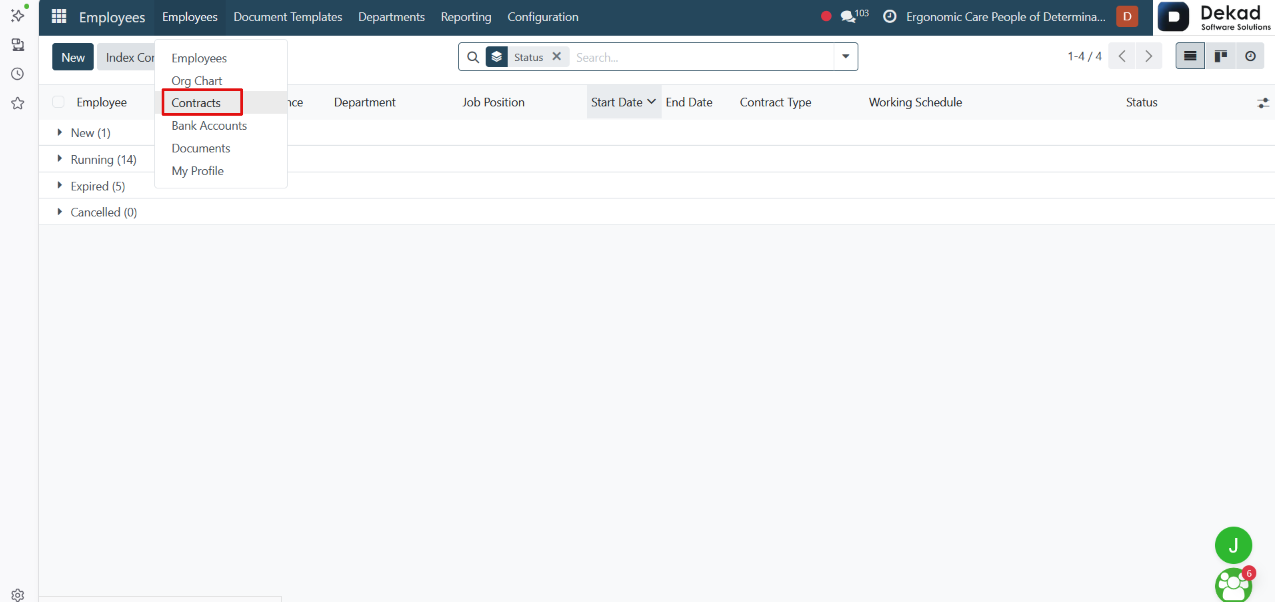
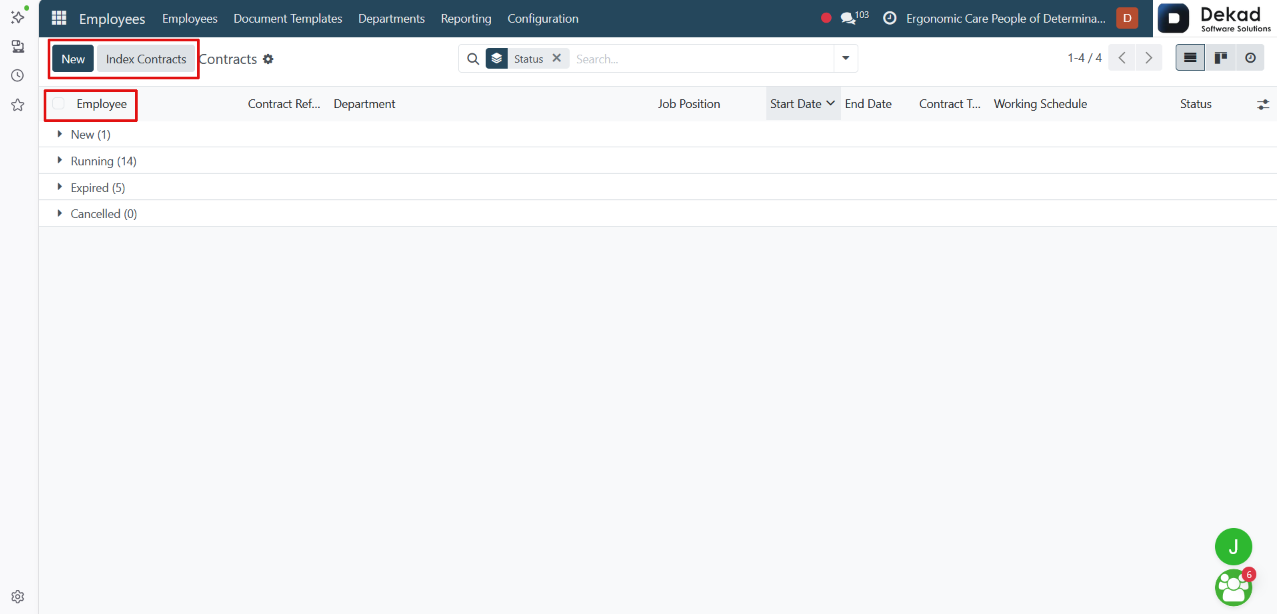
The Contracts section is used to create and
manage employee employment contracts.
It contains all contract-related information,
including employment terms, compensation,
working schedule, contract duration, and current
contract status. Contracts are required for
payroll processing and are used to calculate
employee salaries based on the defined terms
and conditions.
Search and Filtering
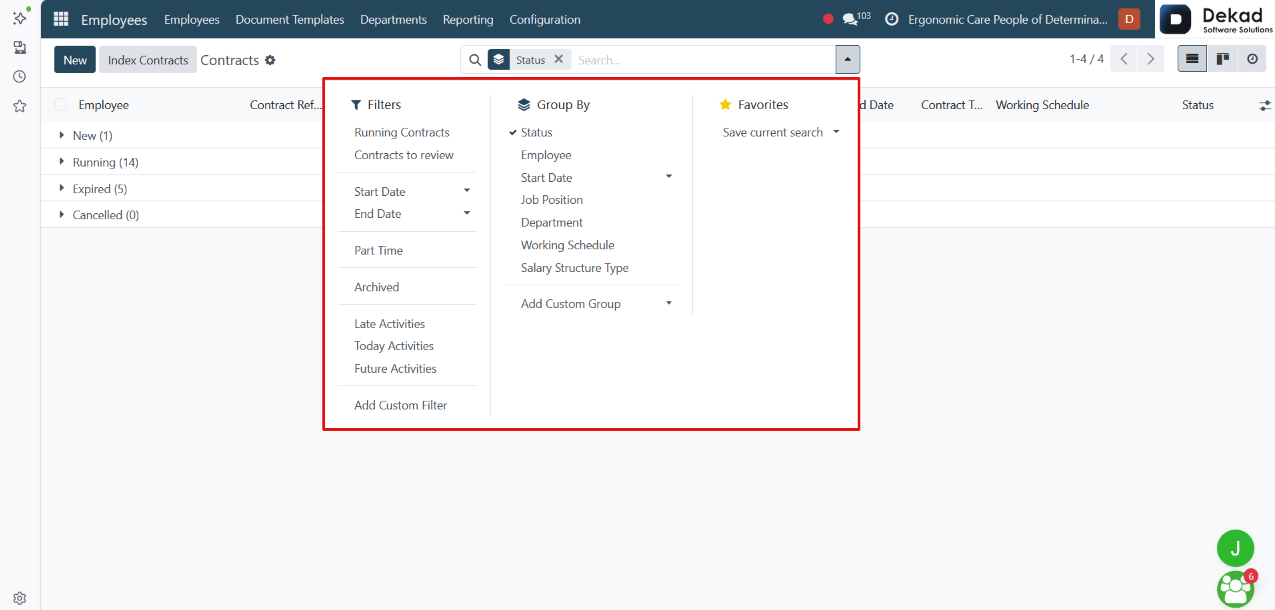
The Search and Filtering feature allows users
to quickly locate specific employee contracts.
Contract Actions
Users can select one or multiple contracts using
the checkbox next to each employee. The Select
All option allows users to select all displayed
contracts at once, making it easier to perform
actions on multiple records.
The following actions are also available:
• Index Contracts: Applies a salary indexation to one or
more selected contracts by updating salaries based
on the specified percentage and description.
• New: Opens a form to create a new employee contract
by entering the contract details, employment terms,
salary information, and working schedule.
4. Bank Accounts
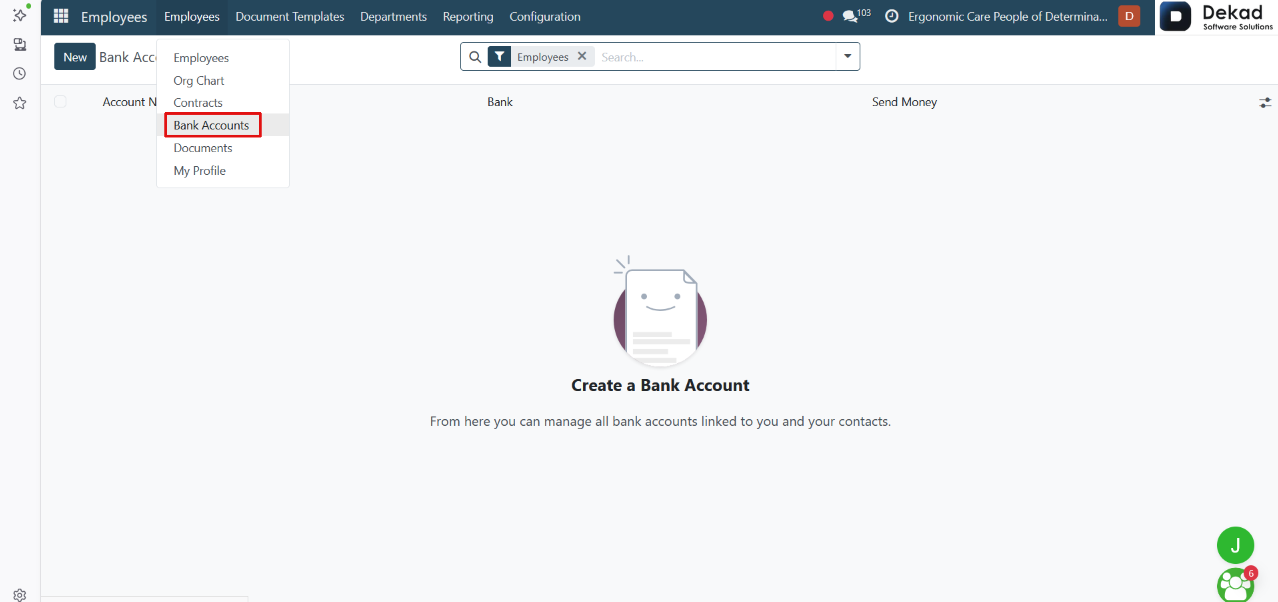
The Bank Accounts section is used to manage employee
bank account information for payroll and salary
payments.
It stores the bank details associated with each
employee, such as the bank account used for
salary transfers. These bank accounts can be
linked to payroll processes, ensuring that
employee salary payments are processed using
the correct banking information.
Search and Filtering
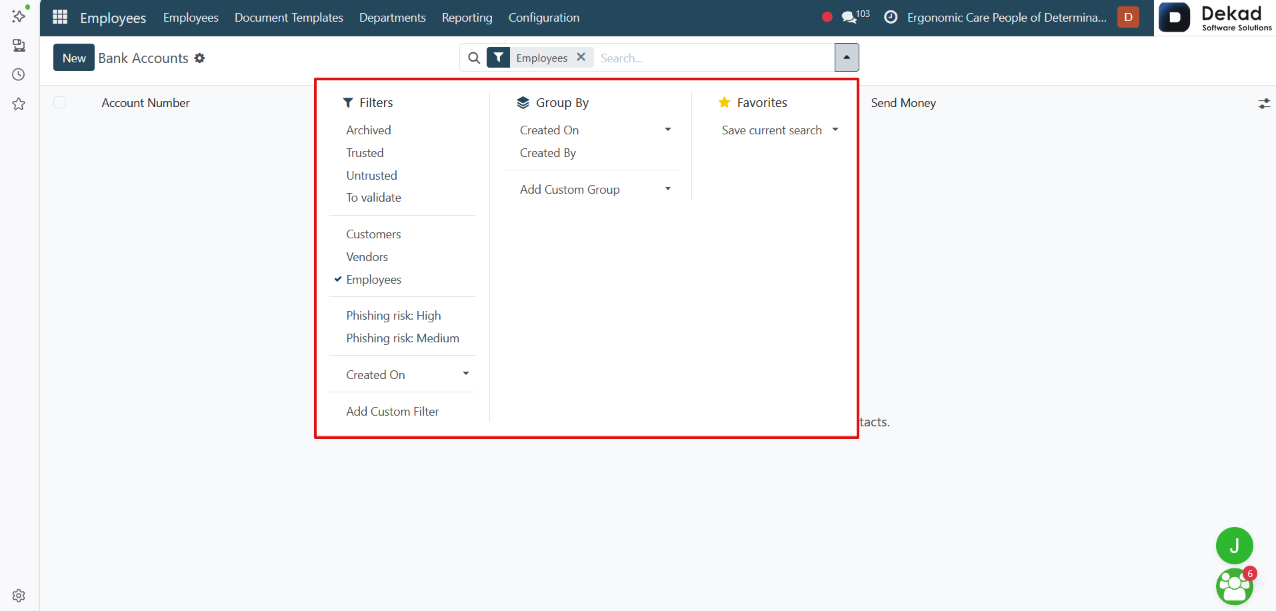
The Search and Filtering feature allows users to
quickly locate specific bank account records.
New Bank Account
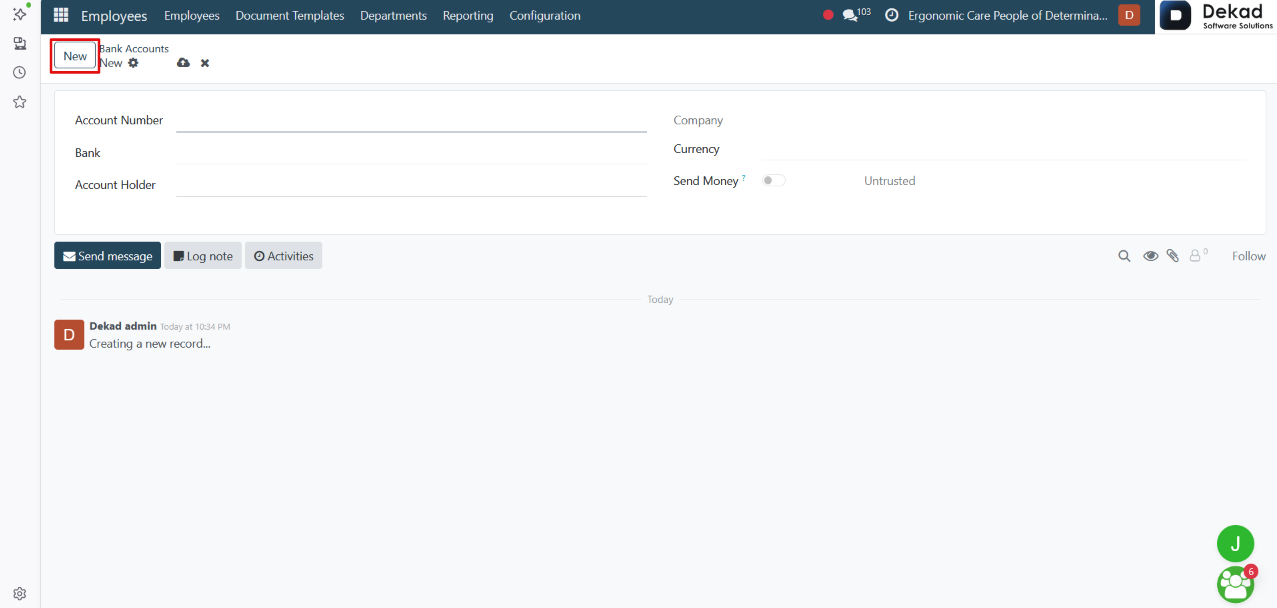
By clicking the New button, a form is opened
to create a new employee bank account.
Users can enter the bank account number, select the
bank, specify the account holder, and configure
other banking details required for payroll payments.
Once saved, the bank account can be linked to an
employee and used for salary transfers and payroll
processing.
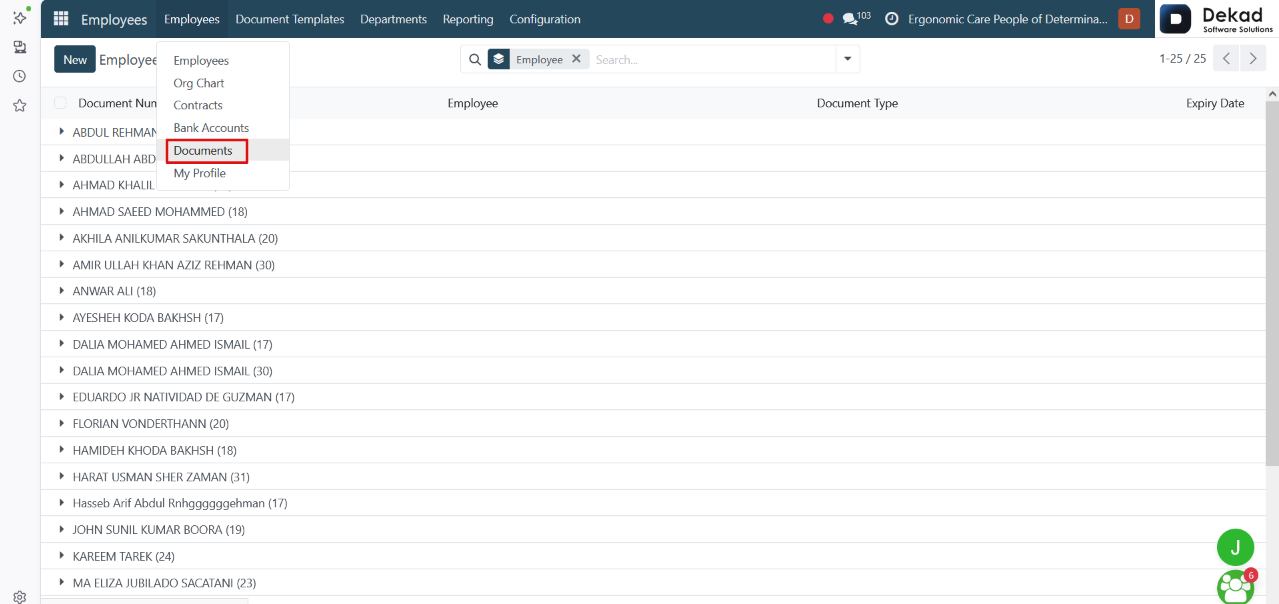
5. Documents
The Documents section is used to store and manage
employee-related documents in one centralized location.
Users can upload, organize, and access documents such
as contracts, identification documents, certificates,
and other HR files. This makes it easier to maintain
employee records and ensure that important documents
are available whenever needed.
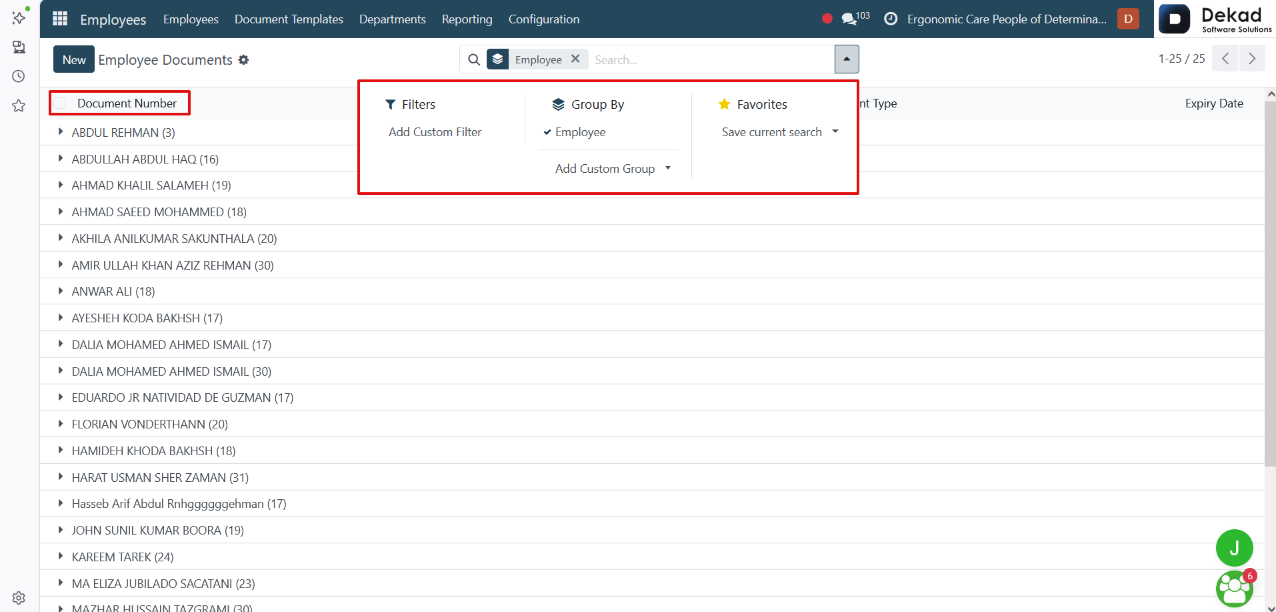
Search and Filtering
The Search and Filtering feature allows users to
quickly locate specific employee documents.
Users can search using document names, employee names,
or other keywords, and apply filters or grouping
options to display only the required documents. This
makes it easier to organize, review, and manage
employee files.
The Select All option allows users to select all displayed
documents at once, making it easy to perform bulk actions
on multiple records simultaneously.
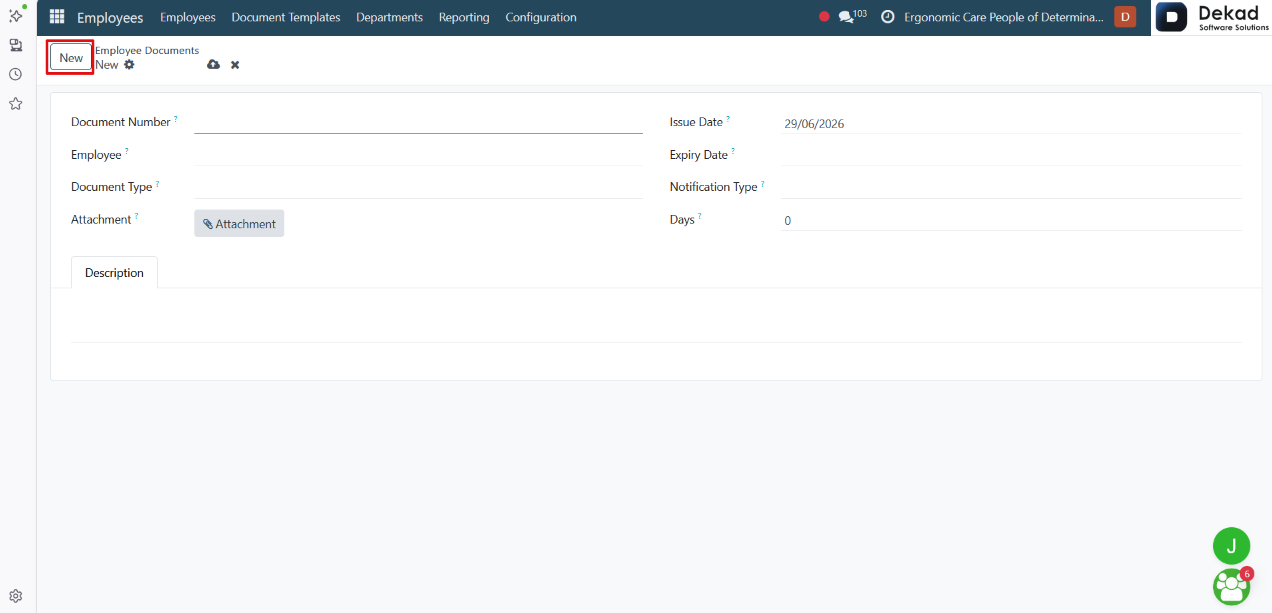
New Document
By clicking the New button, users can upload
a new employee document to the system.
Users can select a file from their device,
assign it to an employee, and add relevant
information such as the document name, tags,
or workspace. Once uploaded, the document is
stored in the Documents section and can be
accessed whenever needed.
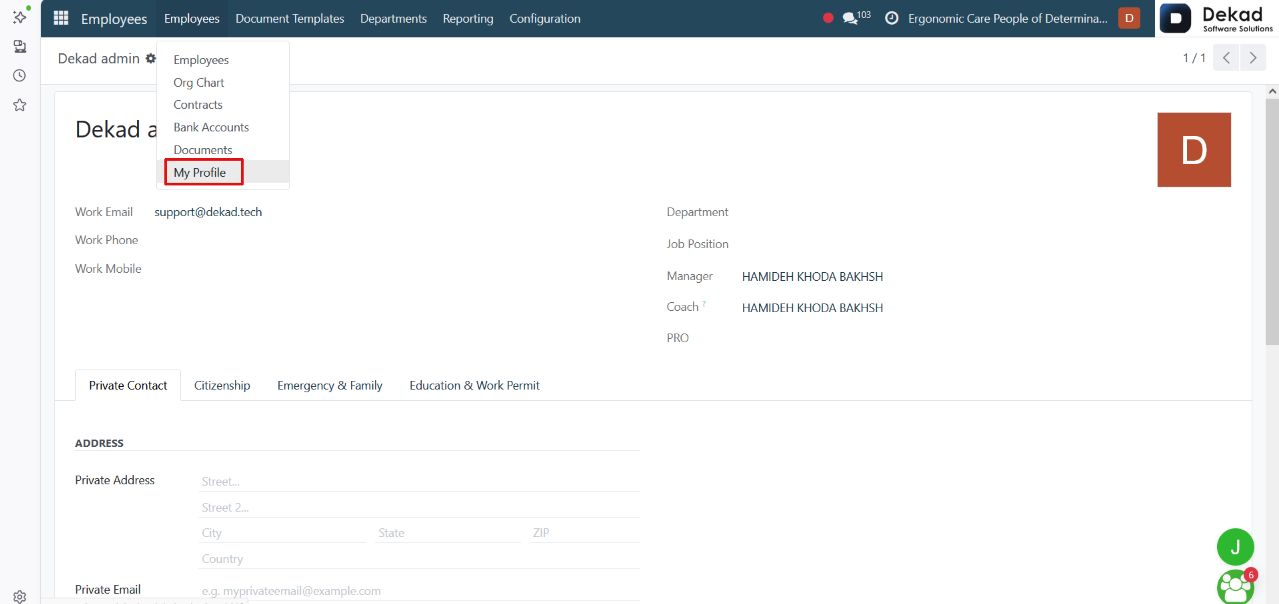
6. My Profile
The My Profile section allows users to view
and manage their own employee information.
It provides access to personal details, job
information, work contact information, contracts,
attendance, time off, payslips, and other HR-related
records. Users can also update the information they
are permitted to edit, making it easy to keep their
employee profile up to date.
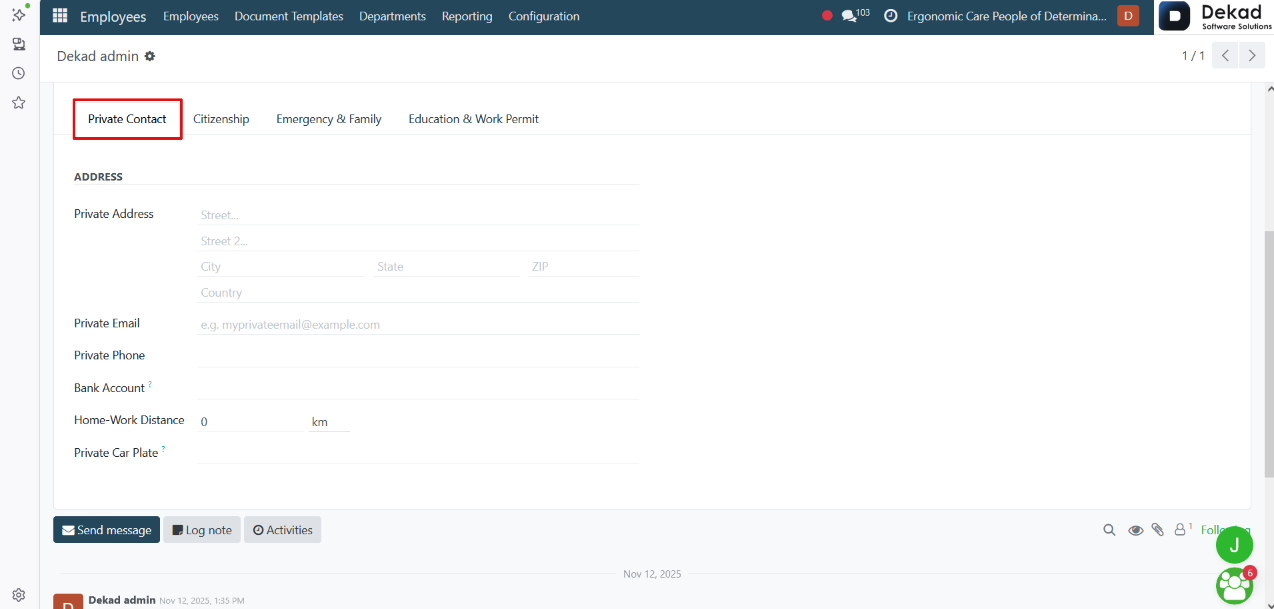
Private Contact
The Private Contact section stores an
employee's personal contact information.
It includes details such as the employee's
private address, personal email, personal
phone number, bank account,Home-Work
Distance, and Private Car Plate. This
information is primarily used
by the HR and Payroll departments and is kept
separate from the employee's work contact
information to ensure proper payroll processing
and personal record management.
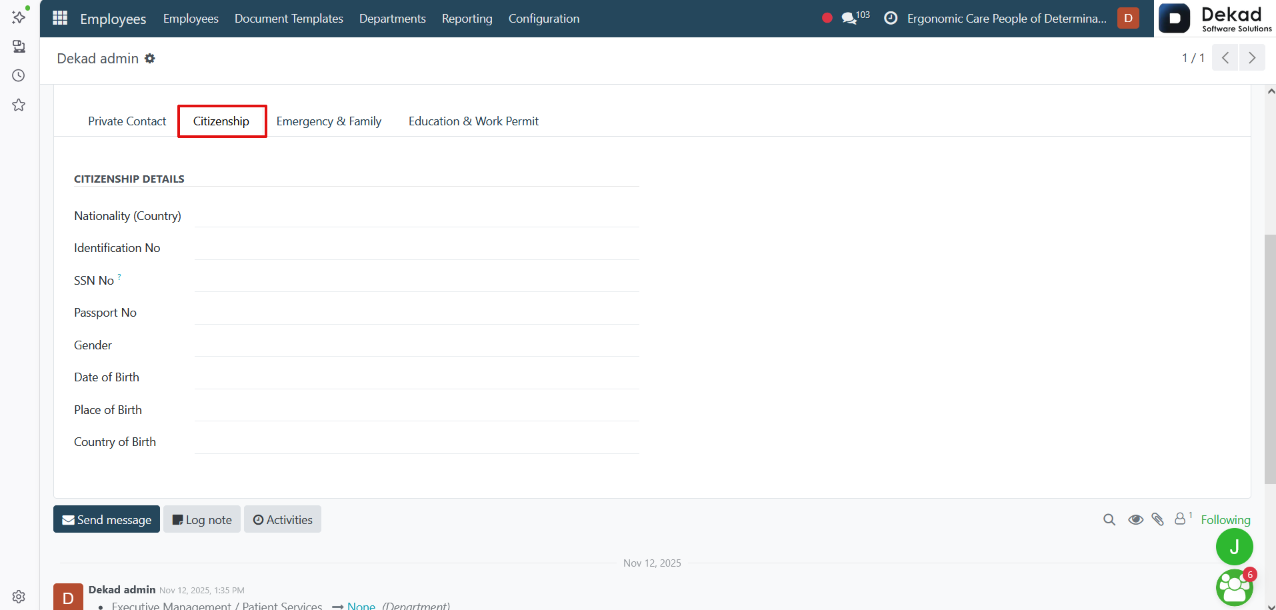
Citizenship Details
The Citizenship Details section stores the employee's
personal identification and nationality information.
It includes details such as the employee's Nationality
(Country), Identification No, SSN No, Passport No,
Gender, Date of Birth, Place of Birth, and Country
of Birth. This information is used to maintain accurate
employee records and support HR, payroll, and legal requirements.
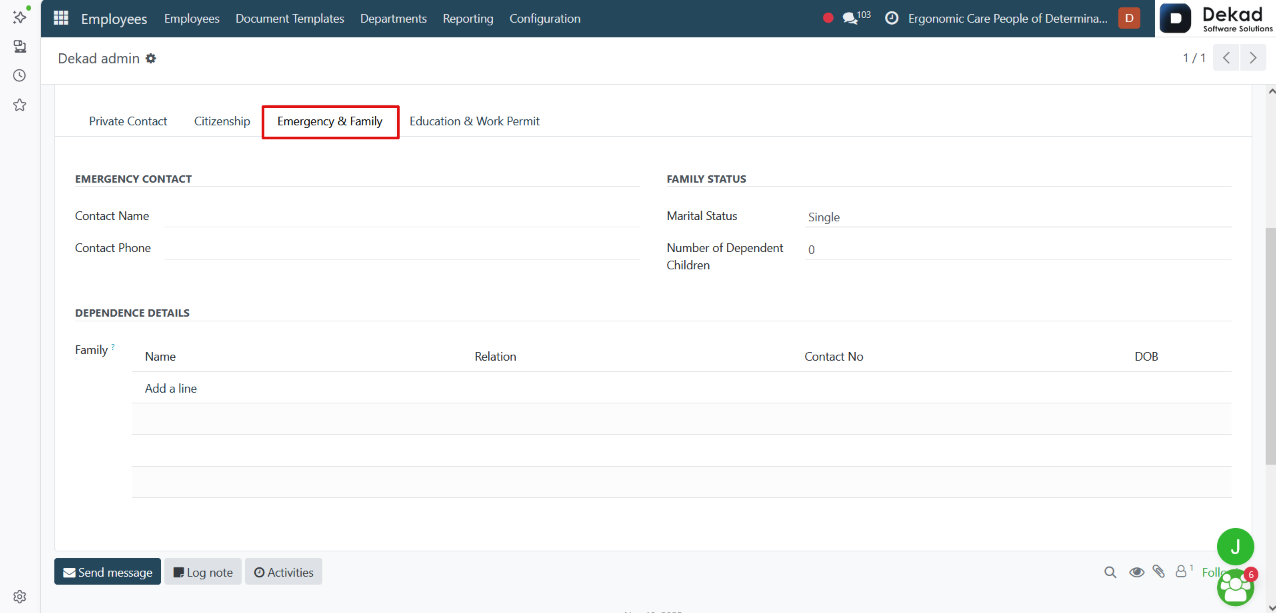
Emergency & Family
The Emergency & Family section stores the employee's
emergency contact and family information.
It includes details such as the employee's Emergency
Contact, Contact Name, Contact Phone, Family Status,
Marital Status, Number of Dependent Children,
Dependence Details, and Family. This information
is used to maintain emergency contact records,
employee family information, and support HR and
payroll processes where family status may affect
employee benefits or payroll calculations.
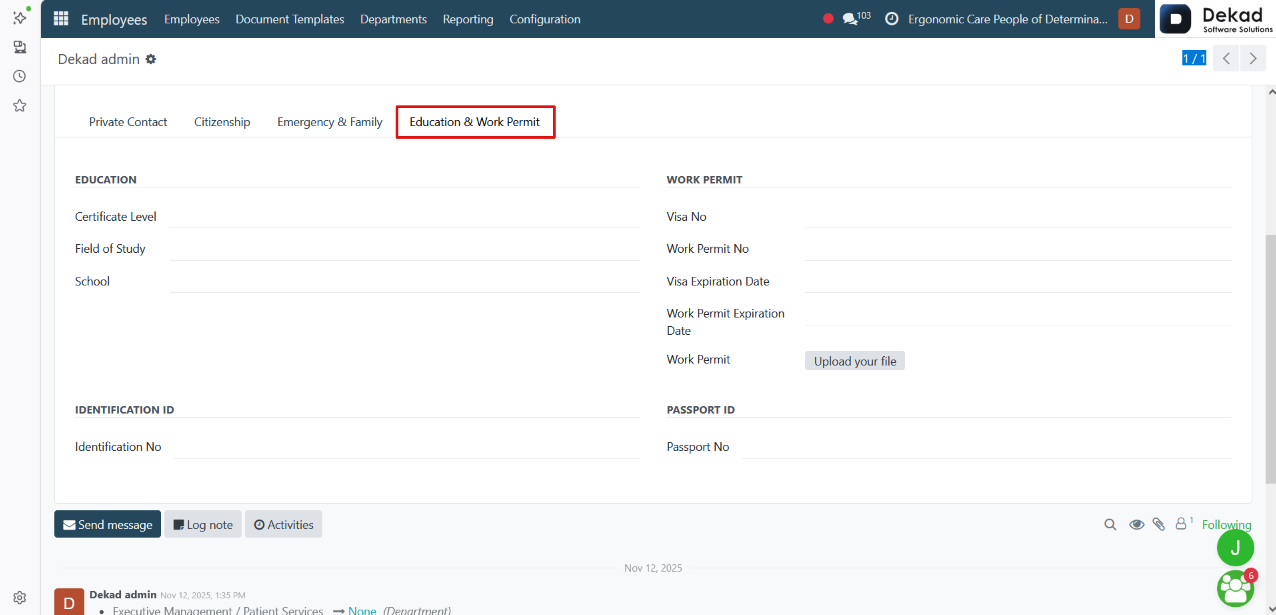
Education & Work Permit
The Education & Work Permit section stores the employee's
educational qualifications and work authorization information.
It includes details such as the employee's Certificate Level,
Field of Study, School, Visa No, Work Permit No, Visa
Expiration Date, Work Permit Expiration Date, Work Permit,
Identification ID, Identification No, Passport ID, and
Passport No. This information helps maintain complete
employee records and supports HR, payroll, and legal
compliance related to education, identification, and
employment authorization.
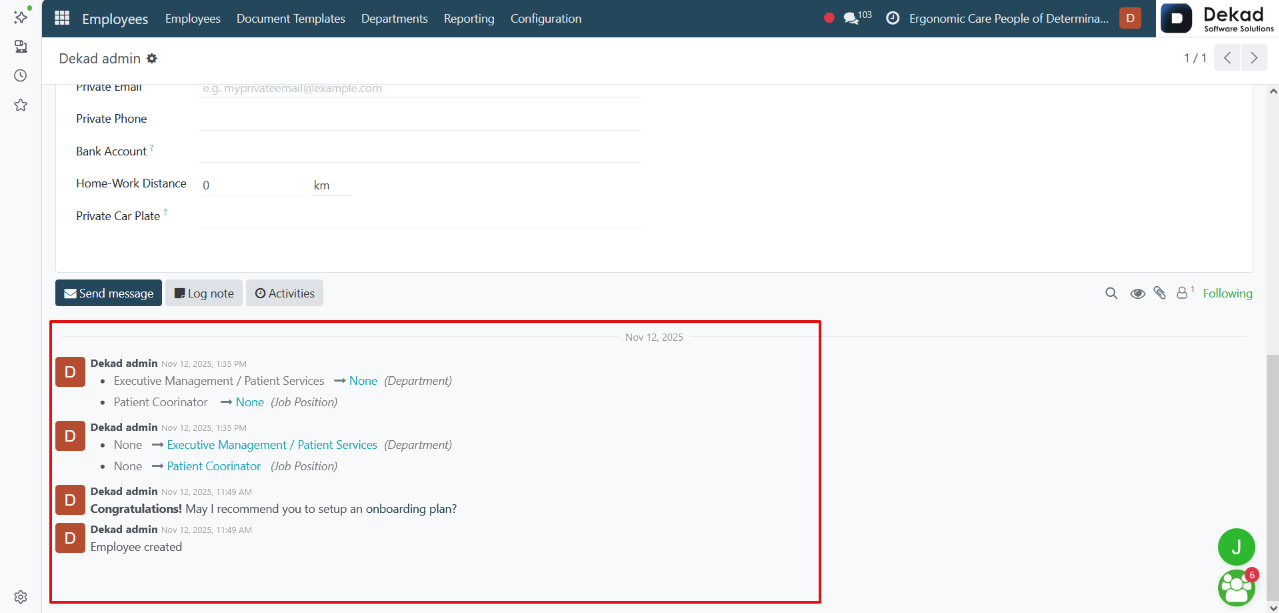
Chatter Panel
The Chatter Panel allows users to communicate and track
all activities related to the employee record.
Users can send messages, add internal notes, schedule
activities, upload attachments, and view the complete
history of updates made to the employee profile. The
activity thread displayed below the panel provides a
chronological record of all communications and changes,
ensuring full traceability of the employee record.