The Accounting module is designed to help
organizations manage their financial activities
efficiently and maintain accurate financial
records. It provides the tools needed to
record and monitor financial transactions,
track income and expenses, manage receivables
and payables, and support daily accounting
operations.
A well-structured accounting system enables
businesses to maintain financial transparency,
improve decision-making, ensure compliance
with financial policies, and gain better
visibility into their overall financial performance.
This documentation provides a step-by-step
guide to the Accounting module and its main
functionalities. By following the instructions
in this guide, users will be able to perform
essential accounting tasks, manage financial
data effectively, and generate the reports
needed to support business operations.
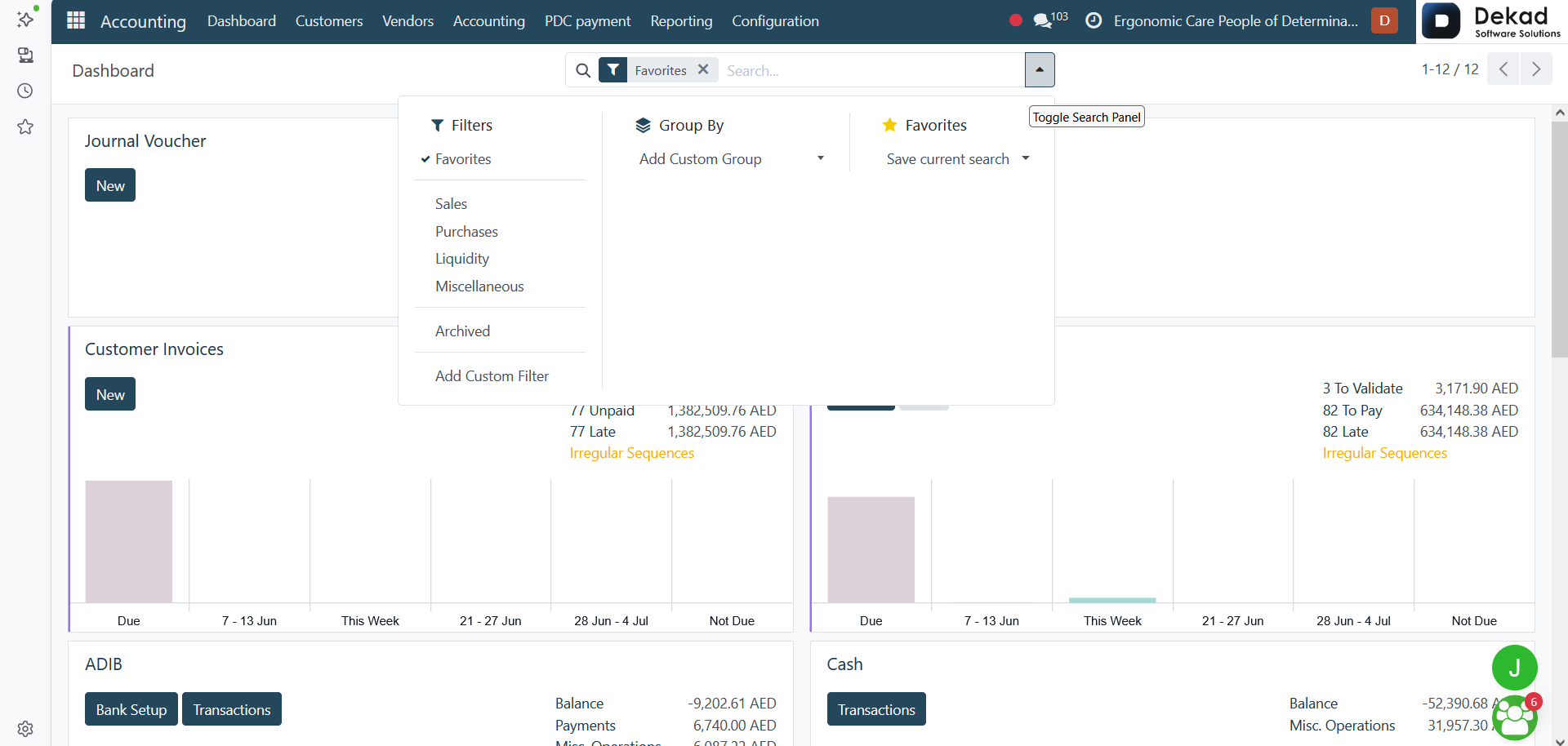
Accounting Dashboard
The Accounting Dashboard provides a centralized
view of all accounting journals used to record
and manage financial transactions. Each
journal represents a specific category of
financial activity and helps ensure that
transactions are organized and recorded accurately.
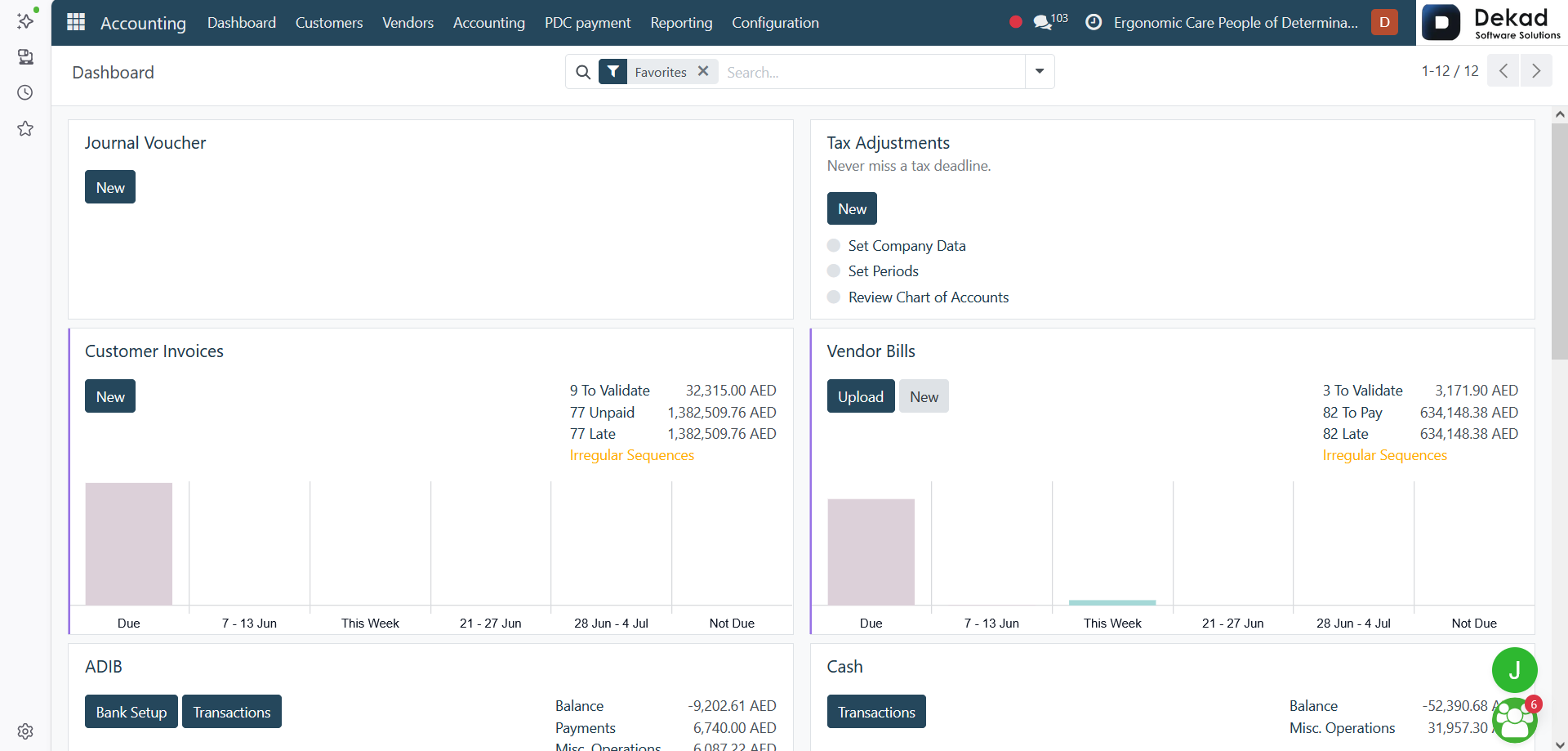
The following journals are available on the dashboard:
Journal Voucher
Used to record general accounting entries
and manual adjustments that do not belong
to a specific sales, purchase, bank,
or cash transaction.
Tax Adjustments
Used to record tax-related corrections and
adjustment entries when required to
maintain accurate tax records.
Customer Invoices
Used to create, manage, and track invoices
issued to customers for products or
services provided by the company.
Vendor Bills
Used to record and manage bills received
from suppliers and vendors, ensuring
accurate tracking of company expenses
and outstanding payments.
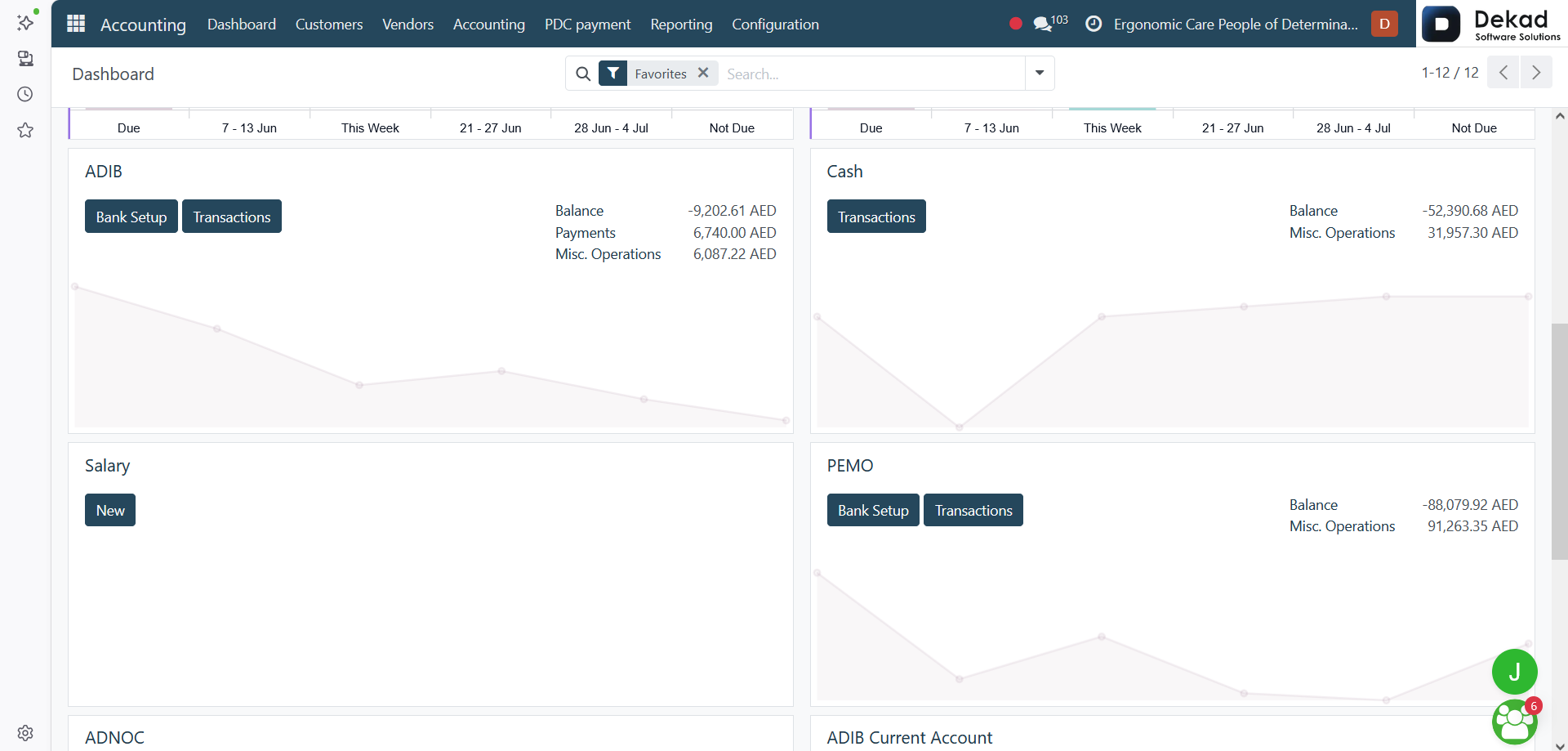
ADIB
Represents a bank journal used to record
transactions related to the associated
bank account, including receipts,
payments, and transfers.
Cash
Used to record cash receipts, cash payments,
and other transactions conducted through physical cash.
Salary
Used to record payroll-related transactions,
including employee salary payments and
related accounting entries.
PEMO
Used to record financial transactions associated
with the PEMO account and monitor related
payment activities.
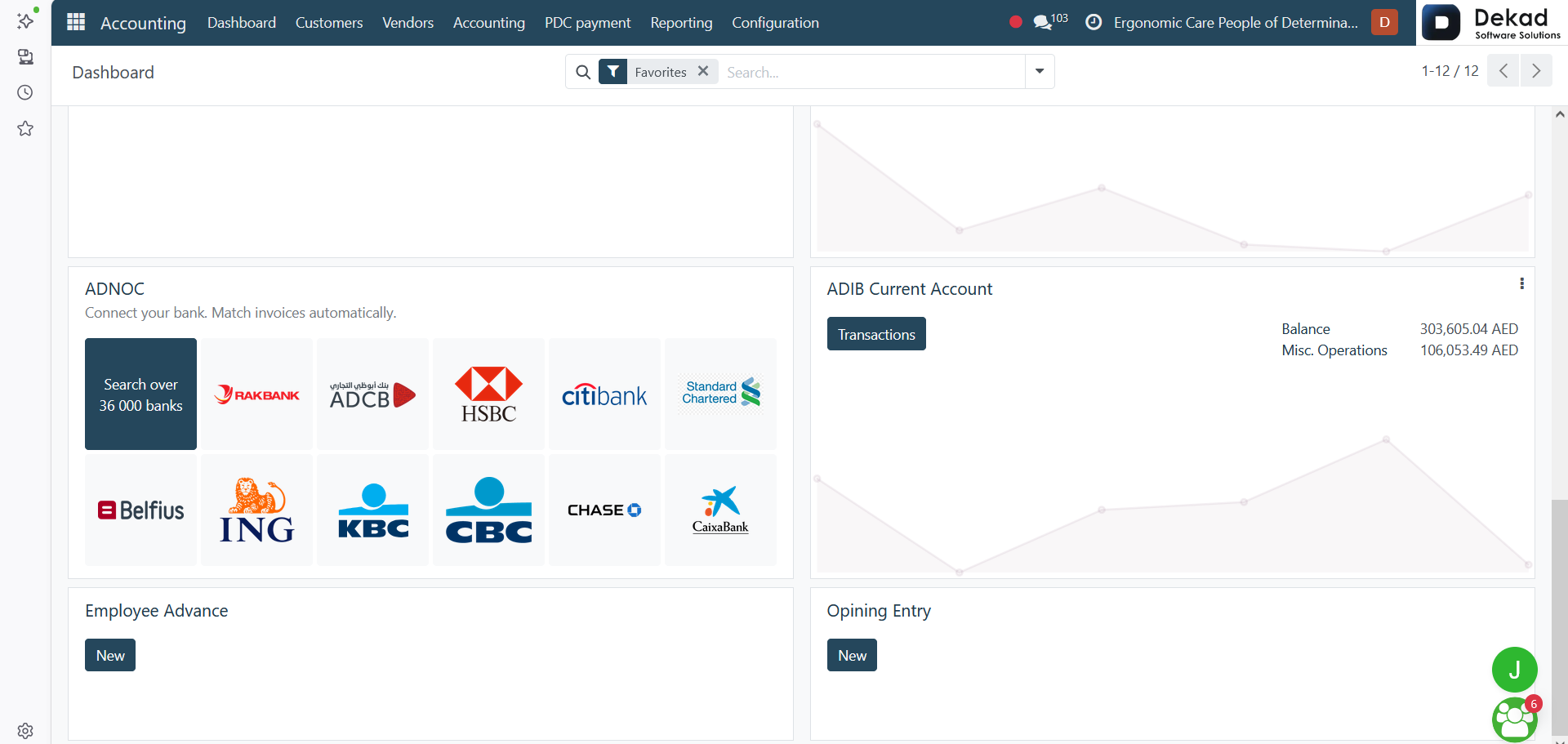
ADNOC
Used to record transactions related to the
ADNOC account and track associated
financial movements.
ADIB Current Account
Represents the current bank account journal
used for recording daily banking transactions
such as deposits, withdrawals, payments,
and transfers.
Employee Advance
Used to record and track advances provided
to employees and monitor their settlement
or reimbursement.
Opening Entry
Used to record the opening balances of accounts
when setting up the accounting system or
starting a new financial period.
Each journal can be accessed directly from
the dashboard to view transactions, create
new entries, and monitor accounting
activities related to that specific area.
Search and Filtering
The Search and Filtering feature allows
users to quickly locate accounting records
and focus on the information that is most
relevant to their needs. Instead of manually
reviewing large numbers of transactions,
users can use the available search and filter
options to narrow down the displayed results.