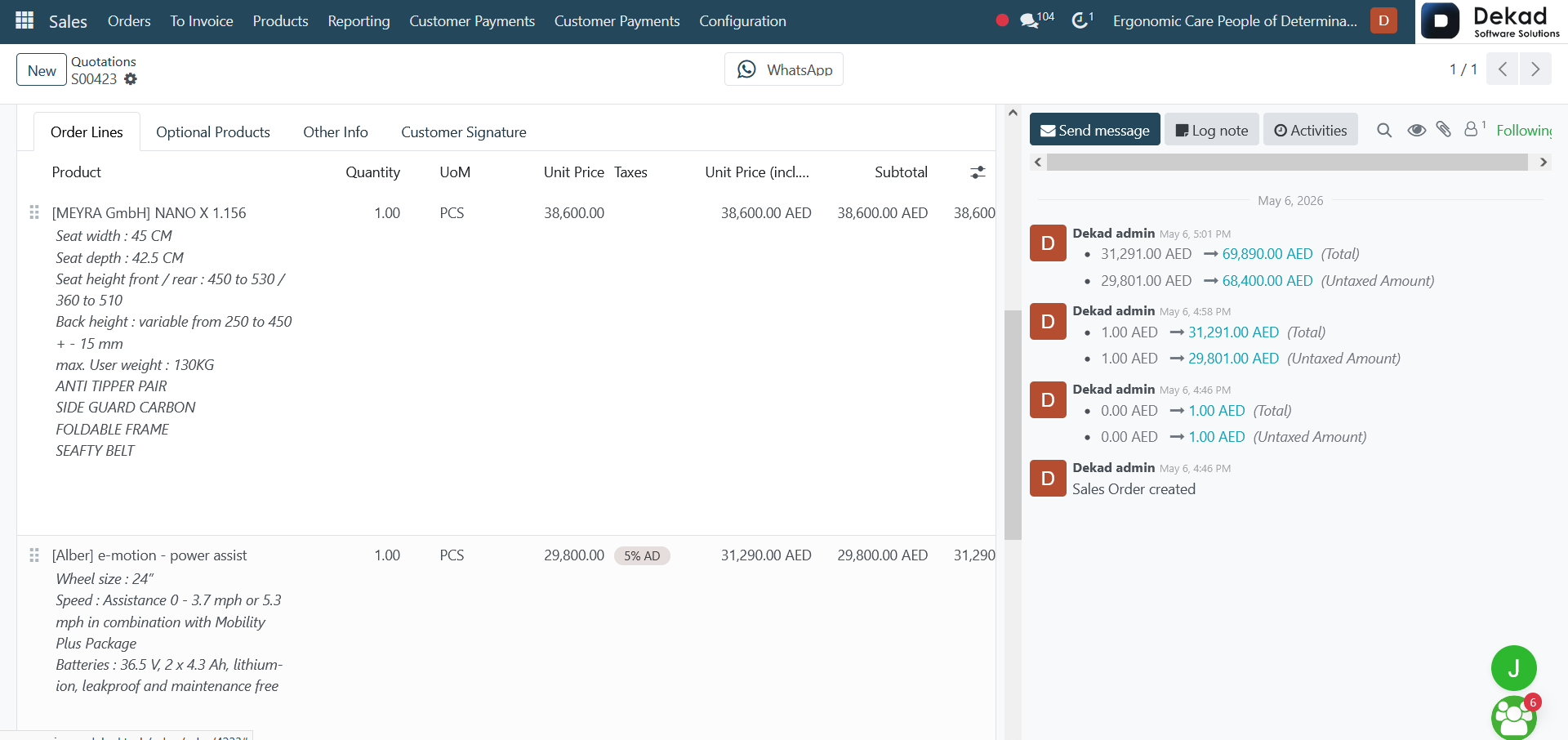
Order Lines contain the main products or
services included in the quotation or sales
order. Each line includes important details
such as product information, quantity, pricing,
discounts, and any related settings. This section
represents the core items the customer is
purchasing.
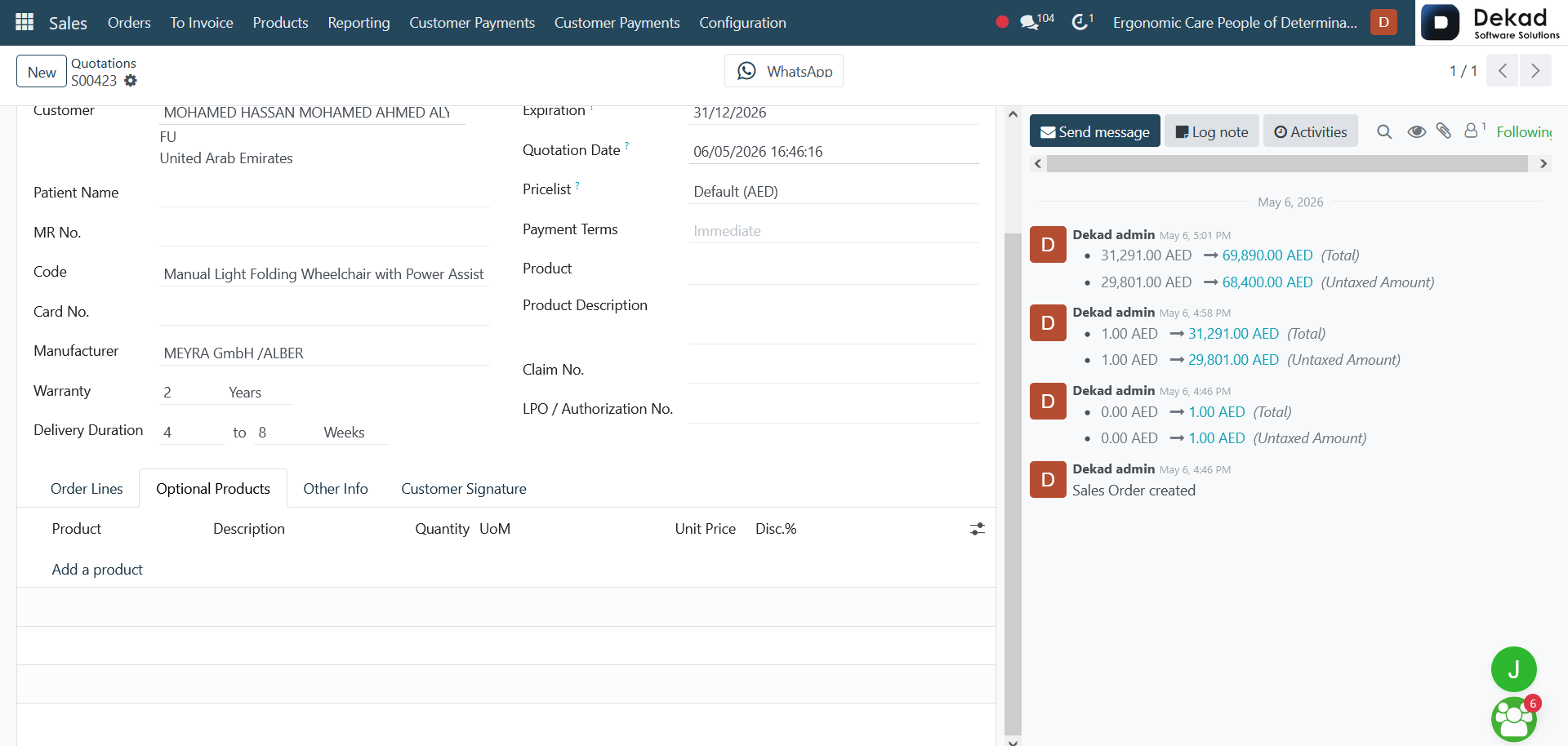
Optional Products show additional recommended
items that can be offered alongside the main
products. These are not mandatory, but they
help increase sales by suggesting related
or complementary products to the customer.
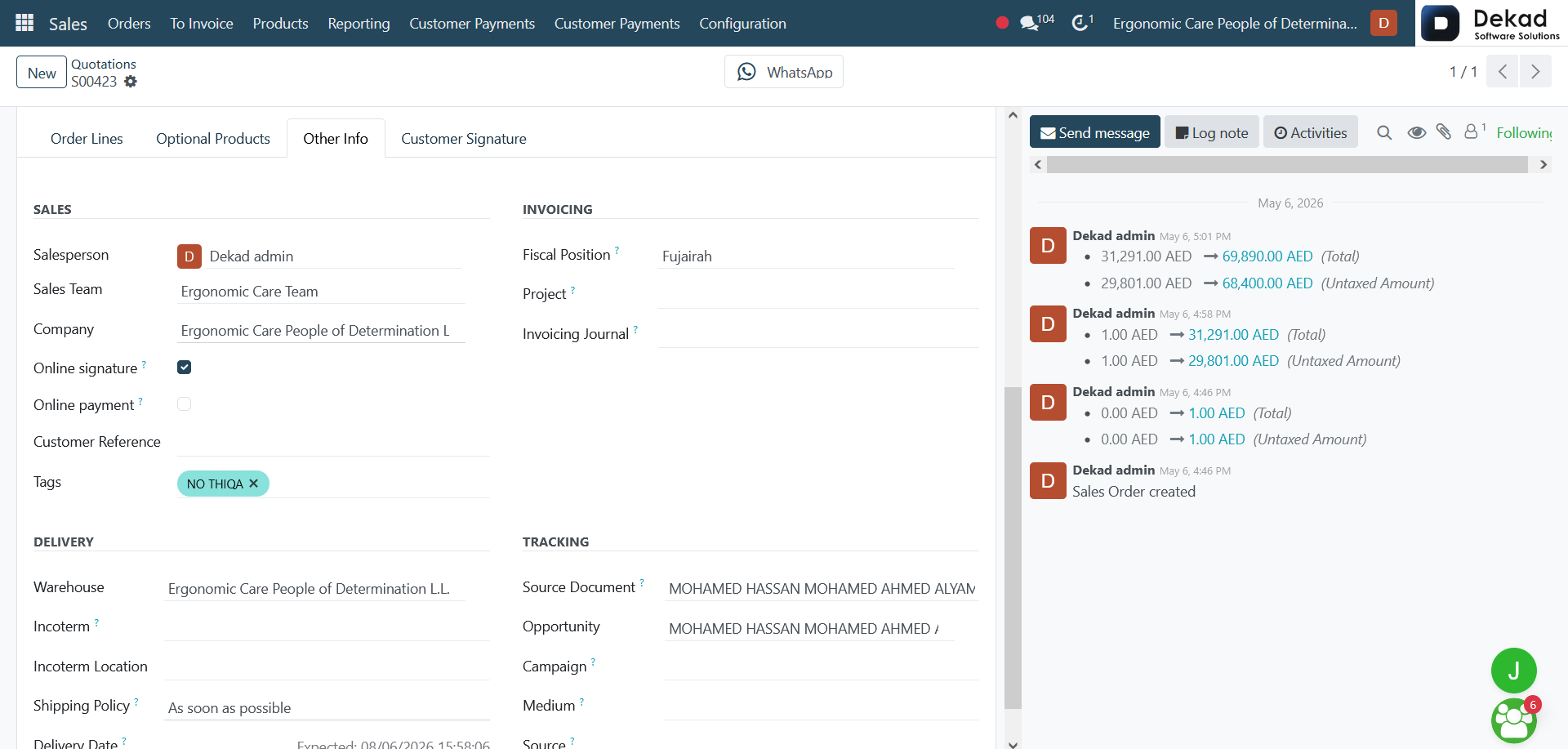
Other Info includes extra details
related to the order such as delivery
terms, pricing rules, salesperson
information, payment conditions, and
any internal notes. This section helps
define how the order is processed and
managed.
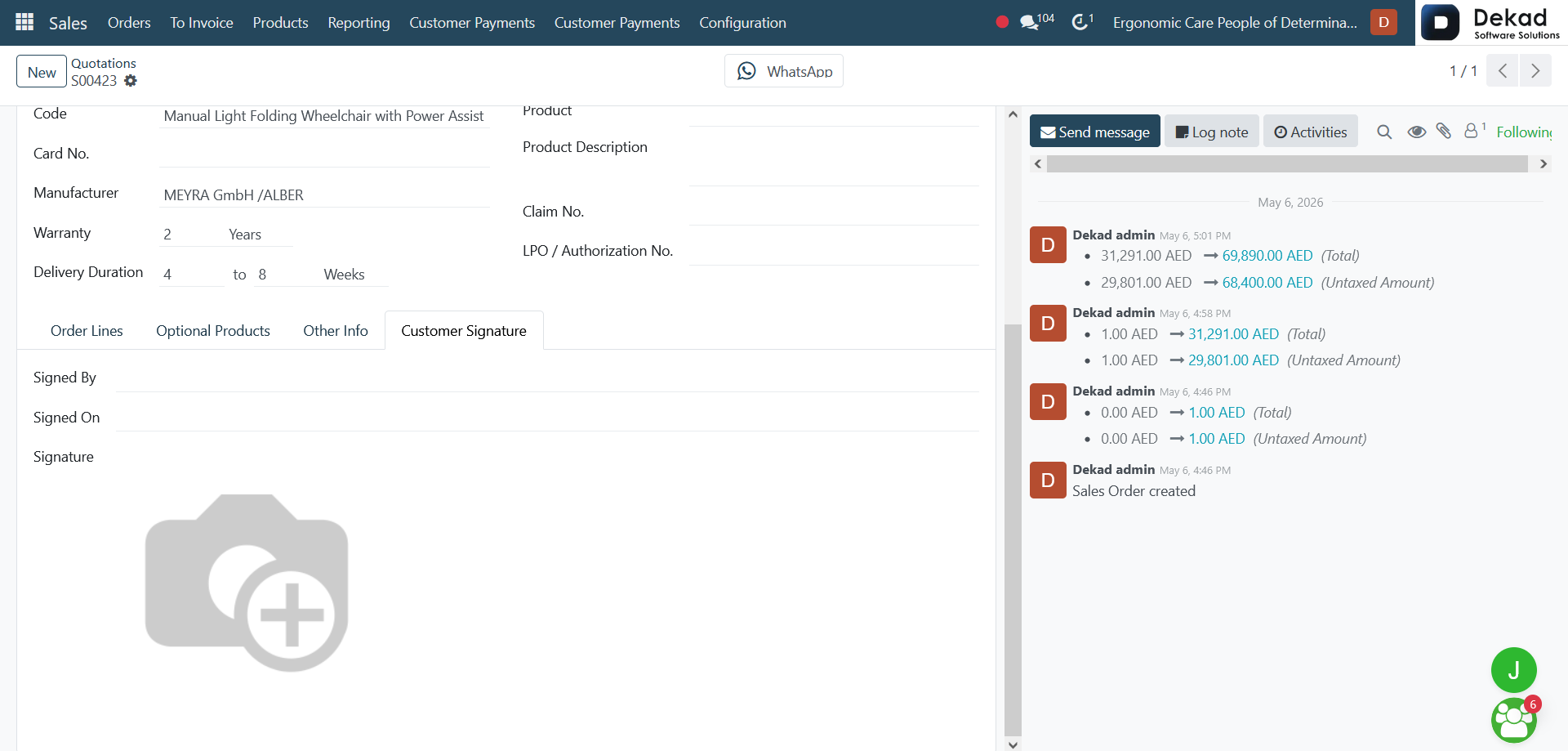
Customer Signature is used to confirm
approval of the quotation or sales order.
Once the customer signs, it indicates
agreement with the provided terms,
allowing the order to move forward
to the next stage.
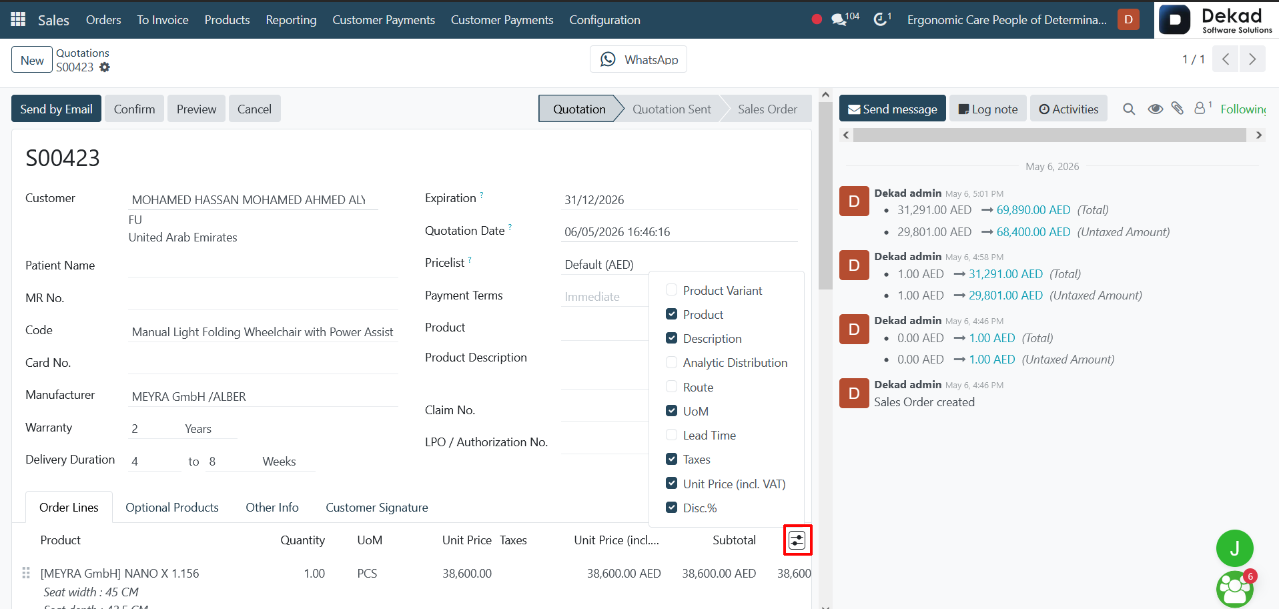
Each option in the view represents a specific
type of information related to the product line.
Some fields describe the product itself, others
define how it is delivered, priced, or accounted
for, while additional fields handle tracking,
taxation, and analytical reporting.
By adjusting the view mode, users can
focus only on the most relevant information
for their task, reducing clutter and
improving efficiency when managing
quotations and sales orders.
WhatsApp Integration
WhatsApp is used as a communication
channel to interact with customers
directly and efficiently. It allows
sales teams to send messages, updates,
and follow-ups in real time, improving
response speed and customer engagement.
This integration helps centralize
communication and keeps all conversations
linked to the related customer or sales
record for better tracking and organization.
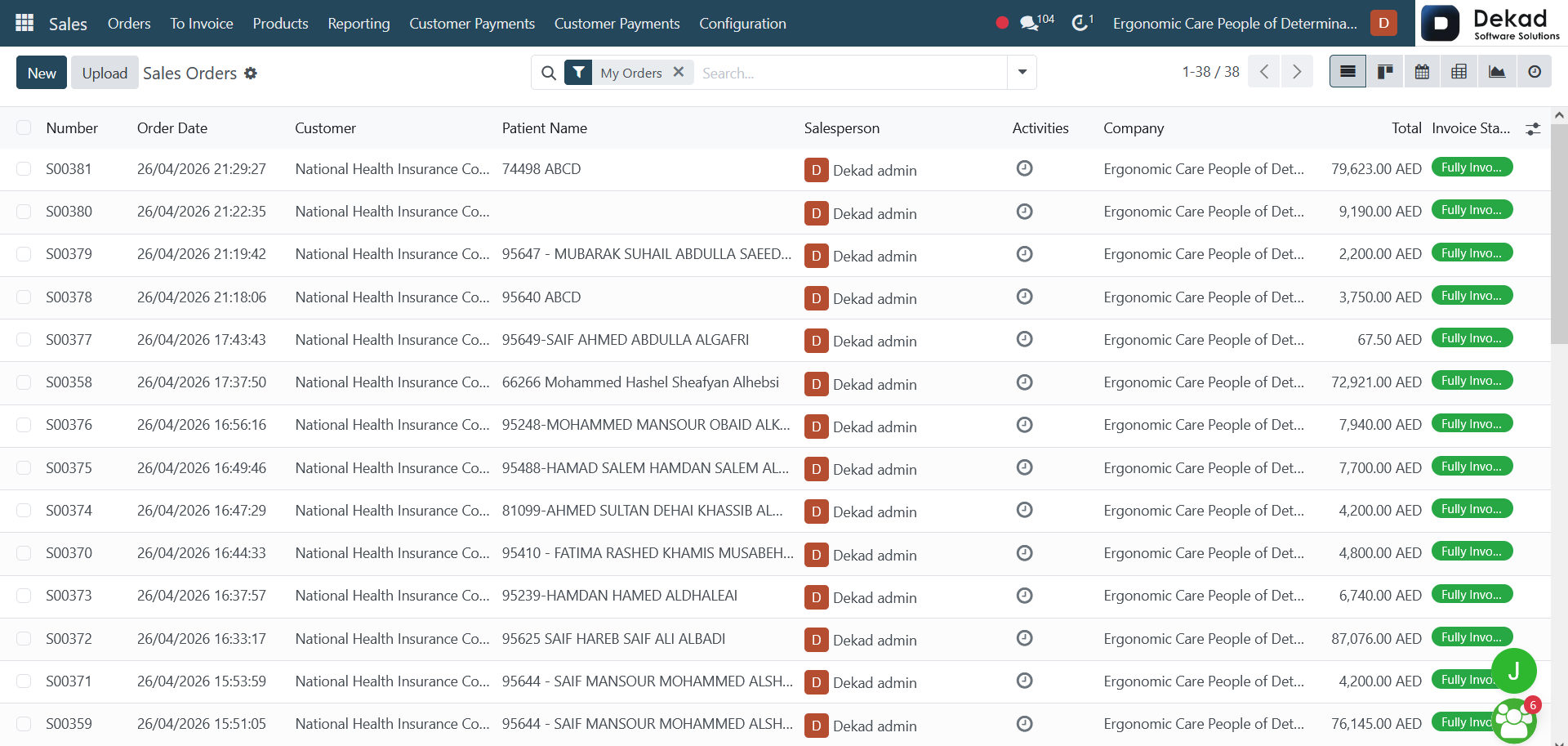
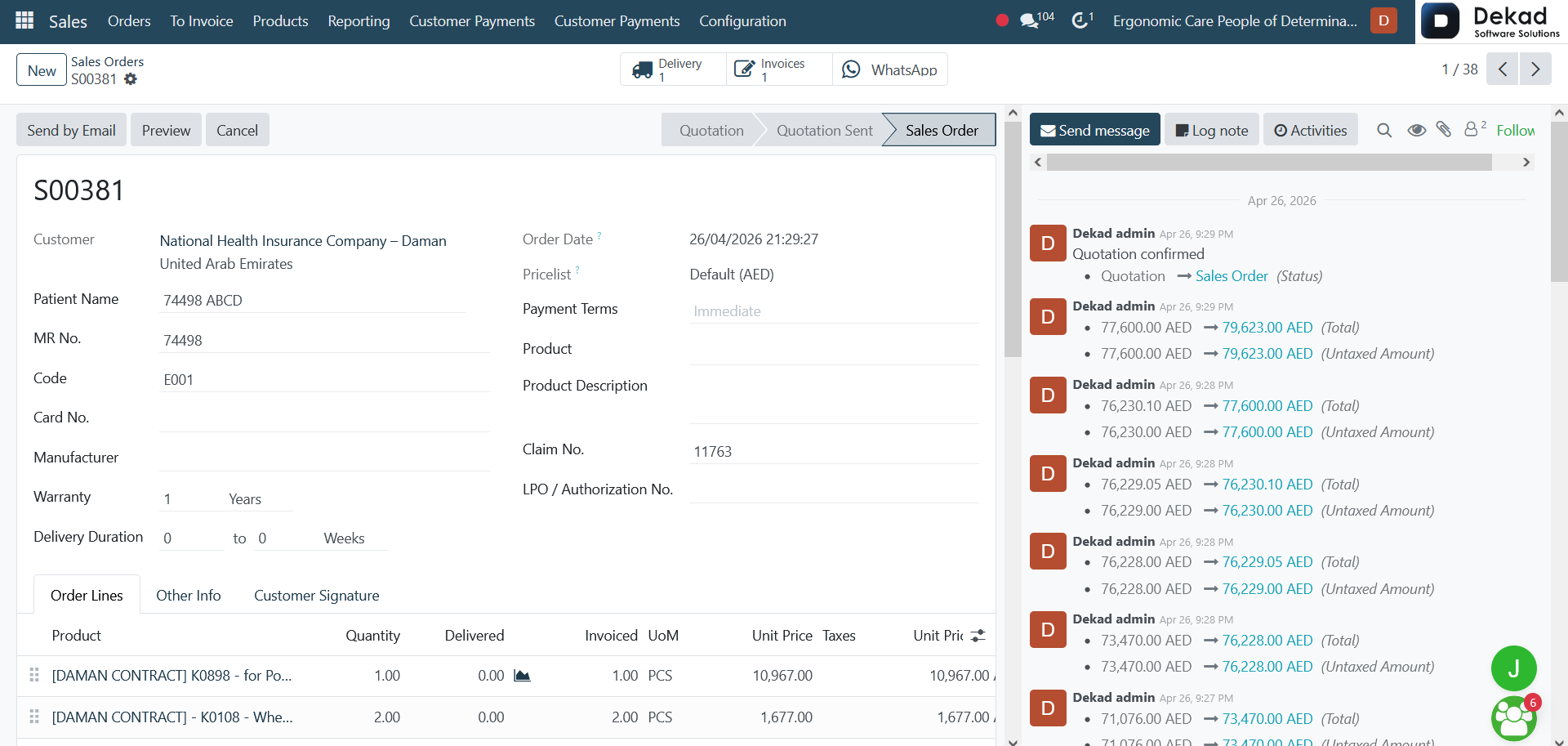
Sales Order Details
By selecting a specific sales order,
users can view all related information
and details. This includes customer
information, ordered products or services,
quantities, pricing details, order status,
sales representative information, and any
additional notes associated with the order.
The sales order form also includes the
Chatter Panel, which allows users to track
activities, view communication history,
schedule follow-ups, and exchange messages
related to the order.
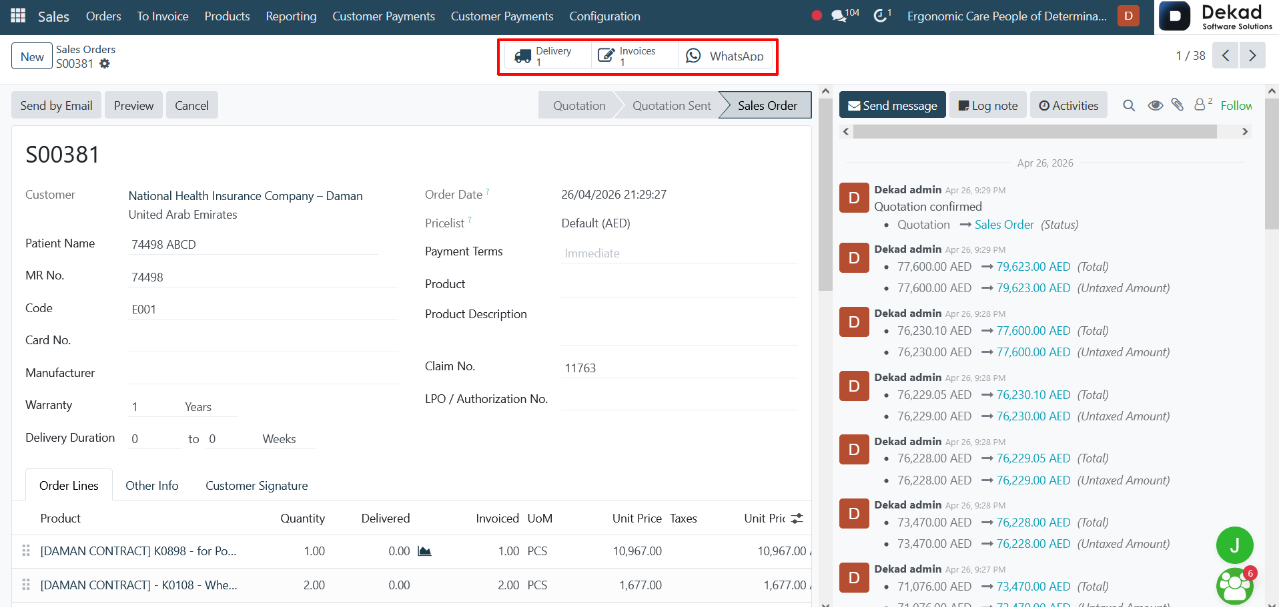
Additional Actions
Invoices provide access to the invoices
related to the sales order, allowing users
to review billing information and track
payment status.
Delivery displays the delivery records
associated with the order, helping users
monitor the shipment and fulfillment process.
WhatsApp allows users to communicate
directly with customers through WhatsApp,
making it easier to send updates,
follow-ups, and order-related information.
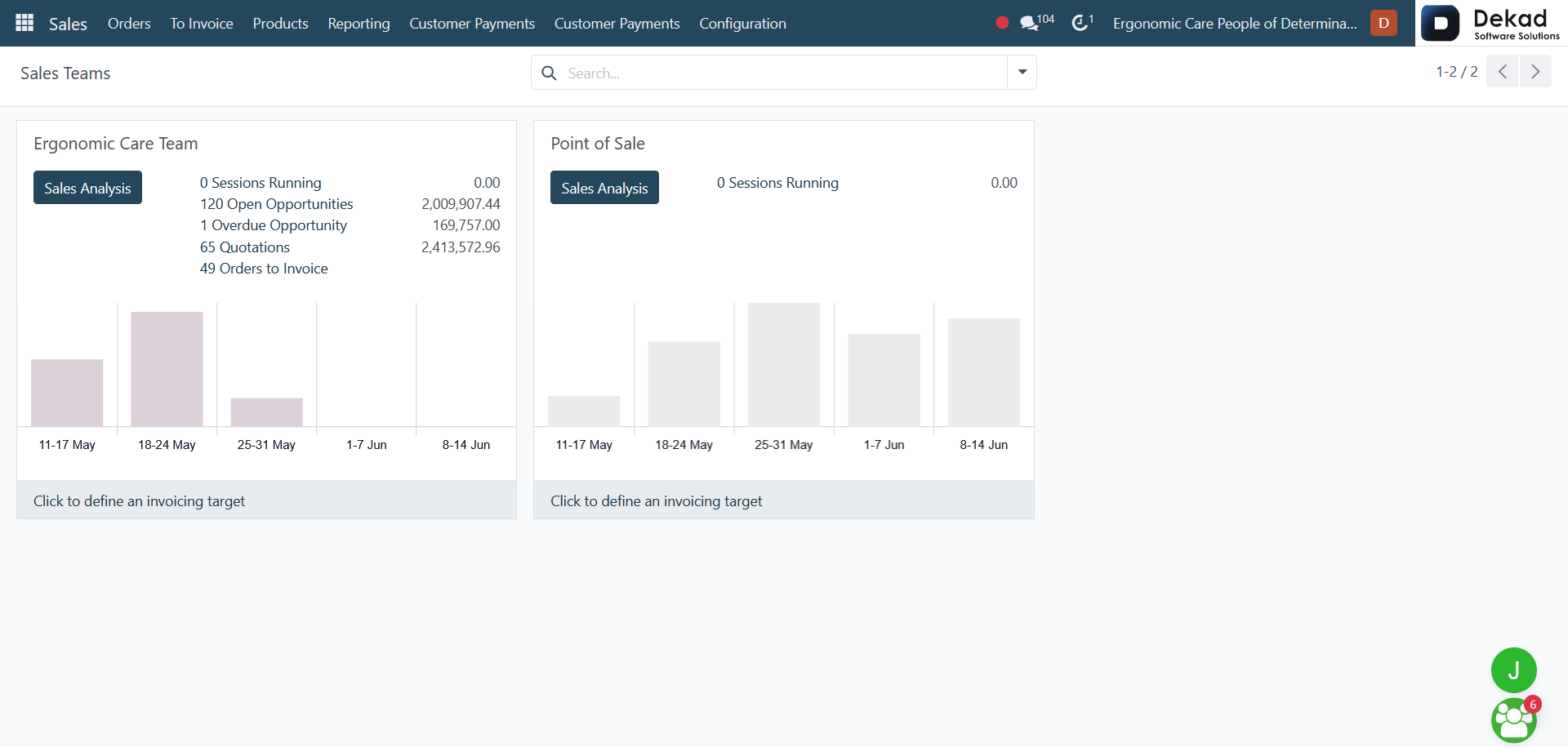
1.3 Sales Teams
The Sales Teams section is used to organize
sales representatives into teams and manage
their activities more effectively. It provides
a structured way to assign responsibilities,
monitor team performance, and coordinate sales
operations within the organization.
By grouping users into teams, businesses
can improve collaboration, track sales
progress more efficiently, and ensure
that customer opportunities are handled
by the appropriate team members.
1.4 Customers
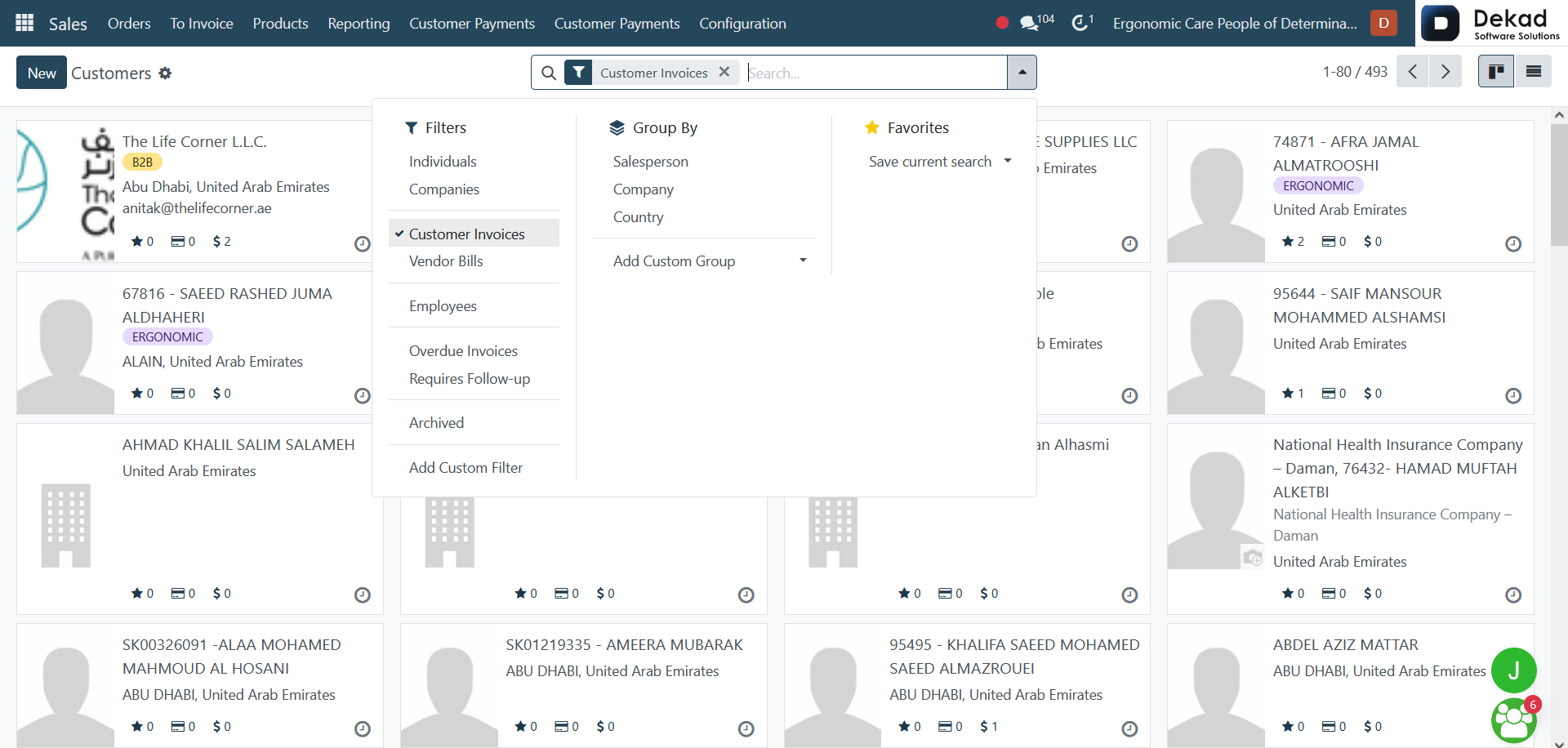
The Customers section contains information
about all customers managed within the system.
It provides a centralized location for storing
and accessing customer records, including contact
details, sales history, and other
relevant information.
This section helps users maintain organized
customer data, improve communication, and
efficiently manage customer relationships
throughout the sales process.
Customer Details
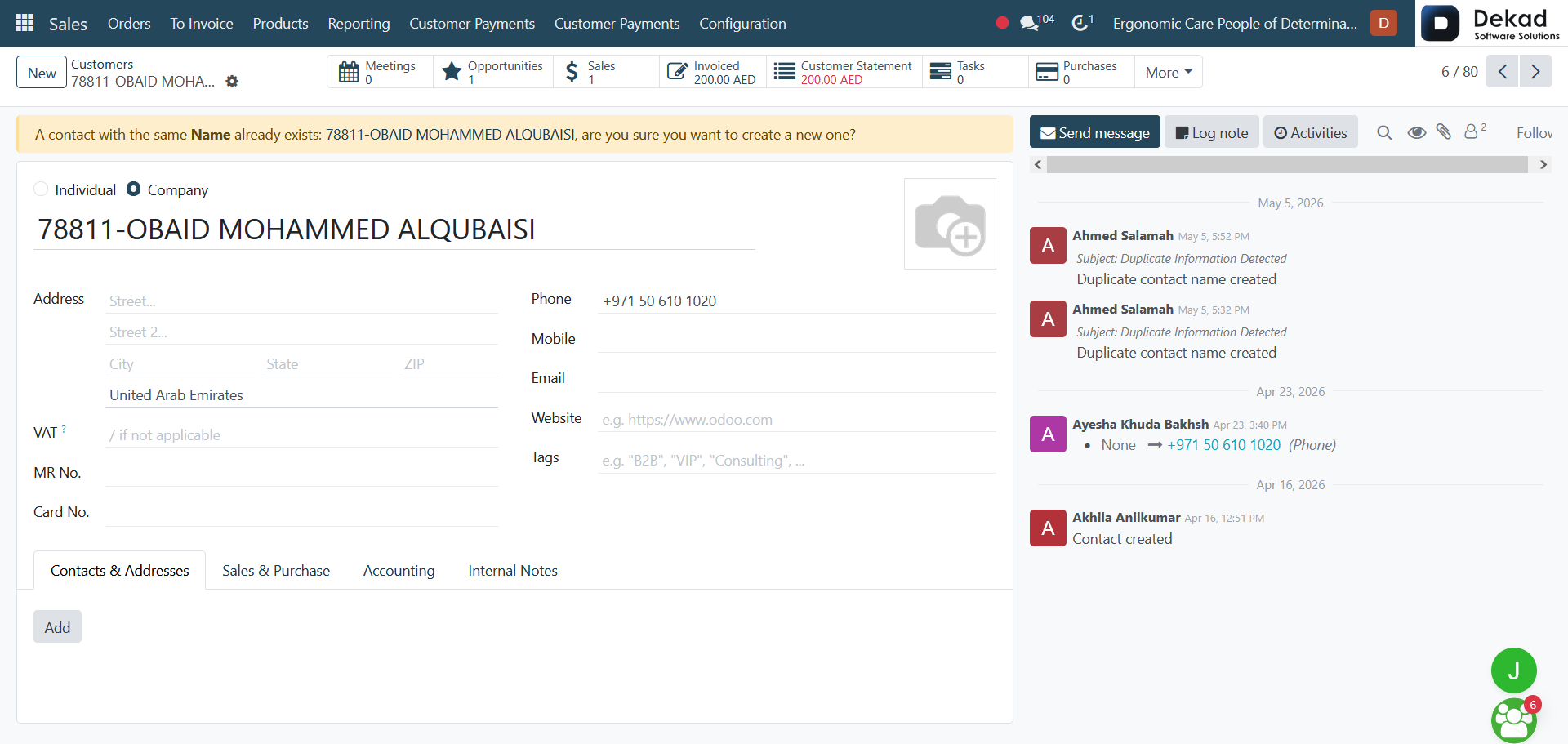
By clicking on a specific customer, users
can view detailed information about that
customer. This includes contact details,
related invoices, sales history, and any
associated records.
The Chatter Panel is also available,
allowing users to track communication,
log activities, send messages, and
follow up on customer interactions.
This ensures that all discussions and
updates are stored in one place for better
tracking and collaboration.
Customer Tabs Overview
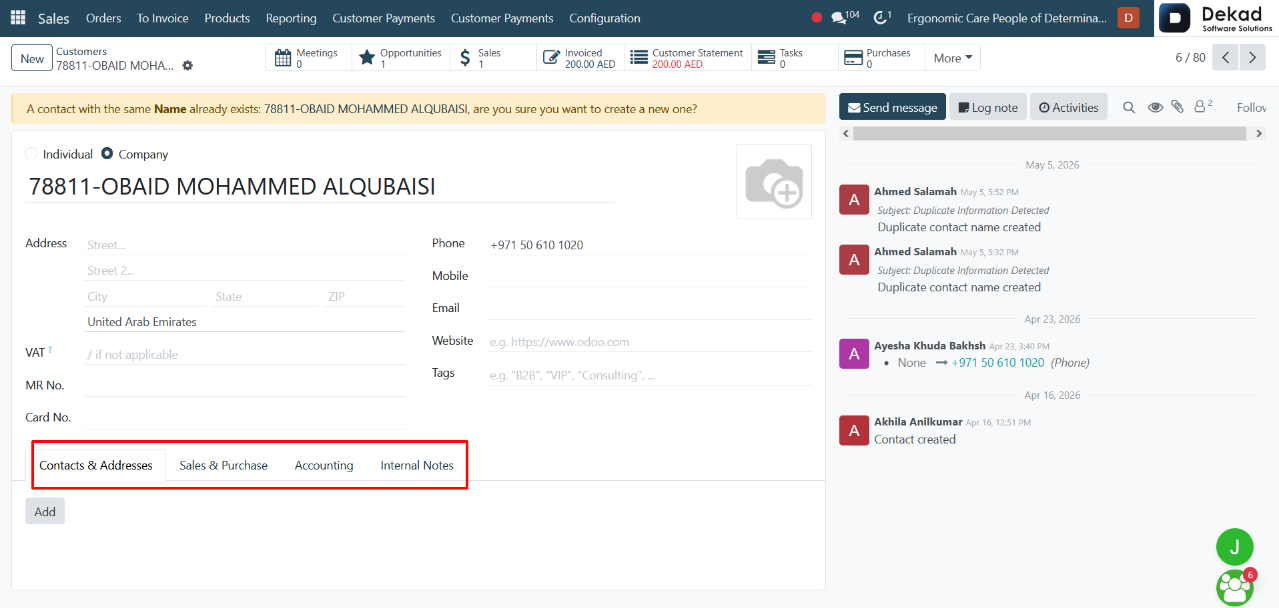
Contacts & Addresses contains all
contact information related to the
customer, including different addresses
such as delivery, invoice, and additional
contact persons linked to the same customer.
Sales & Purchase provides information
related to the customer’s sales and
purchase activities, including pricing
conditions, sales terms, and interaction
history within the sales process.
Accounting includes financial information
such as payment terms, invoices, and billing
details associated with the customer. It
helps track all accounting-related records
in one place.
Internal Notes is used to store private
notes and comments about the customer.
These notes are visible only to internal
users and help teams share important information
or reminders about the customer.
2. Invoices
The Sales Invoices section is used to
manage all invoices generated for
customer sales. It contains detailed
billing information such as invoice amounts,
payment status, and related sales orders.
This section helps track customer payments,
monitor outstanding balances, and ensure
that all completed sales are properly
invoiced and recorded for accounting purposes.
3. Products
3.1 Sales Products
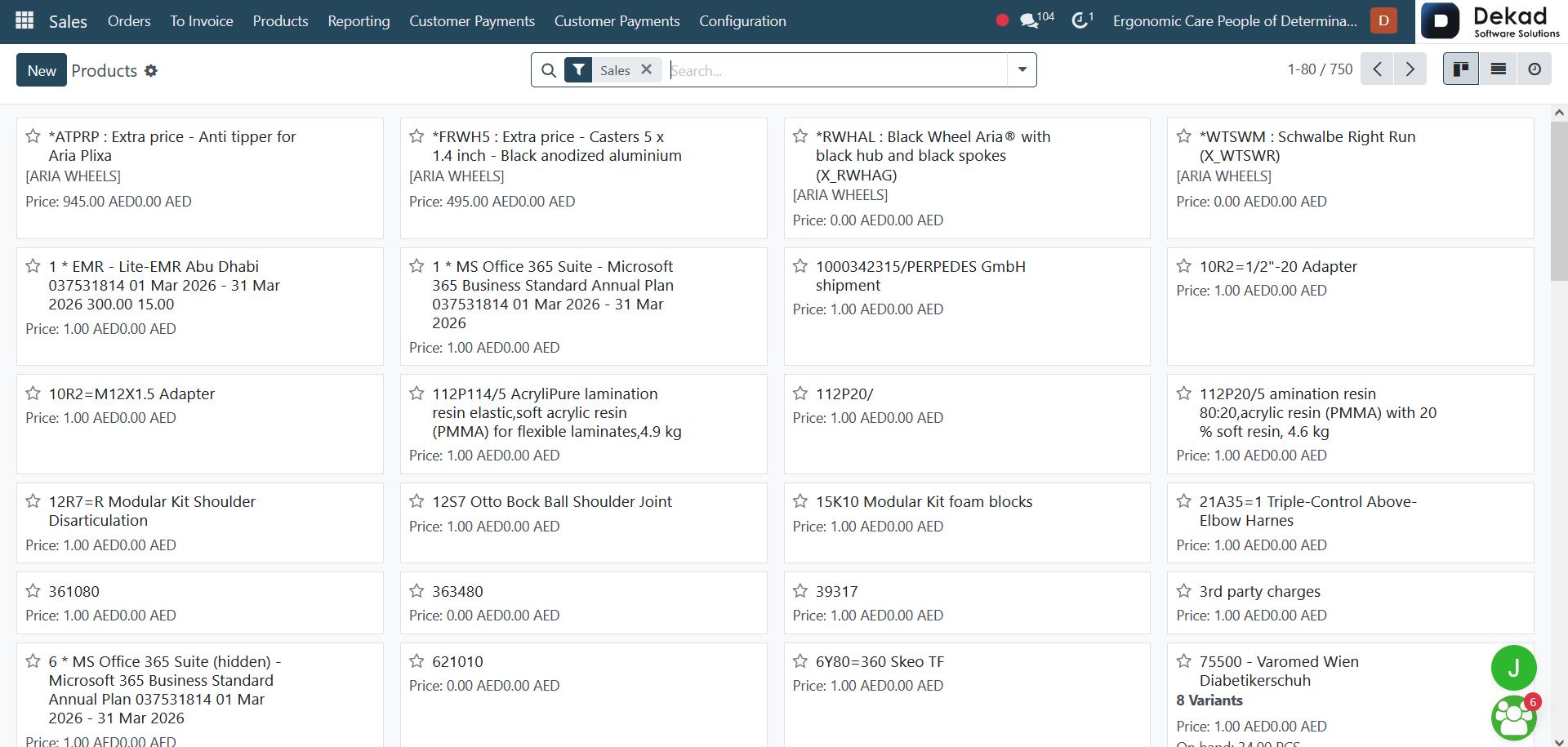
The Sales Products section contains all
products and services available for sale.
It provides a centralized list where users
can view product details such as descriptions,
pricing, and availability.
This section helps sales teams easily
select and manage products when creating
quotations and sales orders, ensuring accurate
and consistent product information throughout
the sales process.
Product Details
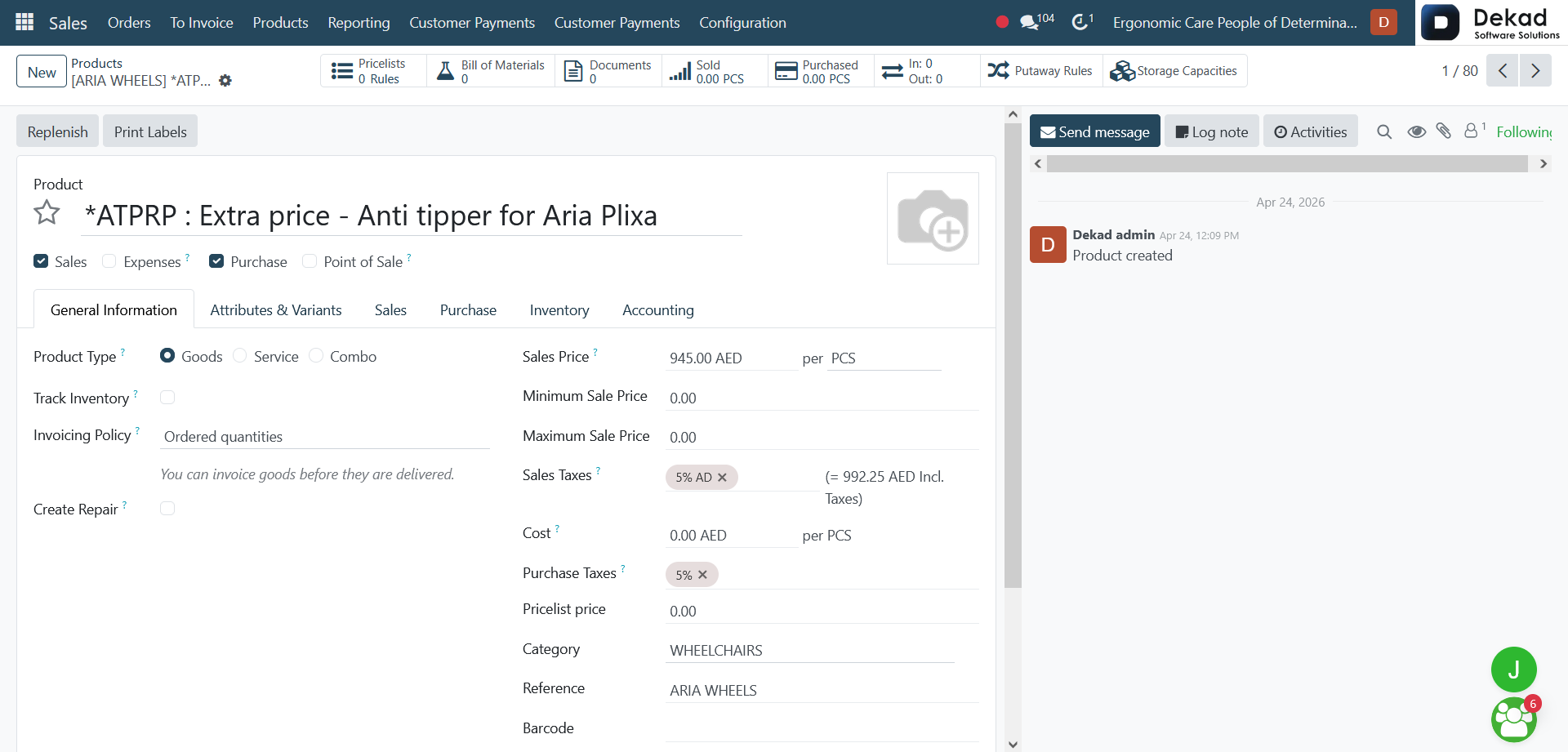
After opening a product, the user can
view a full set of information that
defines how the product is managed across
different business operations. This
includes configuration areas for Sales,
Purchase, Inventory, Accounting, and Point
of Sale, which control how the product
behaves in each process.
In the General Information section,
users can define the product type such
as goods, services, or combo items, and
set options like inventory tracking, invoicing
policy, and whether repairs can be created for
the product.
Pricing information includes the sales price,
minimum and maximum sale price limits, cost,
taxes, and pricelist settings. Additional
details such as category, internal reference,
barcode, and company assignment help organize
and identify the product within the system.
Users can also manage attributes and
variants to handle different versions of
the same product, such as size or color
variations.
At the bottom of the page, the
Internal Notes section allows storing
private information about the product for
internal use only.
The page also includes the Chatter Panel,
which enables tracking activities, viewing
communication history, adding notes, and
following updates related to the product.
3.2 Product Variants
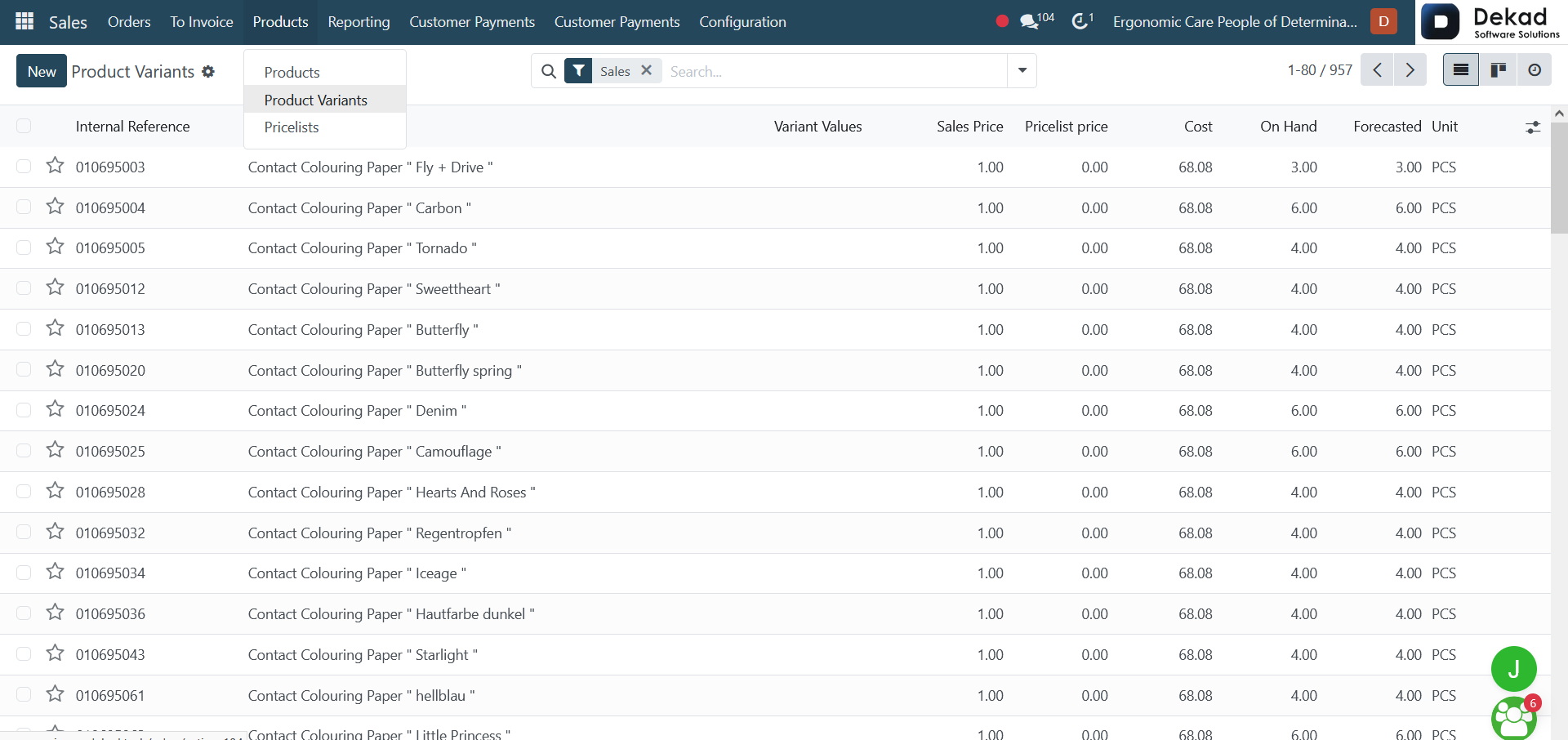
The Product Variants section is used to
manage different versions of the same product.
It allows users to define variations such as size,
color, or other attributes under a single
product structure.
This helps organize products more efficiently
and makes it easier to handle inventory,
pricing, and selection when creating quotations
or sales orders. Each variant represents a specific
combination of attributes for the same main product.
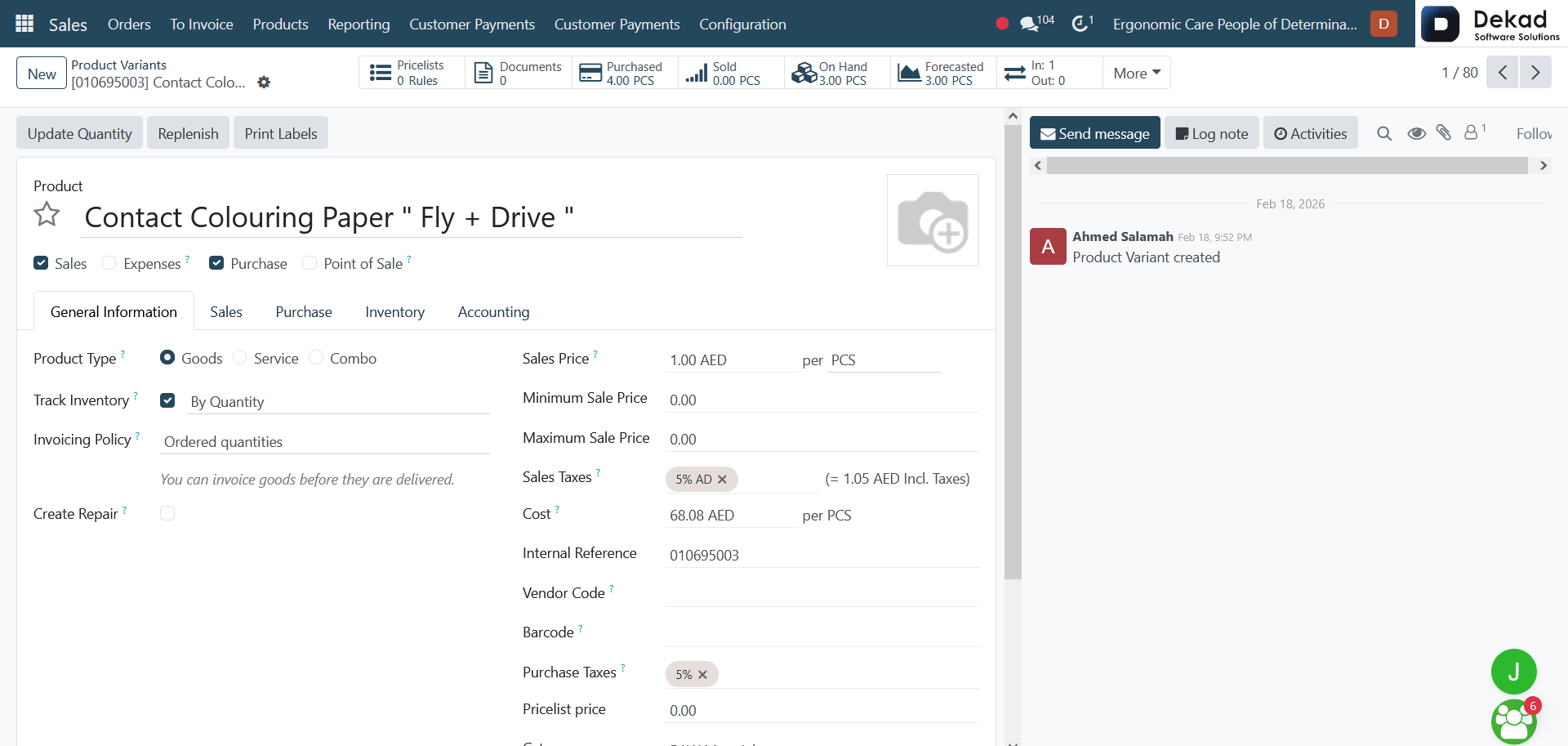
Product Variant Details
When opening a specific product variant,
users can view detailed configuration and
information related to that variant. This
includes how the product behaves across
different operations such as Sales, Purchase,
Inventory, Accounting, Expenses, and Point of
Sale, ensuring it is properly managed in all
business processes.
In the General Information section, the
variant’s product type is defined, along
with settings such as inventory tracking,
invoicing policy, and whether repair
options are enabled.
The pricing section includes important
financial details such as sales price,
minimum and maximum sale price, cost,
and applicable taxes. This helps control
profitability and ensure correct pricing
rules are applied.
Additional fields such as internal reference,
vendor code, barcode, product category, and
company assignment help identify and organize
the variant within the system.
The Internal Notes section allows storing
private information related to the product
variant for internal use only.
The page also includes the Chatter Panel,
which is used to track activities, messages,
and updates related to the product variant,
ensuring all communication is recorded in one place.
3.3 Pricelists
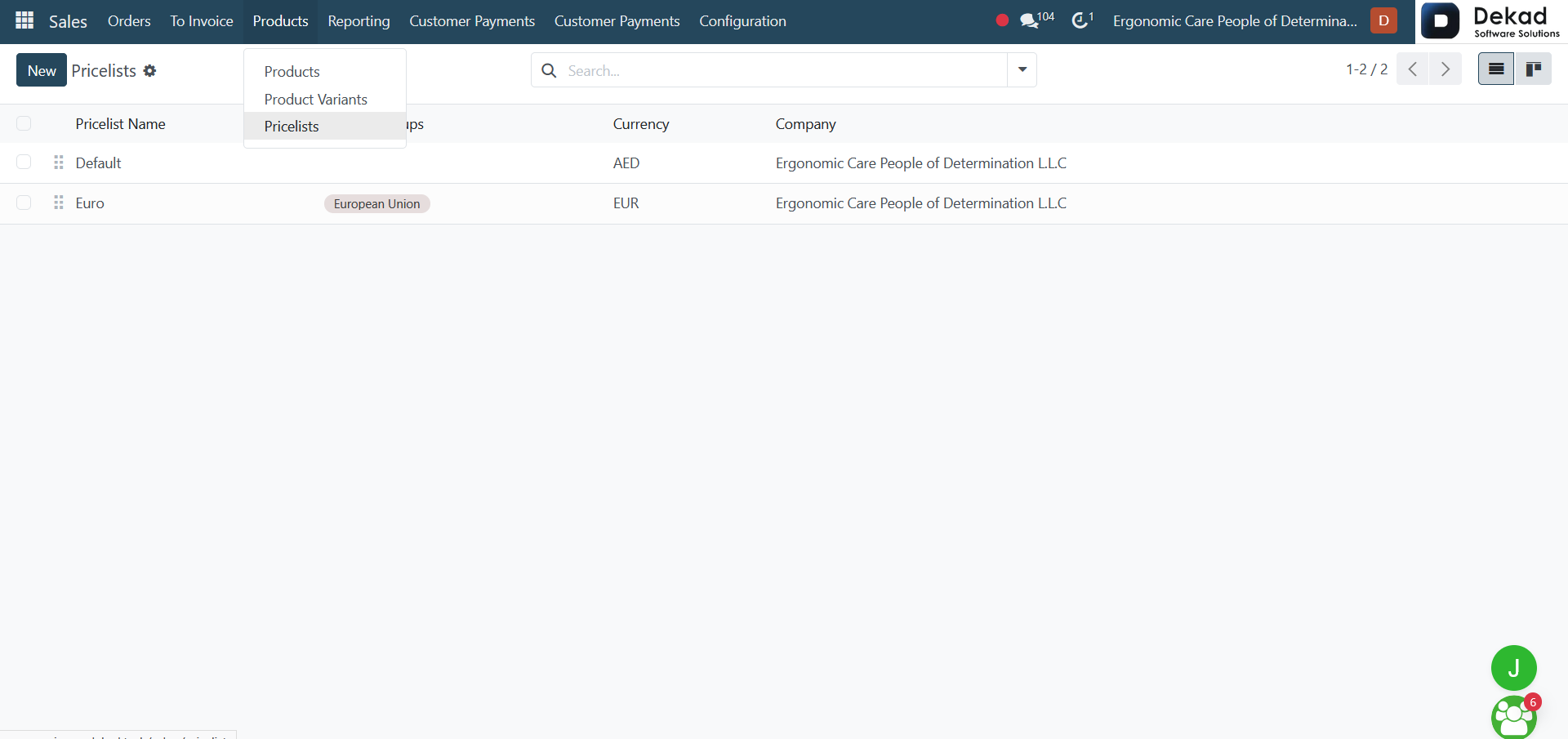
The Pricelists section is used to
define different pricing rules for
products based on specific conditions.
It allows businesses to set multiple prices
for the same product depending on factors
such as customer type, quantity, or sales
strategy.
This helps ensure flexible pricing,
support promotions or discounts, and
manage different price structures for
various customers or markets. Each pricelist
can be applied during the sales process to
automatically adjust product prices based on
the defined rules.
Pricelists Configuration
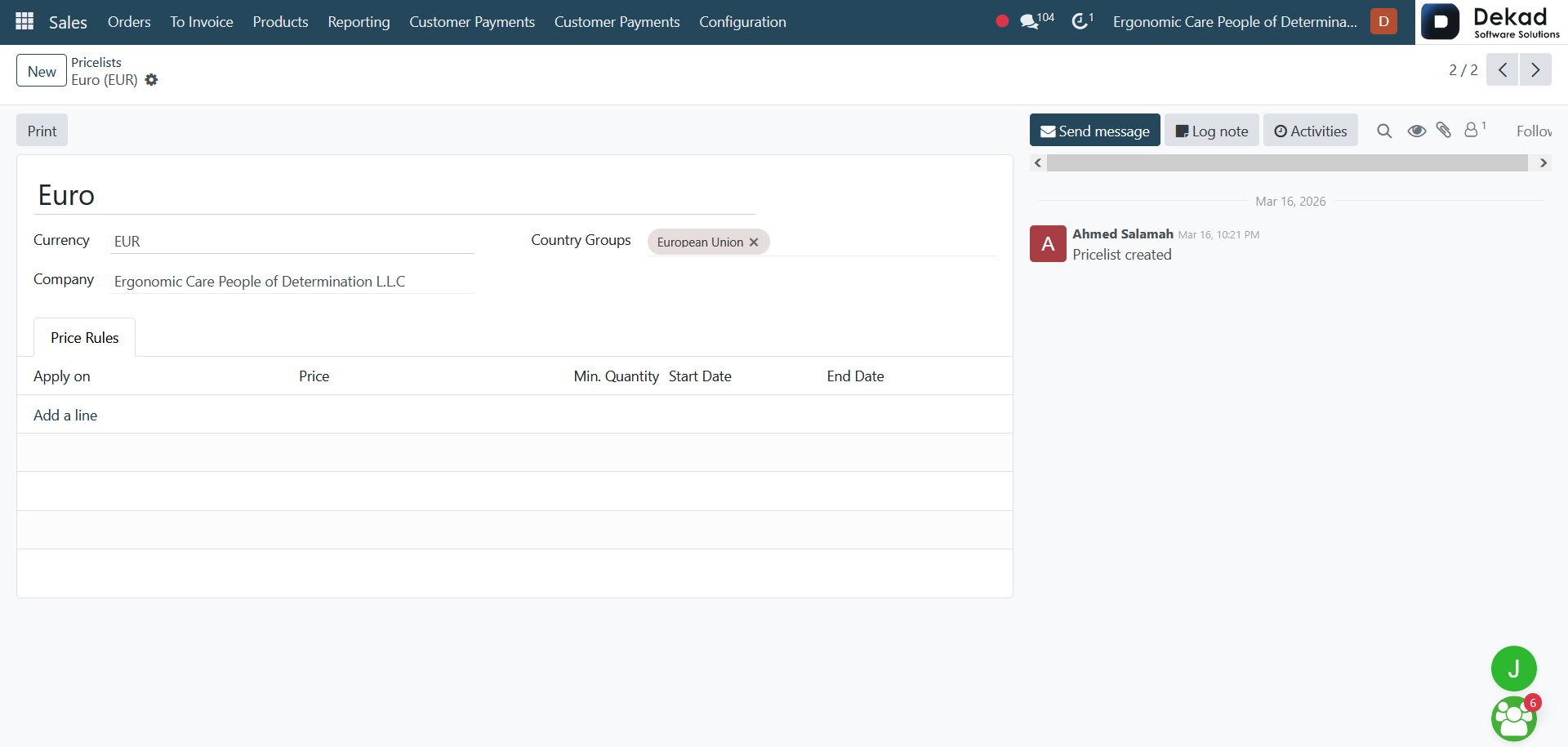
In the Pricelists section, several
configuration options are used to
control how product prices are
calculated and applied.
Currency defines the currency in
which the prices are displayed
and calculated. It ensures all
pricing follows the selected monetary unit.
Company specifies the organization
that owns or uses this pricelist. It
helps separate pricing rules when multiple
companies are managed in the same system.
Country Groups allow applying different
pricing rules based on the customer’s
country or region, making it possible
to support regional pricing strategies.
Under Price Rules, users can define
how prices are calculated for products.
This includes conditions such as product
selection and the resulting price adjustment.
Apply on determines which products or
categories the rule will affect, allowing
precise control over pricing application.
Price defines the final value or
adjustment applied to the selected
products based on the rule.
The Add a line option allows creating
multiple pricing rules within the same
pricelist to support different scenarios
and conditions.
4. Reporting
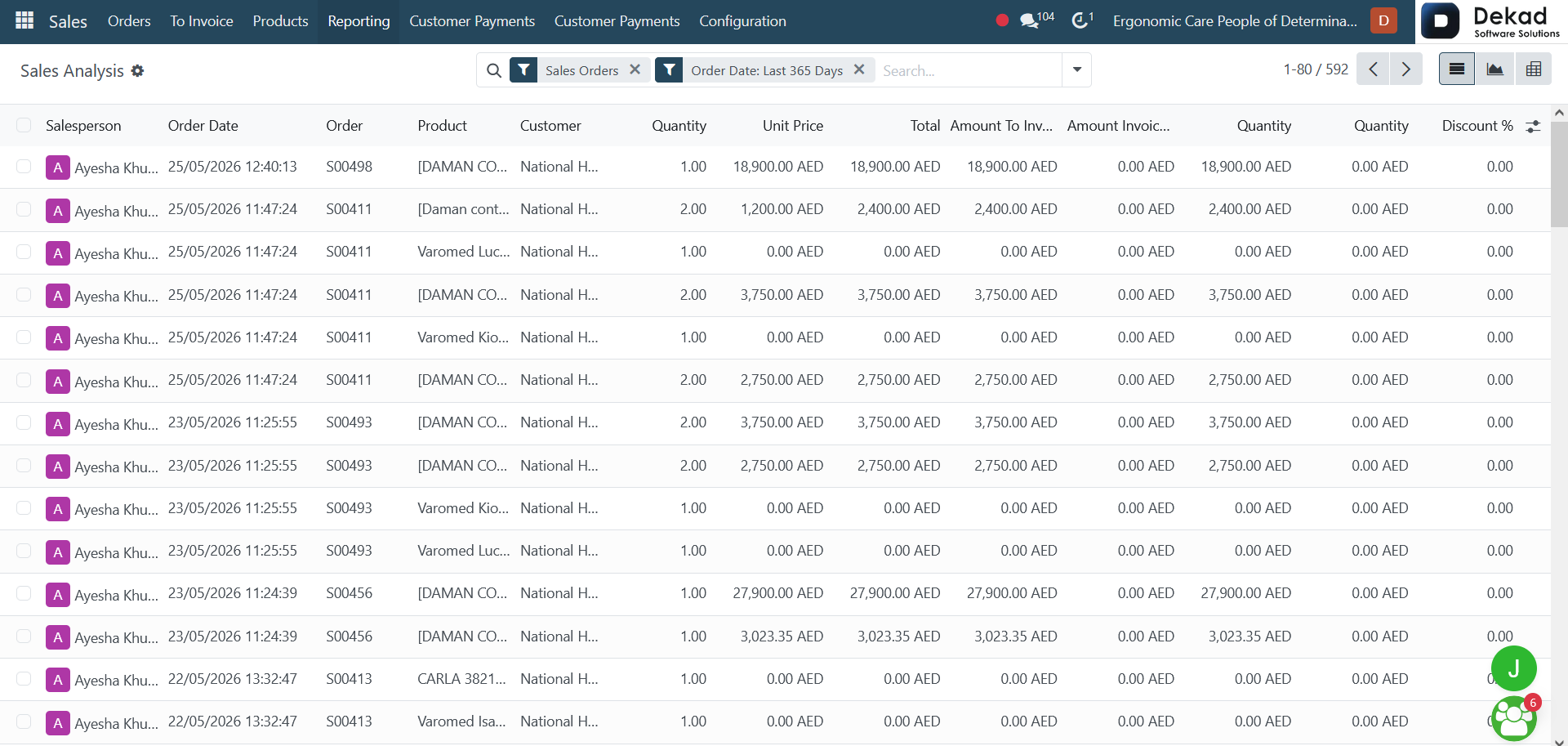
The Sales Reporting section provides
analytical insights into sales performance.
It displays summarized data about orders,
revenue, and customer activity to help users
understand overall sales progress.
This section allows users to track
performance over time, compare results,
and identify trends in sales activities.
It helps in making informed decisions by
providing a clear overview of how the
sales process is performing.
4.1 Sales Report
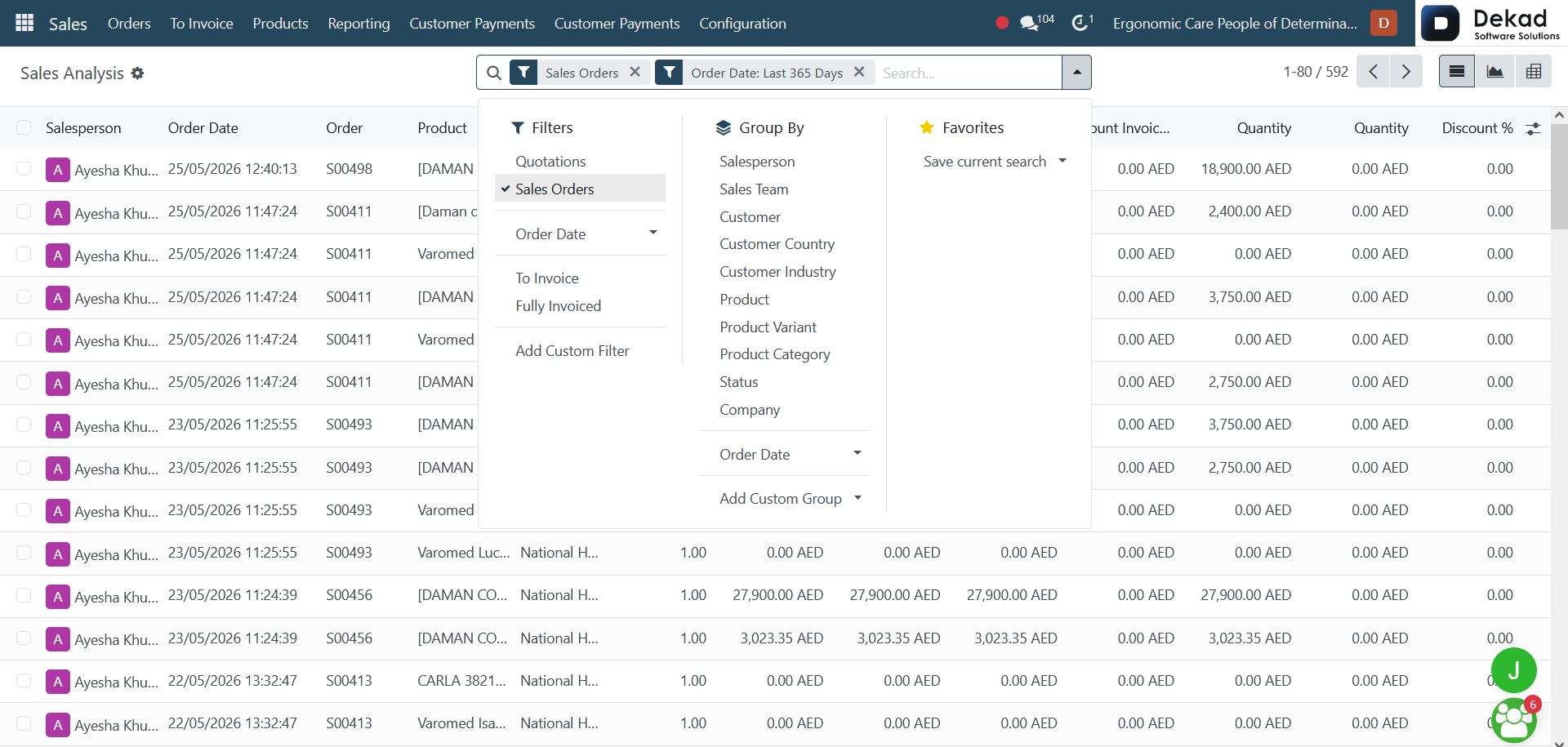
The Sales report provides an overview
of all sales activities, including confirmed
orders and generated revenue. It helps users
analyze how much has been sold and track
overall sales performance.
This report allows filtering and grouping
data by different criteria such as time period,
salesperson, or customer, making it easier to
evaluate performance and identify trends in
sales results.
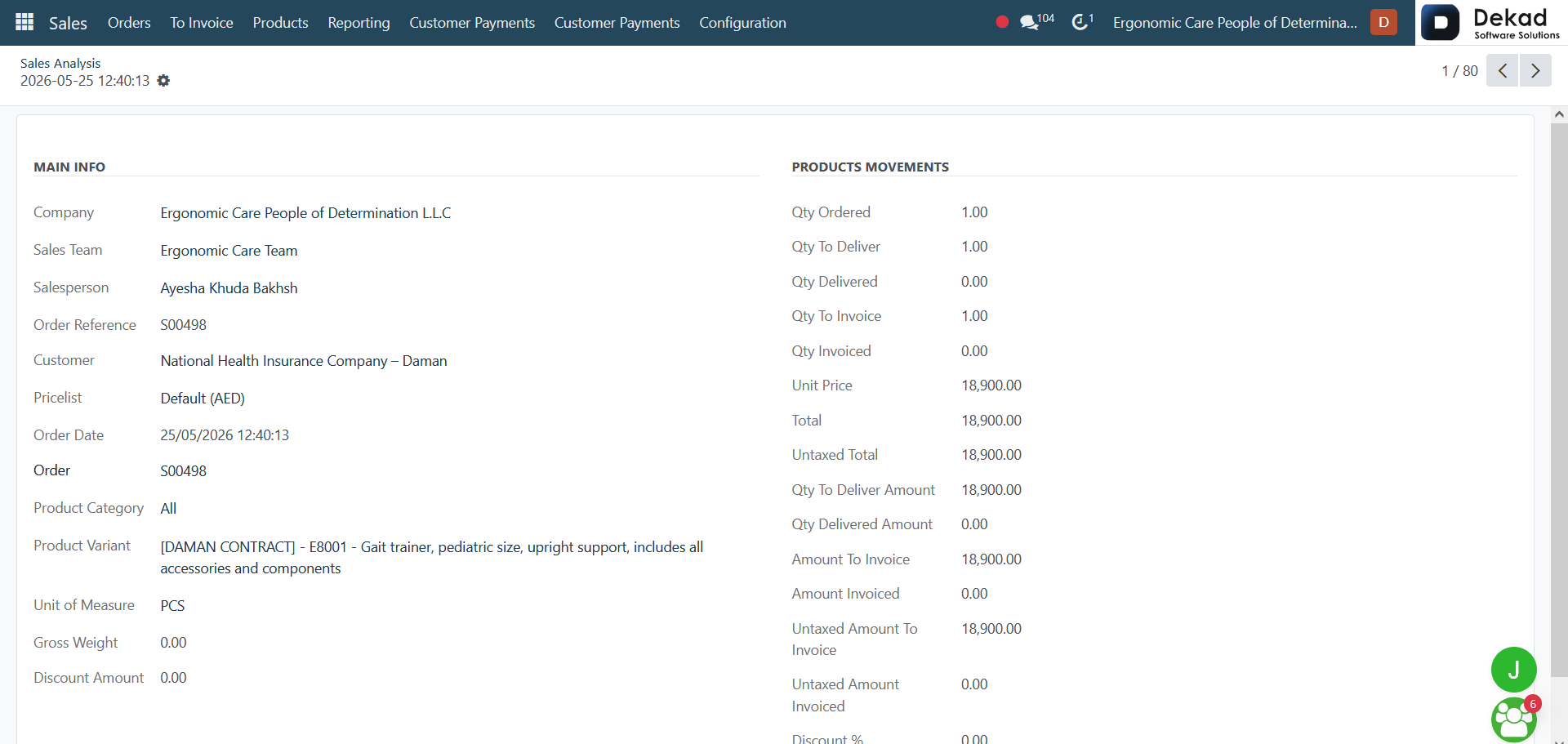
By clicking on a specific salesperson,
users can access detailed information about
their sales activities. The Main Info
section provides key details and
performance-related information,
while Products Movements displays
the products associated with the
salesperson's sales transactions
and activities.
These sections help users analyze sales
performance and gain a better understanding
of product movement and sales contributions.
4.2 Salespersons
The Salespersons section provides
an overview of all sales representatives
within the organization. It allows users
to monitor individual sales performance,
review sales activities, and access
information related to each salesperson.
This section helps managers and
team members track contributions,
evaluate results, and gain insights
into the performance of the sales team.
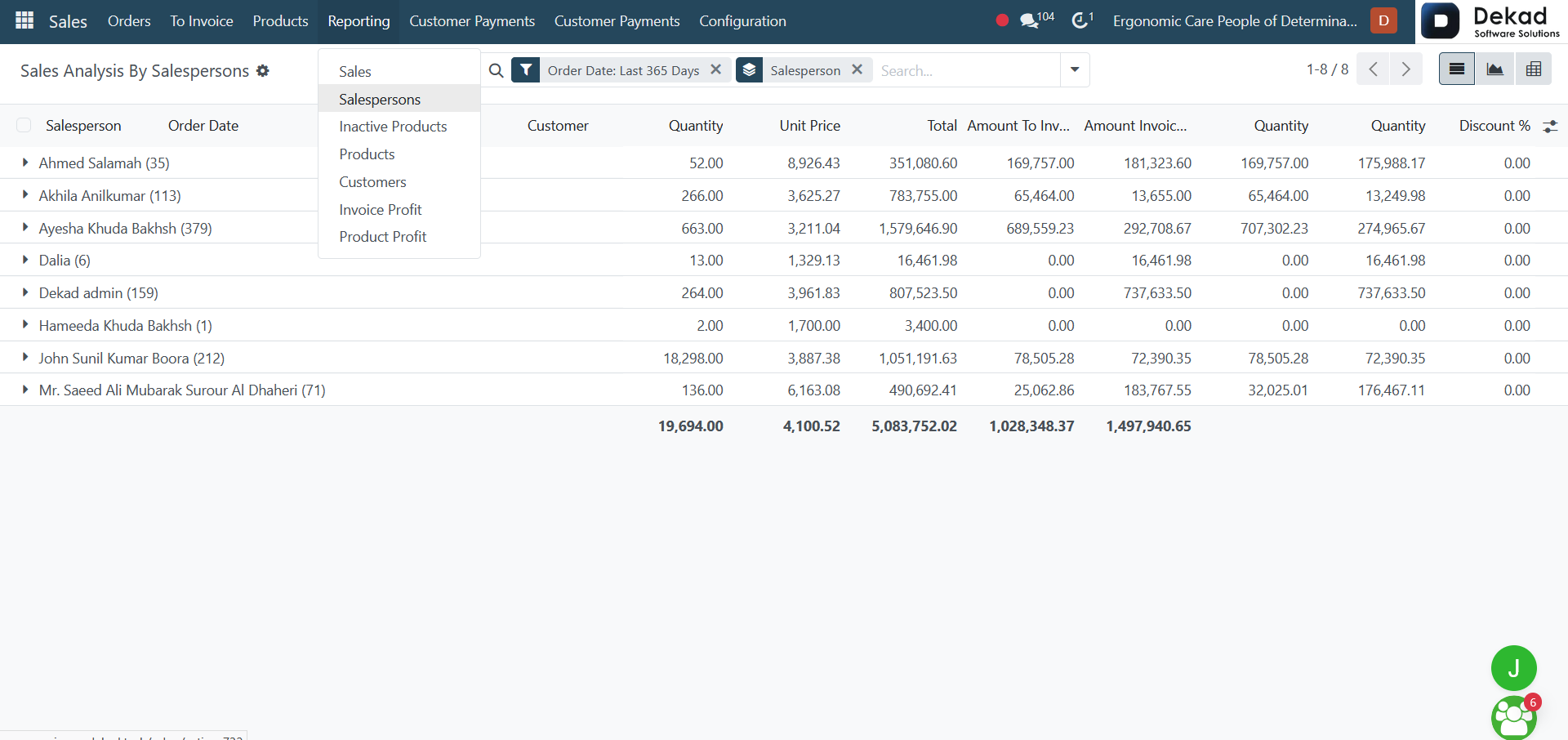
The Sales Analysis by Salespersons page
provides a detailed view of sales
performance grouped by individual sales
representatives. It displays sales-related
metrics and statistics, allowing users to
compare results and evaluate the contribution
of each salesperson.
This analysis helps identify top performers,
monitor sales activities, and gain insights
into overall team performance through
organized and easy-to-read sales data.
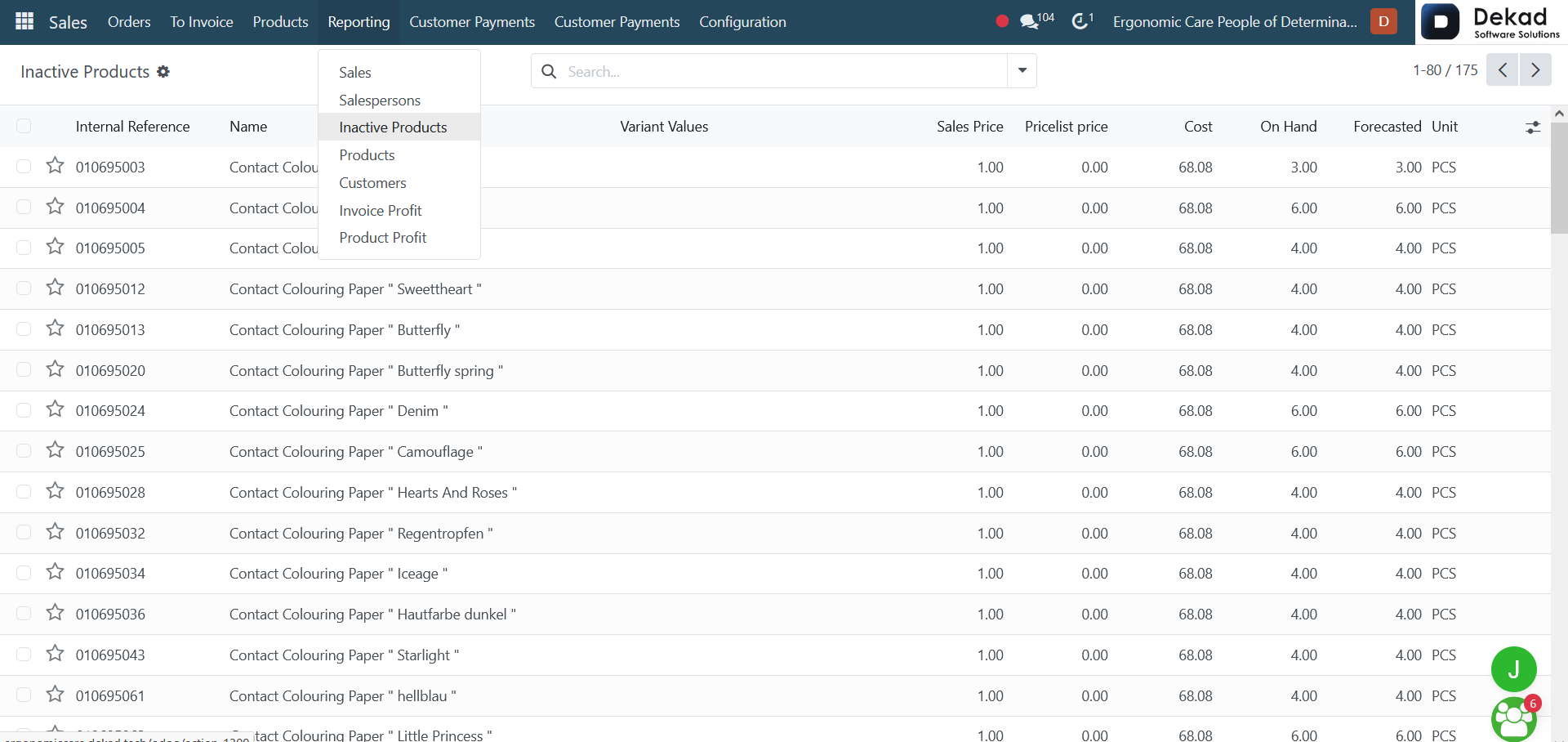
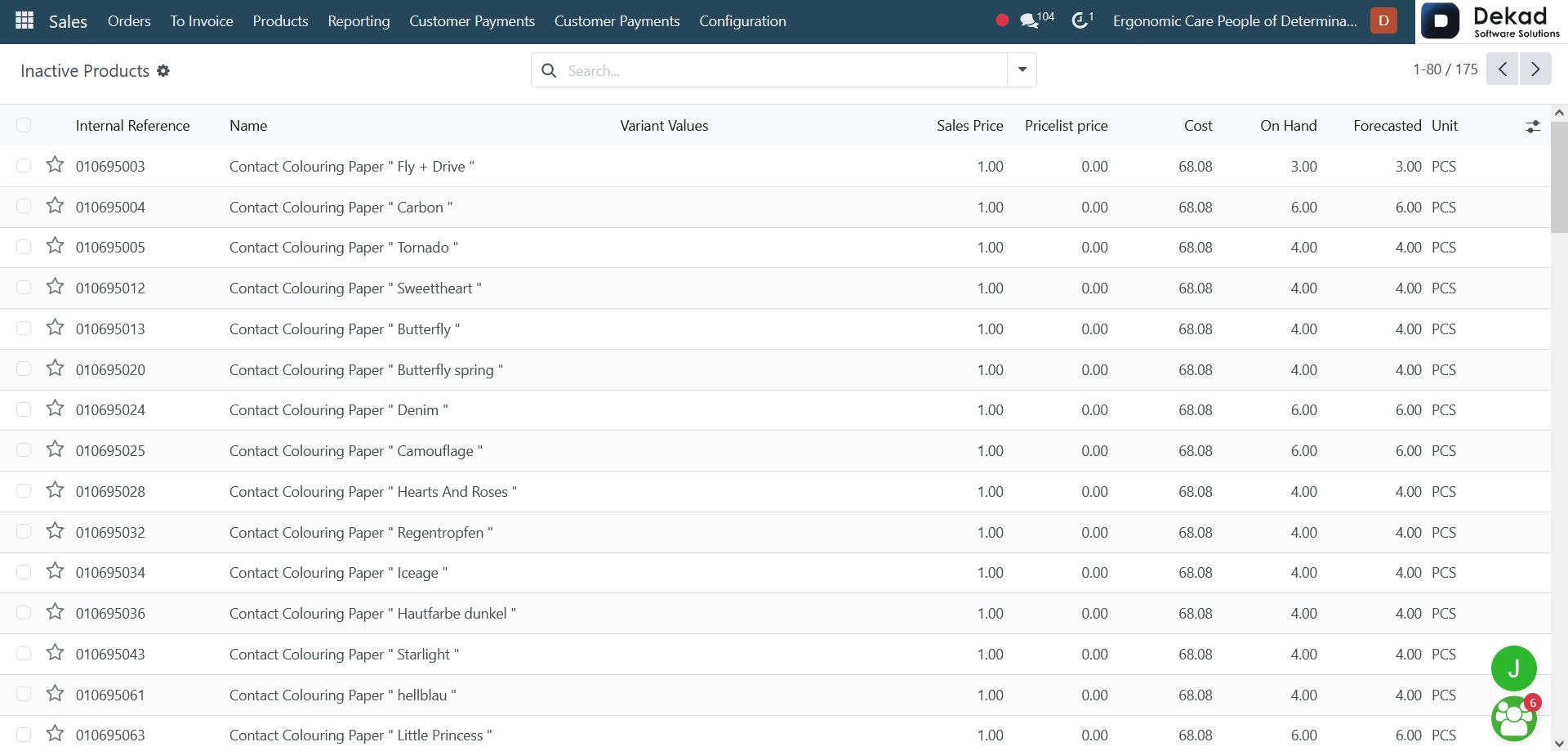
Inactive Products Overview
When opening the Inactive Products page,
users can view a list of all products that
have been marked as inactive. The page
displays product-related information,
allowing users to review previously used
products and access their details when needed.
This overview helps maintain a clean
and organized product catalog while
preserving historical product records
for reference and reporting purposes.
4.4 Products Reporting
The Products Reporting section provides
analytical insights into product sales
performance. It displays sales data related
to products, helping users understand
which products are performing well and
how they contribute to overall sales results.
This report supports performance evaluation,
trend analysis, and data-driven
decision-making by presenting product-related
sales information in an organized
and easy-to-analyze format.
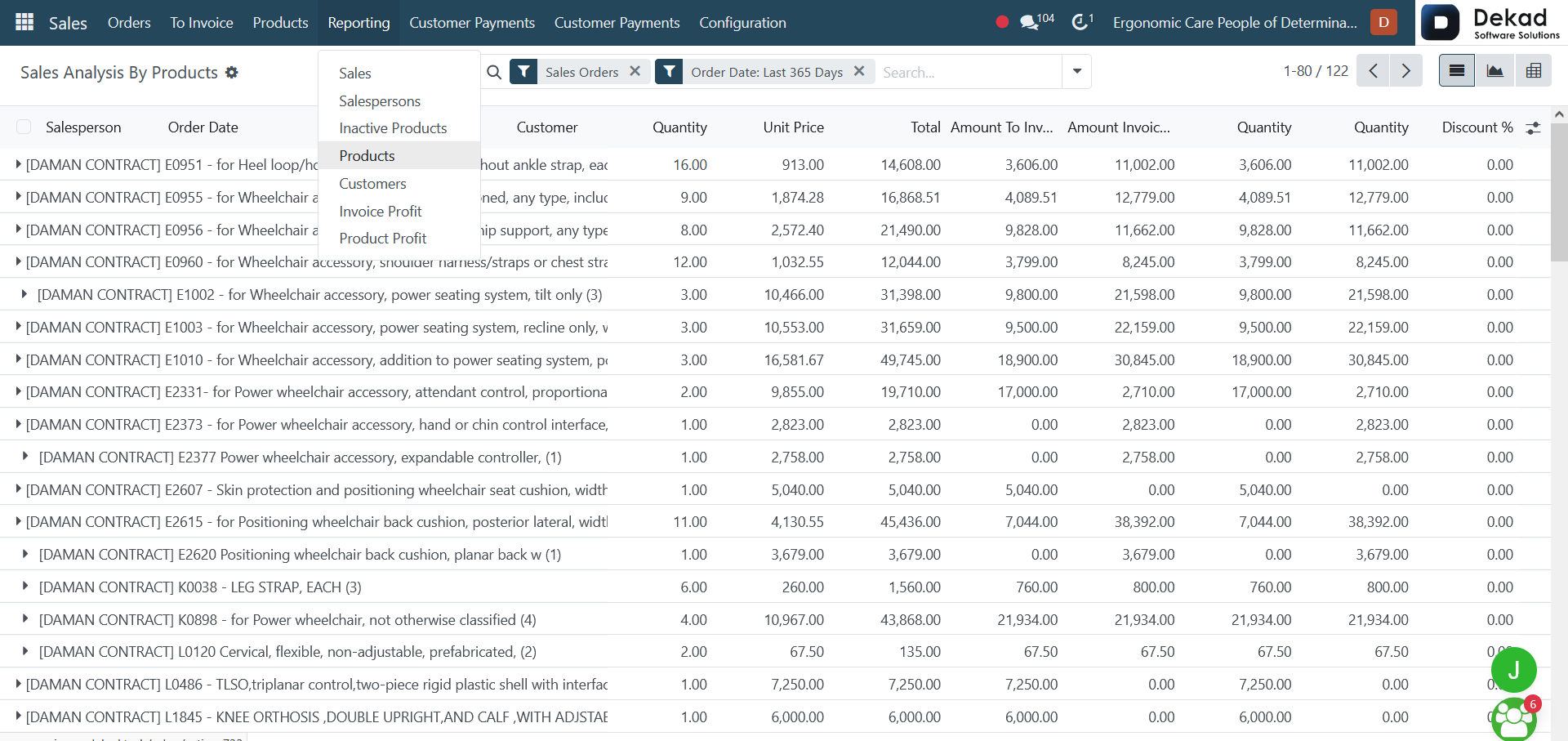
When opening the Products Reporting page,
users can view sales analysis data
organized by products. The report displays
key metrics and statistics related to product
performance, helping users evaluate sales
results and identify trends.
Users can analyze product-related sales
information, compare performance across
different products, and gain insights
that support inventory planning, pricing
decisions, and overall sales strategy.
4.5 Customers Reporting
The Customers Reporting section provides
analytical insights into customer-related
sales activities. It displays sales data
organized by customers, helping users
understand customer purchasing behavior
and overall contribution to sales
performance.
This report supports customer analysis
by highlighting key sales metrics,
enabling users to identify valuable
customers, monitor trends, and make
informed business decisions based on
customer activity.
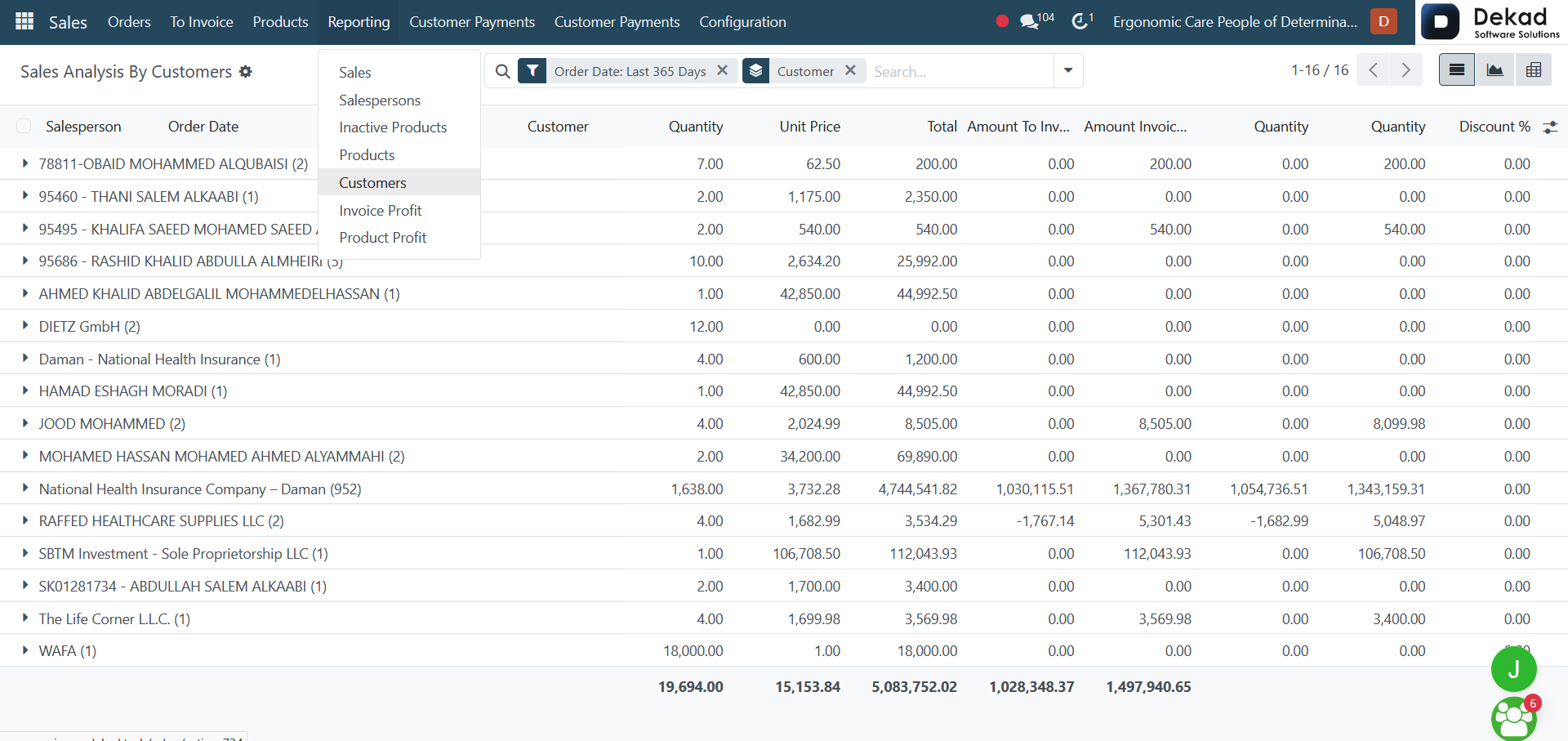
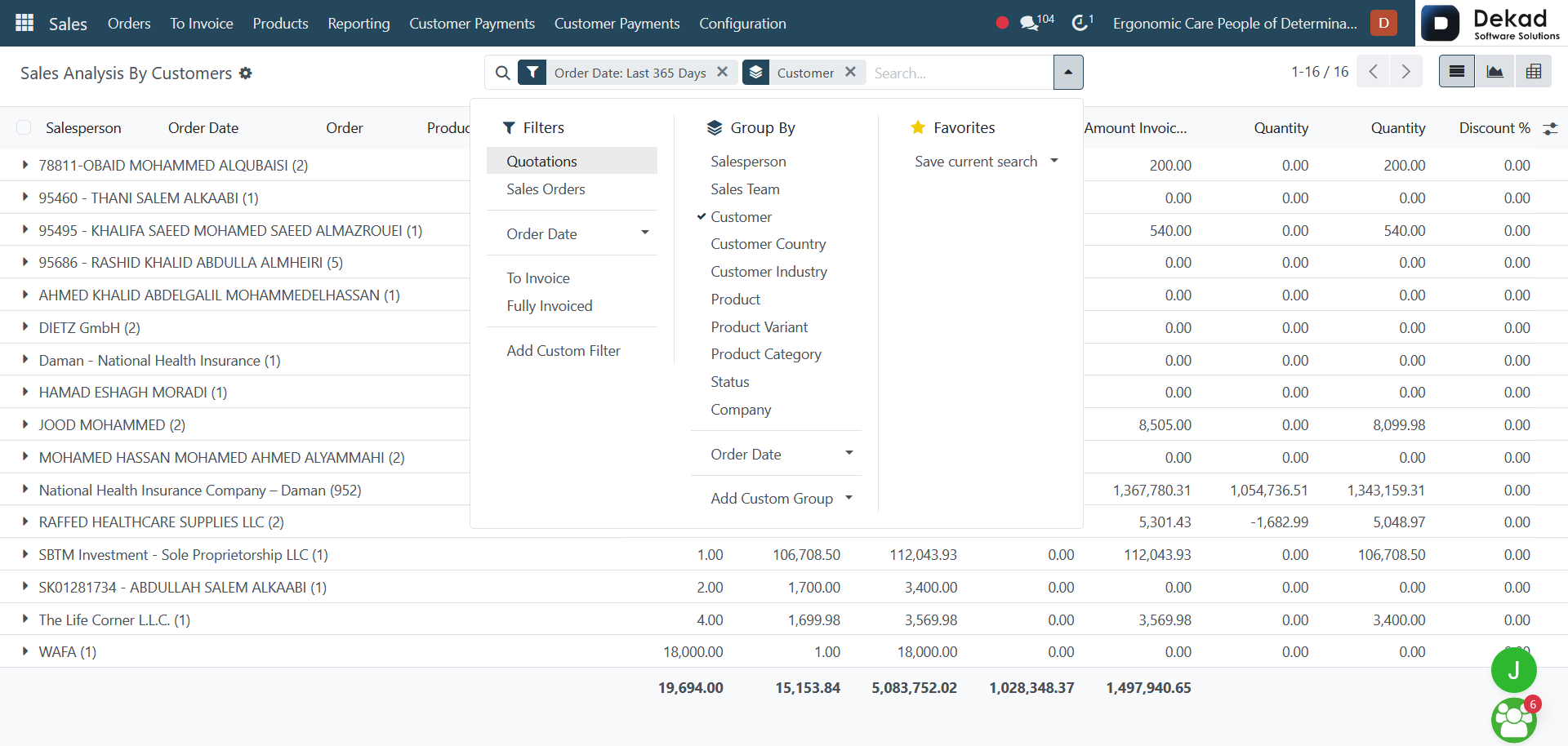
When opening the Sales Analysis by Customers
page, users can view sales data grouped by
customers. The report displays key sales
metrics and performance indicators, allowing
users to analyze customer activity and
purchasing patterns.
This view helps identify top customers,
compare sales results across different
customers, and gain insights into customer
contributions to overall sales performance.
4.6 Invoice Profit
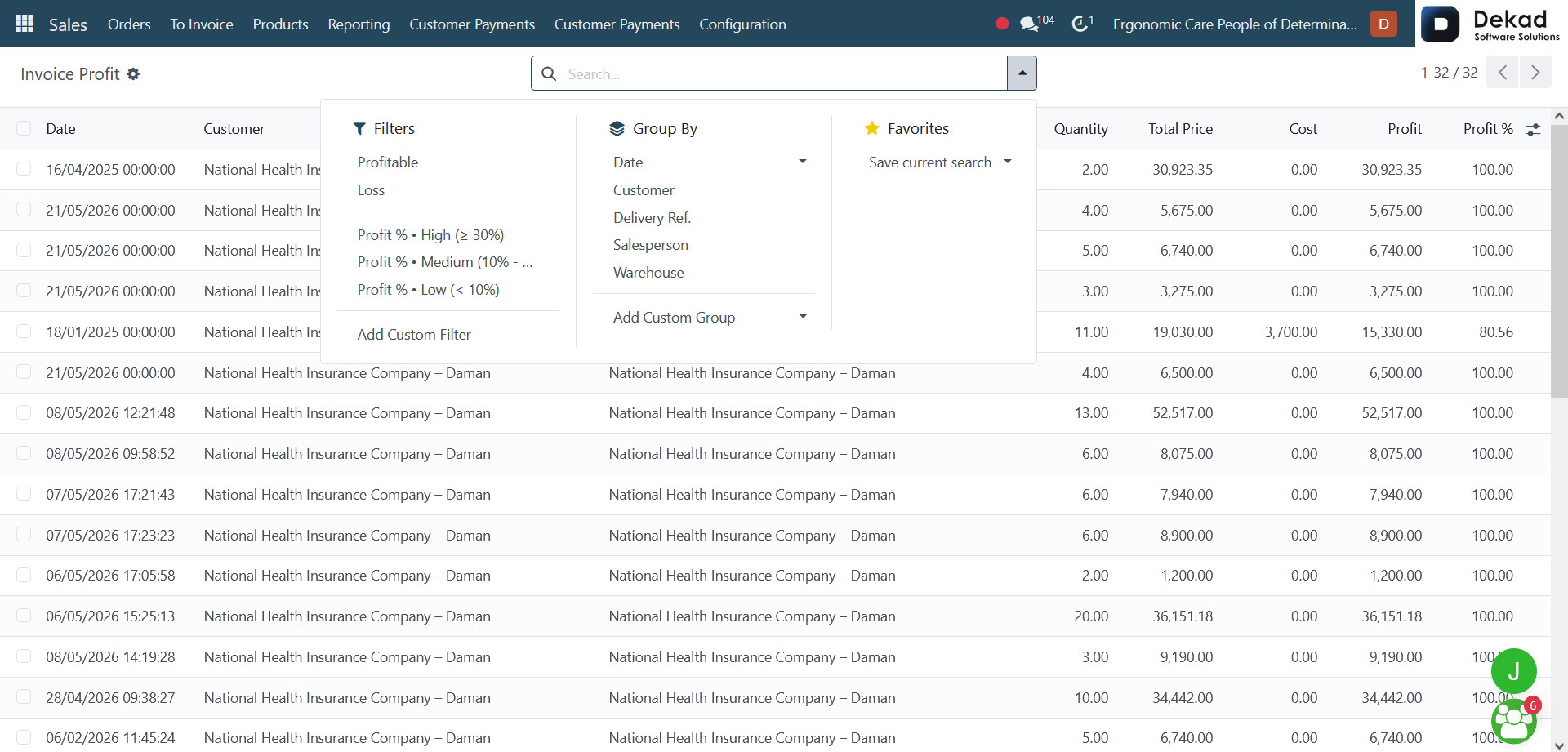
The Invoice Profit report provides an
analysis of the profitability of customer
invoices. It displays financial data
related to invoice revenue, costs,
and profit margins, helping users
evaluate the profitability of
completed sales.
This report allows users to compare
invoice performance, identify profitable
transactions, and gain insights that
support better financial and sales decisions.
4.7 Product Profit
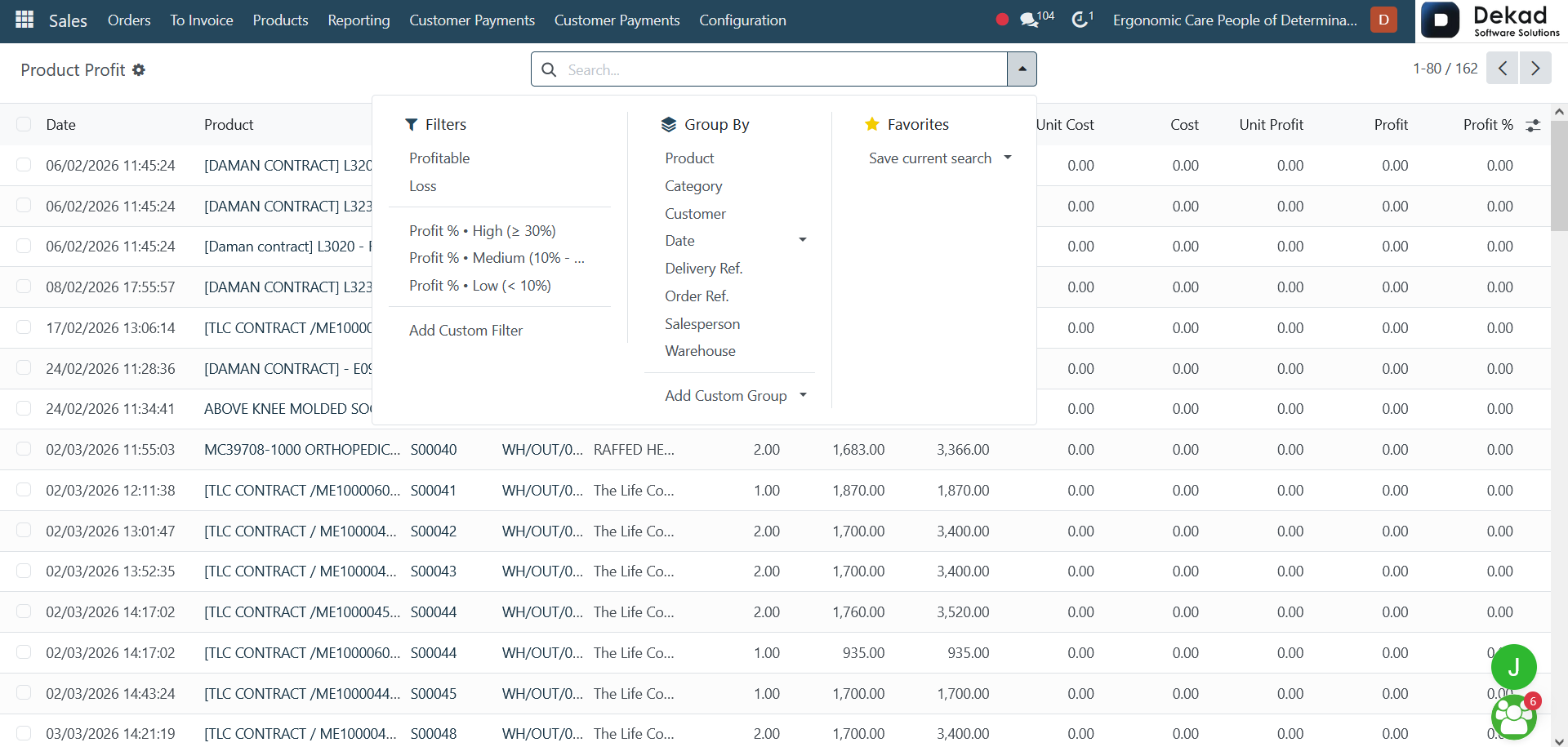
The Product Profit report provides
an analysis of the profitability of each
product. It displays financial and sales
-related data, allowing users to compare
product performance based on revenue,
costs, and generated profit.
This report helps identify the most
profitable products, analyze product
performance, and support better pricing,
inventory, and sales decisions.
5. Customer Payments
The Customer Payments section is used
to manage and track payments received
from customers. It provides a detailed
overview of payment records, including
payment amounts, payment methods, dates,
and related customer information.
This section helps users monitor customer
transactions, verify completed payments,
and maintain accurate financial records.
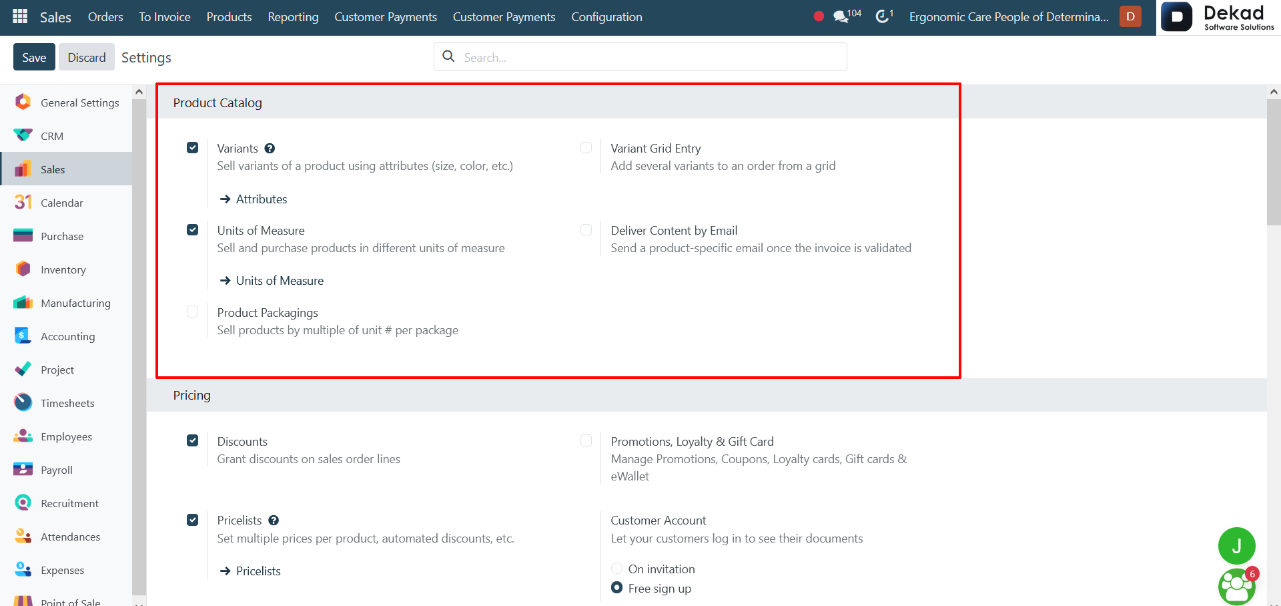
6.1.1 Product Catalog
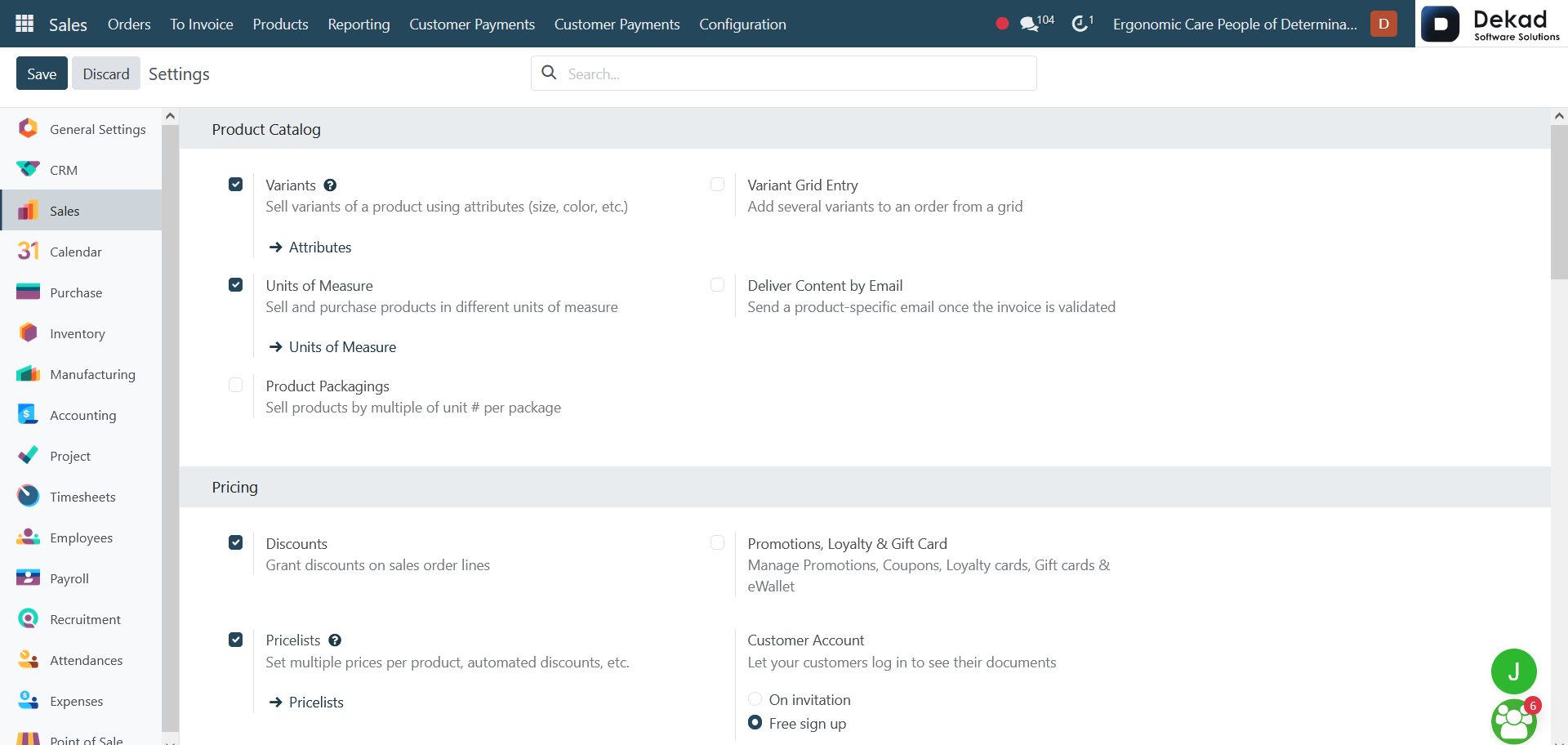
Variants allow products to have different
versions based on specific attributes such
as size, color, or other characteristics.
Variant Grid Entry enables users to add
multiple product variants to an order
quickly through a grid layout, simplifying
the order creation process.
Units of Measure allow products to be
sold or purchased using different measurement
units according to business requirements.
Deliver Content by Email automatically sends
product-related content or information to
customers once the invoice has been validated.
Product Packagings allow products to be
sold in different packaging quantities
by defining the number of units included
in each package.
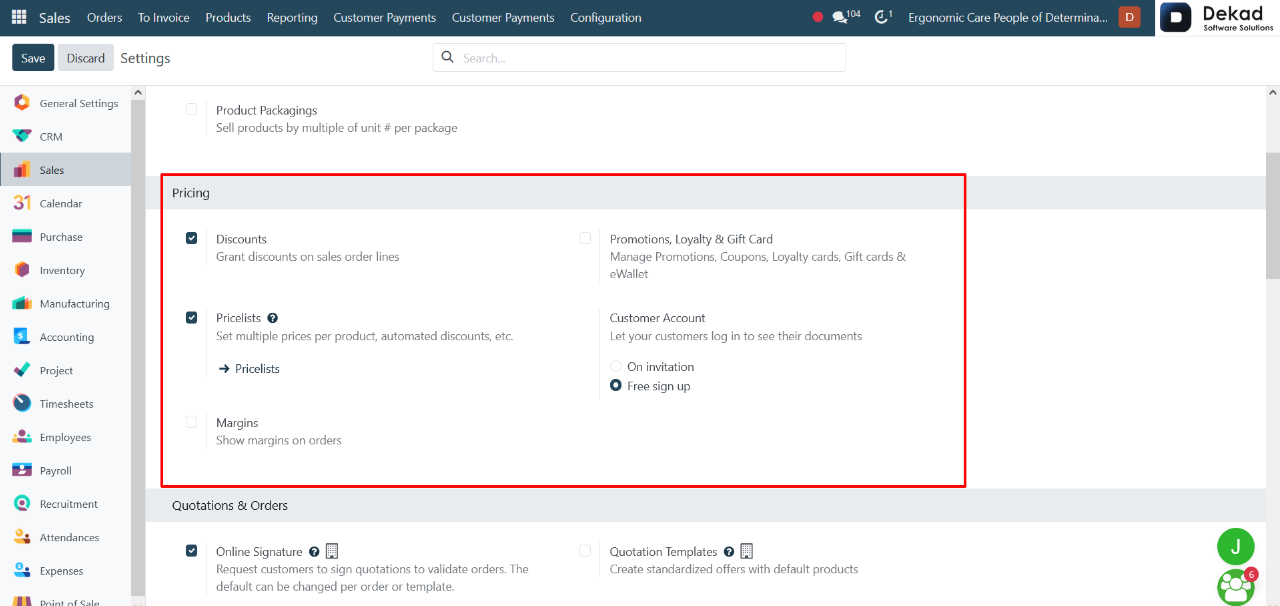
6.1.2 Pricing
Discounts allow users to apply price
reductions directly on sales order lines.
Promotions, Loyalty & Gift Cards enable
the management of promotional campaigns,
coupons, loyalty programs, gift cards,
and eWallet credits to enhance customer
engagement and sales opportunities.
Pricelists allow users to create multiple
pricing rules for products, including
different prices, automated discounts,
and customer-specific pricing strategies.
Customer Account allows customers to access
their personal accounts and view their
related documents. Access can be provided
through invitation or free sign-up options.
Margins display the profit margin on
sales orders, helping users analyze
the difference between the sales
price and product cost.
6.1.3 Quotations & Orders
Online Signature allows customers to digitally
sign quotations to confirm and validate orders.
This feature can be applied by default or
adjusted for each quotation or template.
Quotation Templates are used to create
standardized offers with predefined products
and settings, helping users generate
quotations faster and more consistently.
Online Payment enables customers to
pay directly to confirm orders, either
fully or partially, with flexible payment
requirements depending on the order or
template settings.
Default Quotation Validity defines the number
of days a quotation remains valid before
it expires. This value can be customized
per quotation or template.
Sale Warnings display alerts during order
creation to notify users about specific
conditions related to products or customers.
PDF Quote Builder allows users to design
and enhance quotations by adding headers,
product details, and footers for a more
professional presentation.
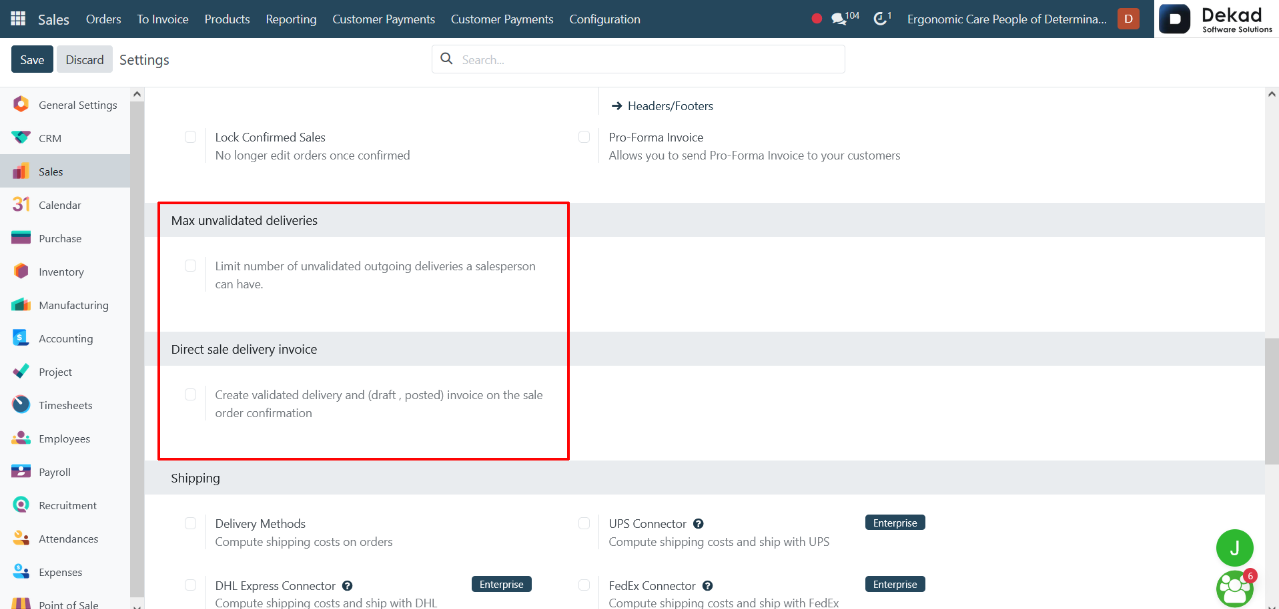
Lock Confirmed Sales prevents further
modifications to sales orders once
they are confirmed, ensuring data
consistency and control.
Pro-Forma Invoice enables sending a preliminary
invoice to customers before final
confirmation or delivery.
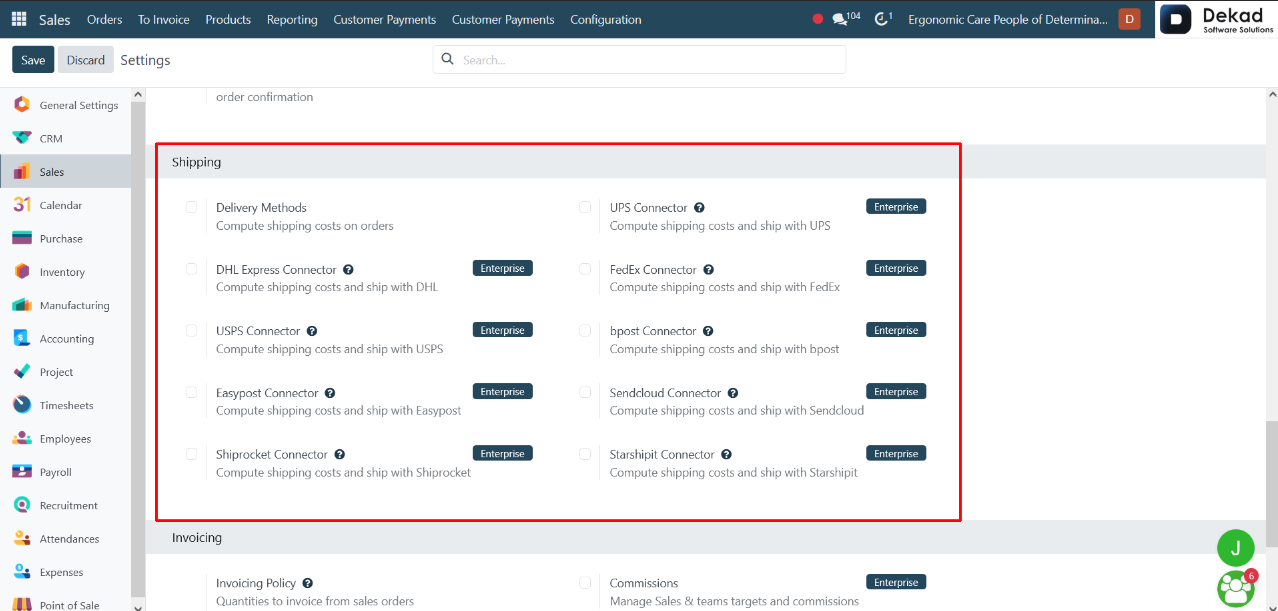
6.1.5 Shipping
Delivery Methods define how shipping
costs are calculated and how orders
are delivered to customers.
UPS Connector allows integration with UPS
to calculate shipping costs and manage
deliveries directly through the system.
DHL Express Connector enables shipping cost
calculation and order delivery using DHL
Express services.
FedEx Connector integrates FedEx services
for automated shipping cost calculation
and shipment handling.
USPS Connector connects with USPS to manage
shipping rates and deliveries.
bpost Connector allows shipping integration
with bpost for cost calculation and delivery management.
Easypost Connector provides access to multiple
carriers through a single platform to compute
shipping costs and manage shipments.
Sendcloud Connector integrates Sendcloud
to simplify shipping label creation and
carrier selection.
Shiprocket Connector enables shipping
management and cost calculation through
Shiprocket services.
Starshipit Connector integrates Starshipit
to automate shipping processes and manage
delivery options efficiently.
6.1.6 Invoicing & Connectors
Invoicing Policy defines the rules used
to generate invoices from sales orders.
Quantities to invoice from sales orders
determines how the system calculates
invoice quantities based on order lines.
Invoice what is ordered means invoicing
is done based on the full ordered
quantity, regardless of delivery status.
Invoice what is delivered means invoicing
is done only for the quantities that have
been delivered.
Commissions are used to manage sales
targets and commission structures for
sales teams and salespersons.
Connectors are used to integrate the
system with external platforms to
exchange and synchronize data.
Amazon Sync allows importing orders from
Amazon into the system and keeping delivery
information synchronized, ensuring that
sales and fulfillment data remain up to
date across both platforms.