An Opportunity in Odoo CRM is a potential business deal
that has been qualified and is considered worth pursuing.
It represents a customer who has shown interest and may eventually make a purchase.
Opportunities are managed through different stages in the CRM pipeline,
allowing sales teams to track progress, schedule activities,
and increase the chances of closing a successful deal.
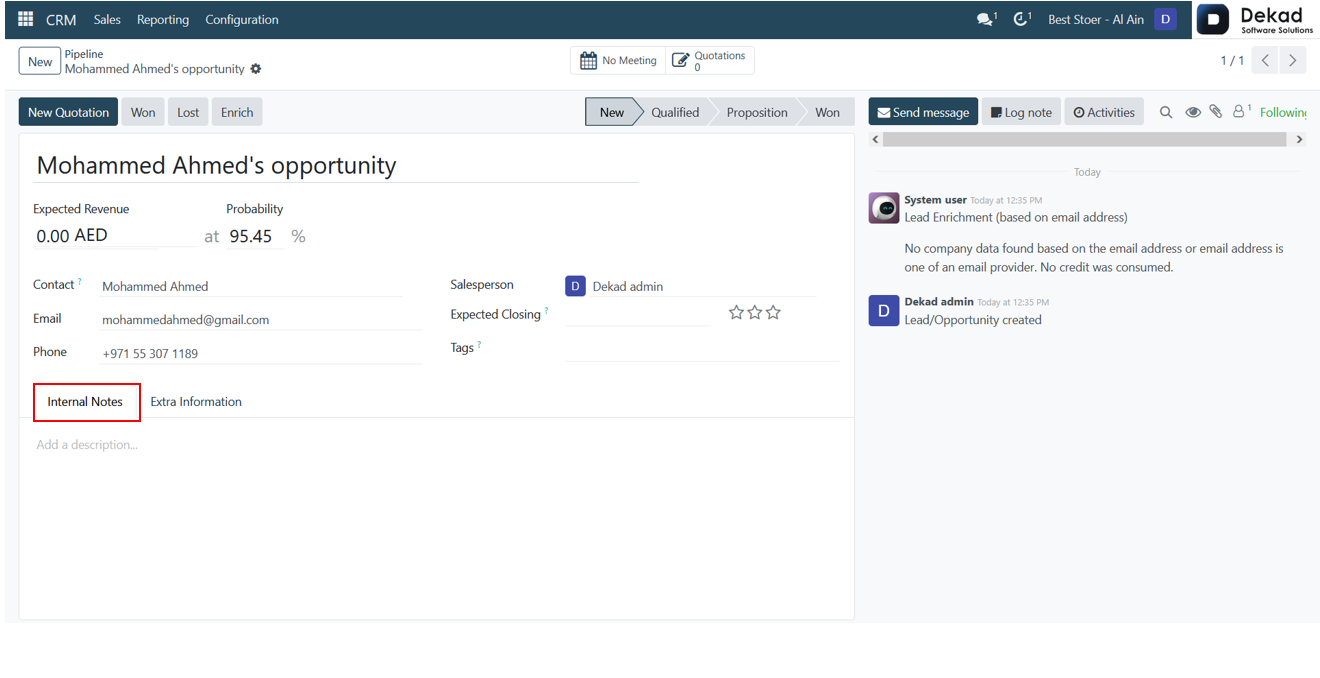
A new opportunity can be created from the CRM Pipeline by selecting the New option.
The user can then enter the required information,
such as the opportunity name, customer details,
expected revenue, and other relevant data.
The following window illustrates the creation of a new opportunity in Odoo 18 CRM.
Opportunity Stages
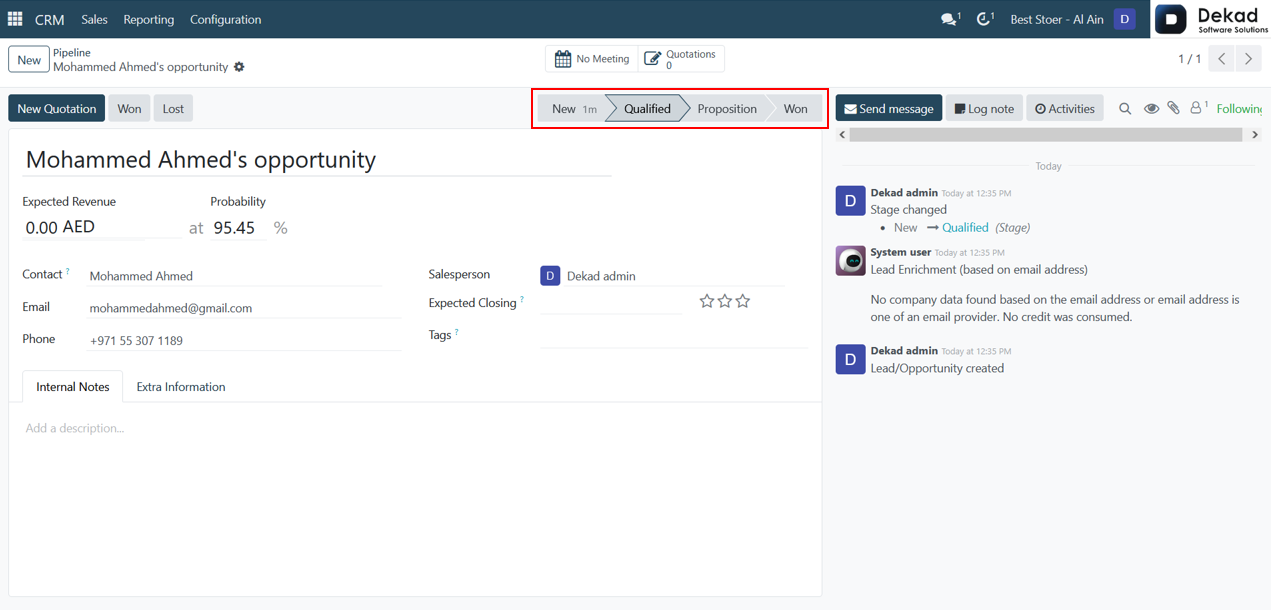
The stages displayed at the top of the opportunity form
represent the progress of the sales process. As the opportunity advances,
it can be moved between different stages such as New, Qualified, Proposition,
and Won. These stages help sales teams track the status of
opportunities and monitor their progress throughout the CRM pipeline.
• New: This stage is used when a new opportunity is first created and has not yet been evaluated.
• Qualified: The opportunity is moved to this stage after confirming the customer's interest and verifying that the deal is worth pursuing.
• Proposition: This stage indicates that a proposal, quotation, or offer has been presented to the customer.
• Won: The opportunity is marked as Won when the customer accepts the proposal and the sales deal is successfully completed.
Chatter Panel
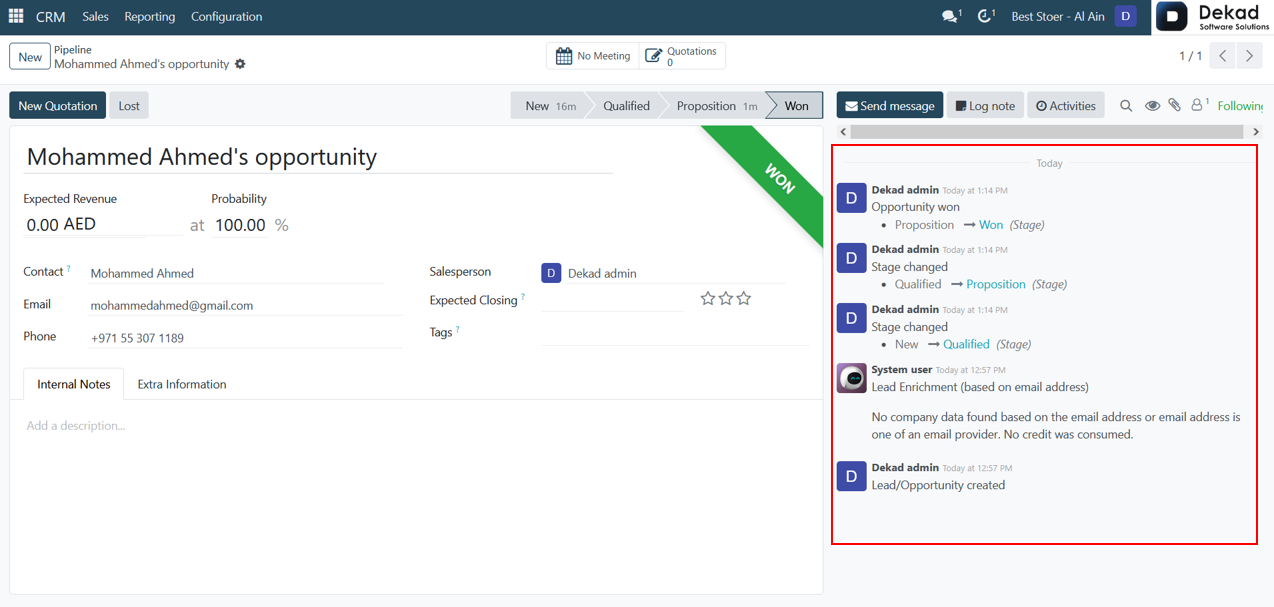
The chatter panel on the right side
of the opportunity form records all
important activities and updates
related to the opportunity. Users
can view stage changes, logged notes,
scheduled activities, messages,
and other modifications. Each
update is displayed along with
the user who performed the action,
providing better tracking, transparency,
communication, and accountability
throughout the sales process.
Won Opportunity
As an opportunity progresses through the sales process,
it moves between different stages in the CRM pipeline.
The workflow usually begins with the New stage when the
opportunity is first created. After verifying the customer's interest,
it is moved to Qualified. Once a proposal or quotation is presented,
the opportunity advances to the Proposition stage.
Finally, if the customer accepts the offer and the deal is successfully completed,
the opportunity is moved to the Won stage.